
Adobe Campaign Classic Integration with Journey Orchestration
Hi Everyone,
Here's a walk through of how you can activate Adobe Campaign Classic Message center templates through Journey Orchestration Actions.
Introduction
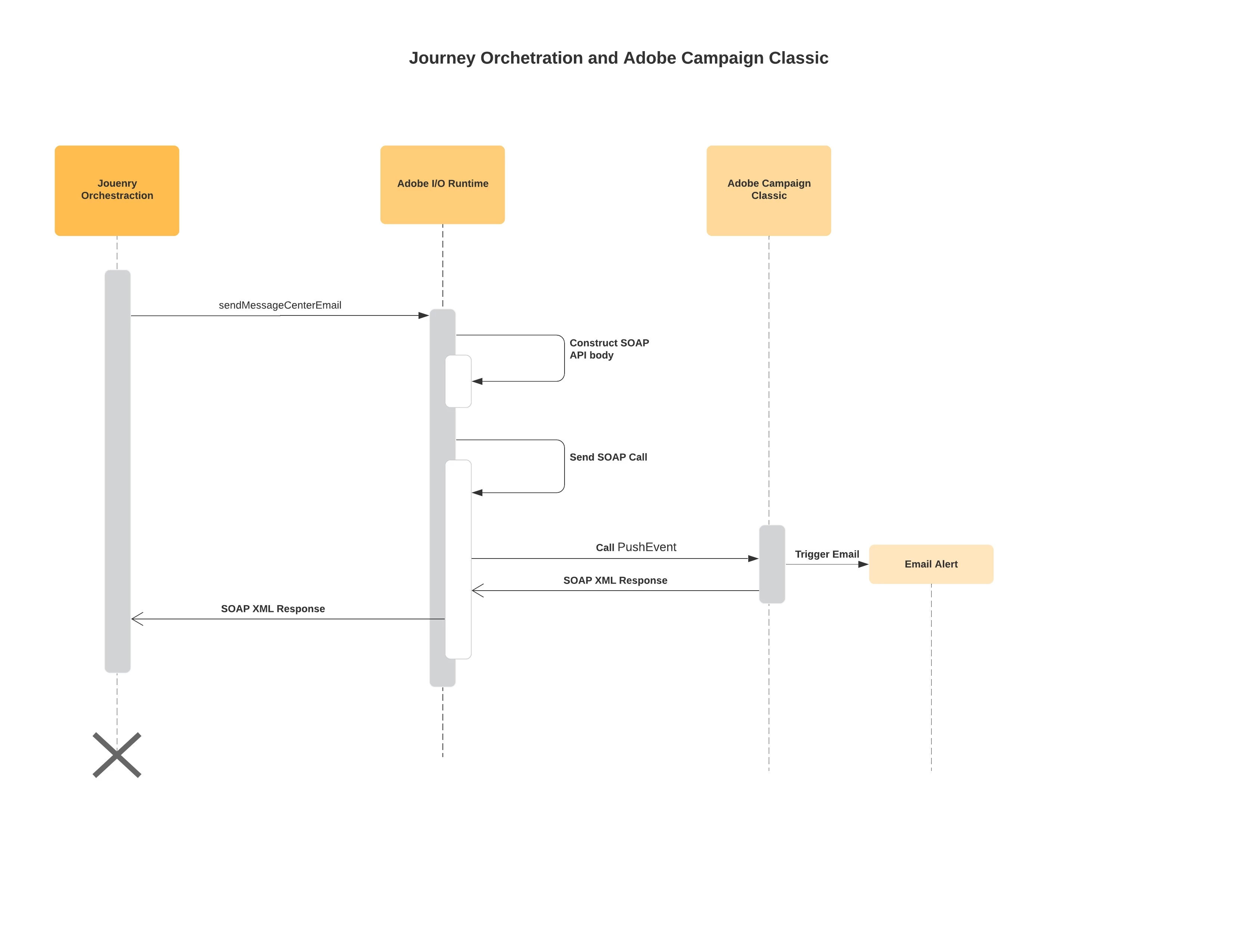
Solution
Adobe I/O Runtime
- Deploy ACC, send transaction Email actions
- This action is required to transform the JSON payload received and translate it into SOAP API body
- The response of this call will be the XML response from ACC
- The Deployment of the action reuses the basic authentication mechanism used by ACC SOAP API calls
- The instance URL, eventType and email are required fields in the body
- The ctx object can contain as many attributed for personalization as needed
Journey Orchestration
- We will be calling the runtime endpoint for the action created in a custom action
- For example the runtime API endpoint deploy for one of the instances is
https://adobeamericaspot2.adobeioruntime.net/api/v1/web/acc4jo-0.0.1/sendMessageCenterEmail
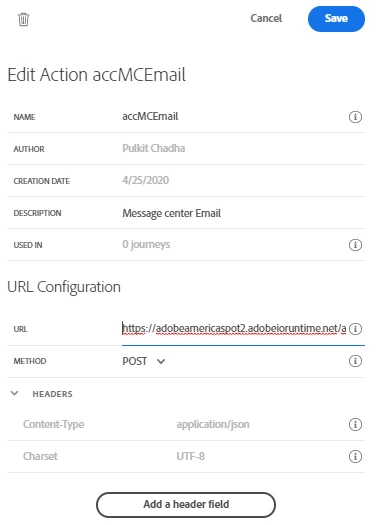
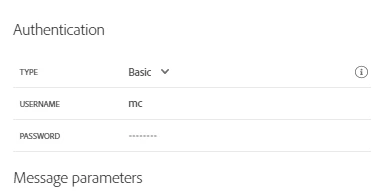
- For authentication on the action, select Basic and enter the username and password for the operator with the Message Center Execution rights
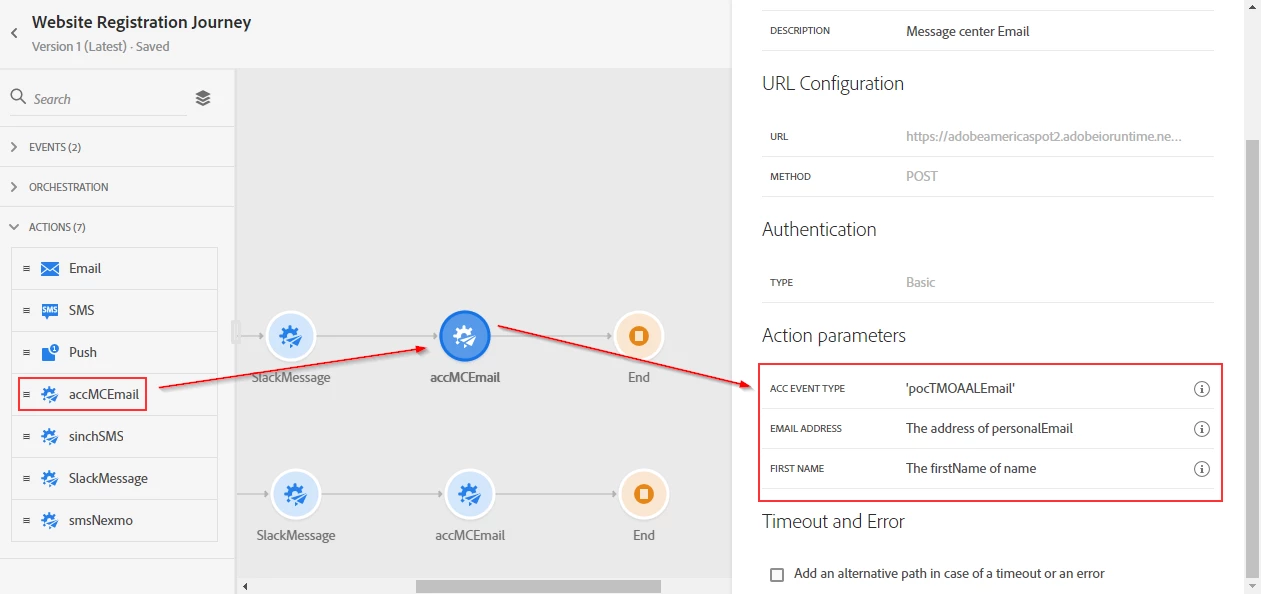
- For Message Parameters, the values may depend on your use case. Below is a example
{ "accIntanceURL": "adobeamericas91.adobedemo.com", "eventType": { "toBeMapped": true, "dataType": "string", "label": "ACC Event Type" }, "email": { "toBeMapped": true, "dataType": "string", "label": "Email Address" }, "ctx": { "firstName": { "toBeMapped": true, "dataType": "string", "label": "First Name" } }}-
- Note accIntanceURL, eventType and email are required fields
- externalID is an optional key value you can chose to send in
- the ctx object in the parameter can have as many key value pairs as needed for personalization of the email
- To use the action in a Journey, drag and drop the action and map the message parameters
Please feel free to reach if you have any questions thrugh teh below reply/comment section.
Regards,
Sukrity