Using Fusion to create a .doc/.docx file and convert to proof
My team and I are trying to figure out a way to create a .doc/.docx document in Fusion and upload to Workfront, which then will be converted to a proof.
Here is how we are "trying" to upload the document as a .doc/.docx format using the Upload Document Workfront Module:
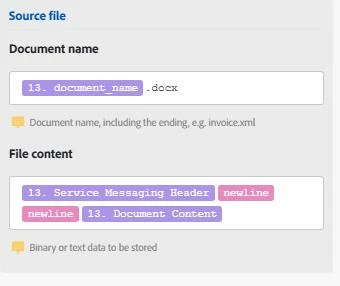
However, when we create the document using this method, the file is un-openable in Word (seems to be corrupted) and is failing to generate as a proof when using the "Create Proof" option in Workfront.

Does anyone know if this is the correct way to create a word document using the Document Upload module? We are aware of the Microsoft Word Template modules but are trying to avoid having to use this as it requires a Word license.
Any information on how we could get this issue solved would be greatly appreciated.
CC: @jyotina