


Solved
Scheduled Scenario run on a specific date
Is it possible to schedule any Fusion scenario on a specific date of every month? ex: 10th of every month
All I see is the Minutes, Time, Day and month selections in the trigger settings.
Is it possible to schedule any Fusion scenario on a specific date of every month? ex: 10th of every month
All I see is the Minutes, Time, Day and month selections in the trigger settings.
Hi @srinija_n ,
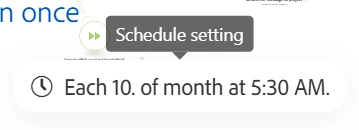
Under "Run scenario", select "Days of the month".
In the "Days" section, check the box for "10".
Click on "Show advanced settings".
In the "Start Date" field, specify the date you want the schedule to begin.
If you don’t want the scenario to stop at a specific time, leave the "End Date" field blank.
Enter your E-mail address. We'll send you an e-mail with instructions to reset your password.