Parsing CSV Does Not Populate Column Names | Community
Skip to main content
Eric_D_Miller
Level 5
January 21, 2026
Question

Parsing CSV Does Not Populate Column Names

  • January 21, 2026
  • 1 reply
  • 36 views

Hello


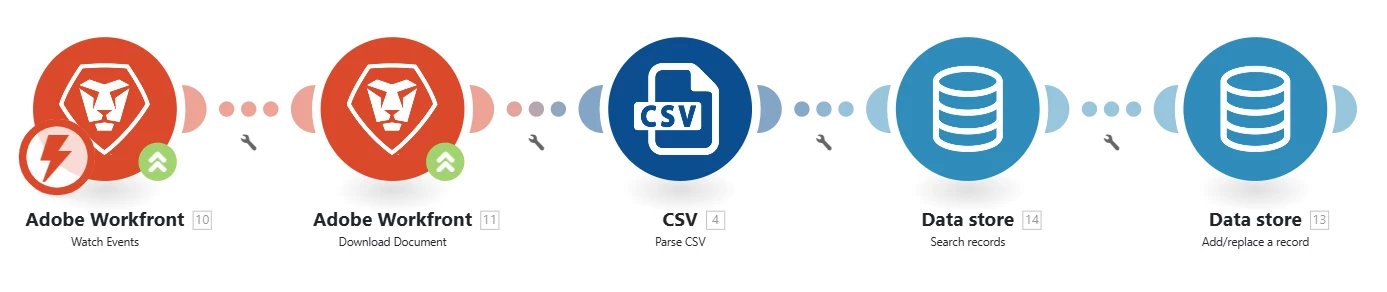
I am running a scenario which is to download a file (csv) which is uploaded to a Workfront Project which then will be parsed and used to update a datastore in Fusion.


  1. Do I need to include the key column in the csv?
  2. Do I need to run any modules before the Add/Replace a record module?
  3. Here is my scenario, anything look off?

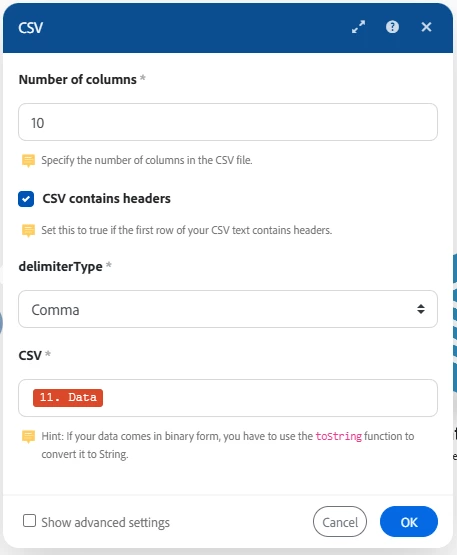
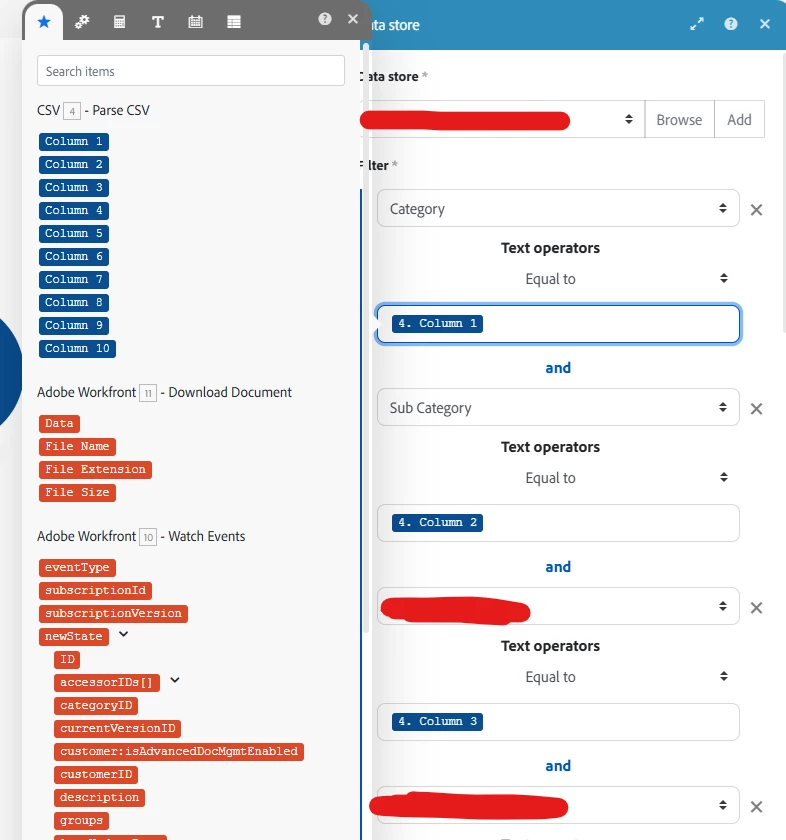
My issue is when it hits the Search Records it is not finding any info. Here is my parse & search module config:
 

Any help will be greatly appreciated.

1 reply

IvanBebek-iX
Level 5
January 22, 2026

Hi ​@Eric_D_Miller,


I can see in the csv module I can see that the “CSV contains headers” checkbox is selected and also you asked do you need to add a key to the column, if by key you mean header, yea you need to add it in order for the names to be picked up by the module. 
To answer the second question “Do I need to run any modules before the Add/Replace a record module?” short answer is no.

Hopefully this helps. If there are any other questions please feel free to reach back to me.

Best regards,
Ivan

Eric_D_Miller
Level 5
January 22, 2026

Ivan,

Thank you for the reply.

I do have headers in the csv file, although I only see ‘Column 1, Column 2, etc. in the referenced data. The ‘key’ column is I mentioned is in reference to the key column in the Fusion datastore.

IvanBebek-iX
Level 5
January 27, 2026

Hi ​@Eric_D_Miller,


There is no need to include the key in the column as you only need the key if you are getting the record. One question in addition, do you actually expect this search to find something?

We had a scenario where we used search just to reduce the number of additions so we had to utilize the “Continue the execution of the route even if the module returns no results” checkbox and also you can configure the mapping, please refer to the following screenshots.


Please let me know if this answers your questions. Thank you in advance.


Best regards,
Ivan