Optional Filter Help on Watch Record Trigger Module
Hi Fusion Community,
Goal:
- Set up a Watch Record trigger module on the task object, based the following filtering:
- If the Planned Start Date or Planned Completion Date values on a task are modified (updated) to result in one or both of these dates falling outside the current month
- OR
- If the old state Status value is not equal to CPL (Complete) and the new state Status value is equal to CPL
I hesitantly tried just setting up a Watch Events trigger module, and then did the above filtering after that, but given we have lots of users updating lots of tasks, almost every second, I think I just about broke Workfront (and Fusion) - too many concurrent API connections (error), and a massive scenario queue that couldn't keep up. FYI - using this method, I created a Set Multiple Variables module that took the new and old states of the Planned Start and Completion dates, as well as variable for NOW, and did a filter after that, using these variables, to filter out only the records I wanted to process.
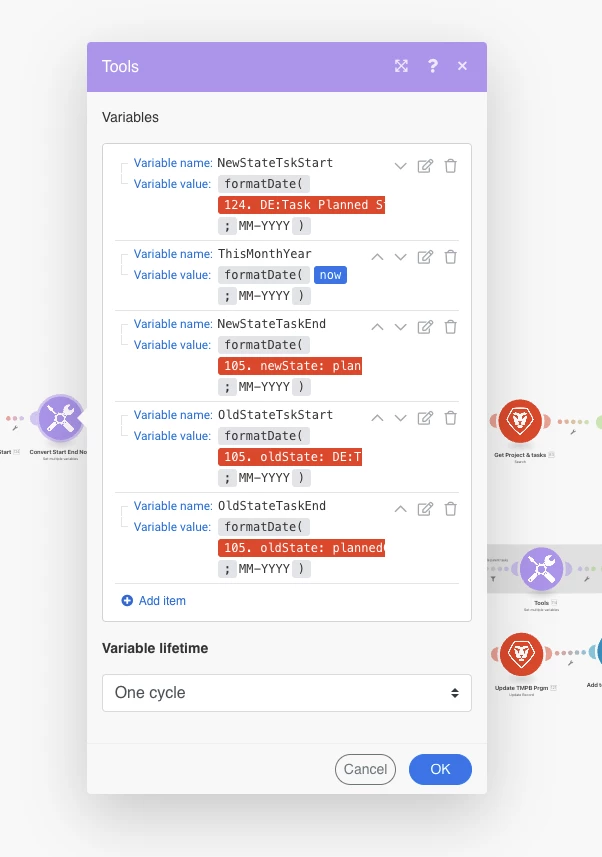
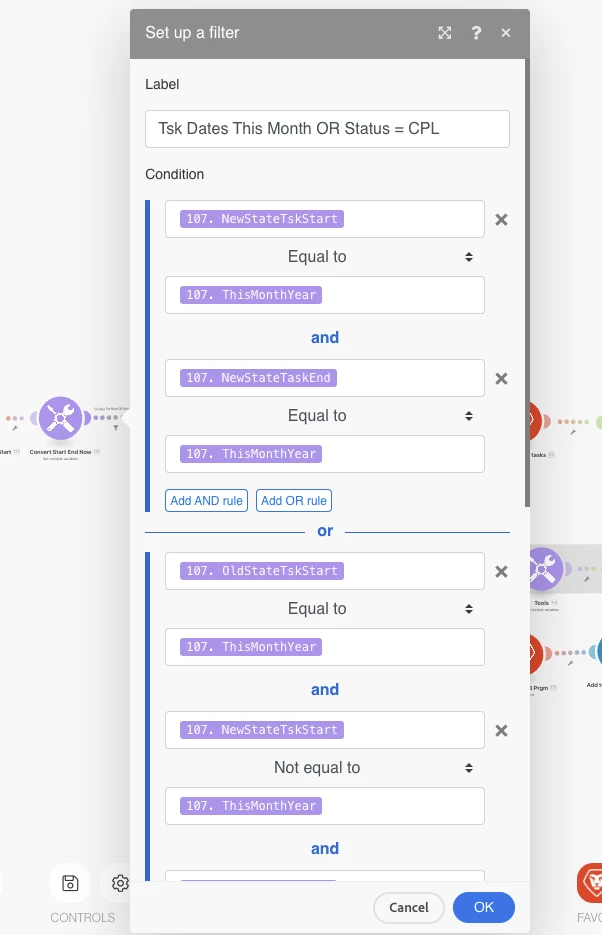
I'm not sure how to reference old state and state updates in the Optional Filter field on a Watch Record module. Does anyone know how, or have another solution to prevent this scenario from firing incessantly?
Thanks!
Nick