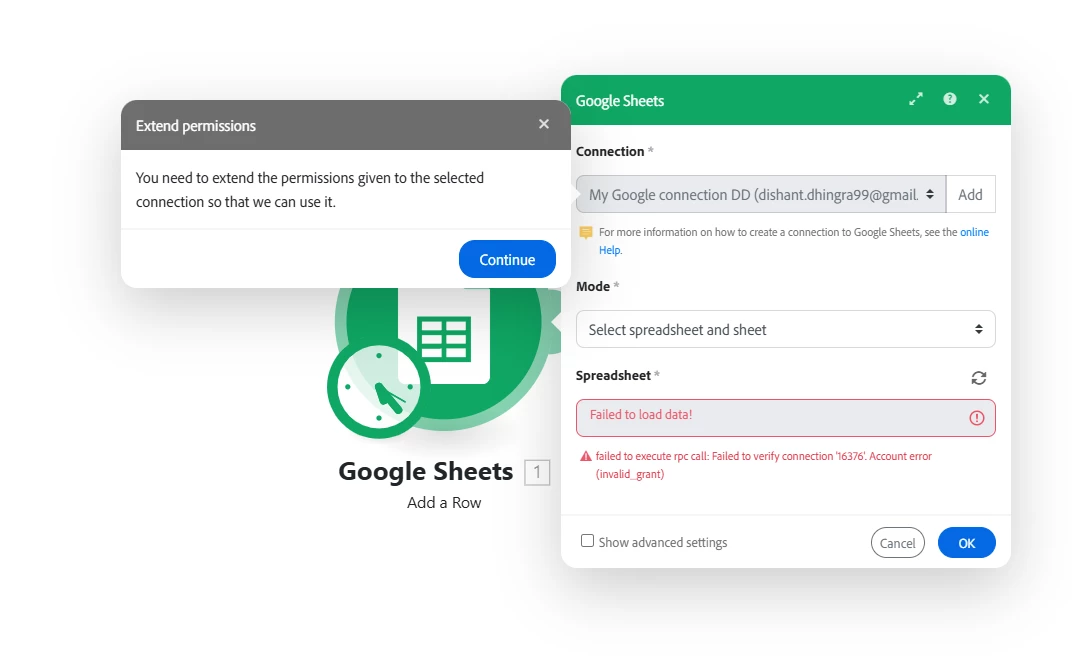
Google sheet connection issue | Community
Skip to main content

2 replies

Adobe Employee
April 24, 2026

Hi Dishant, 
 

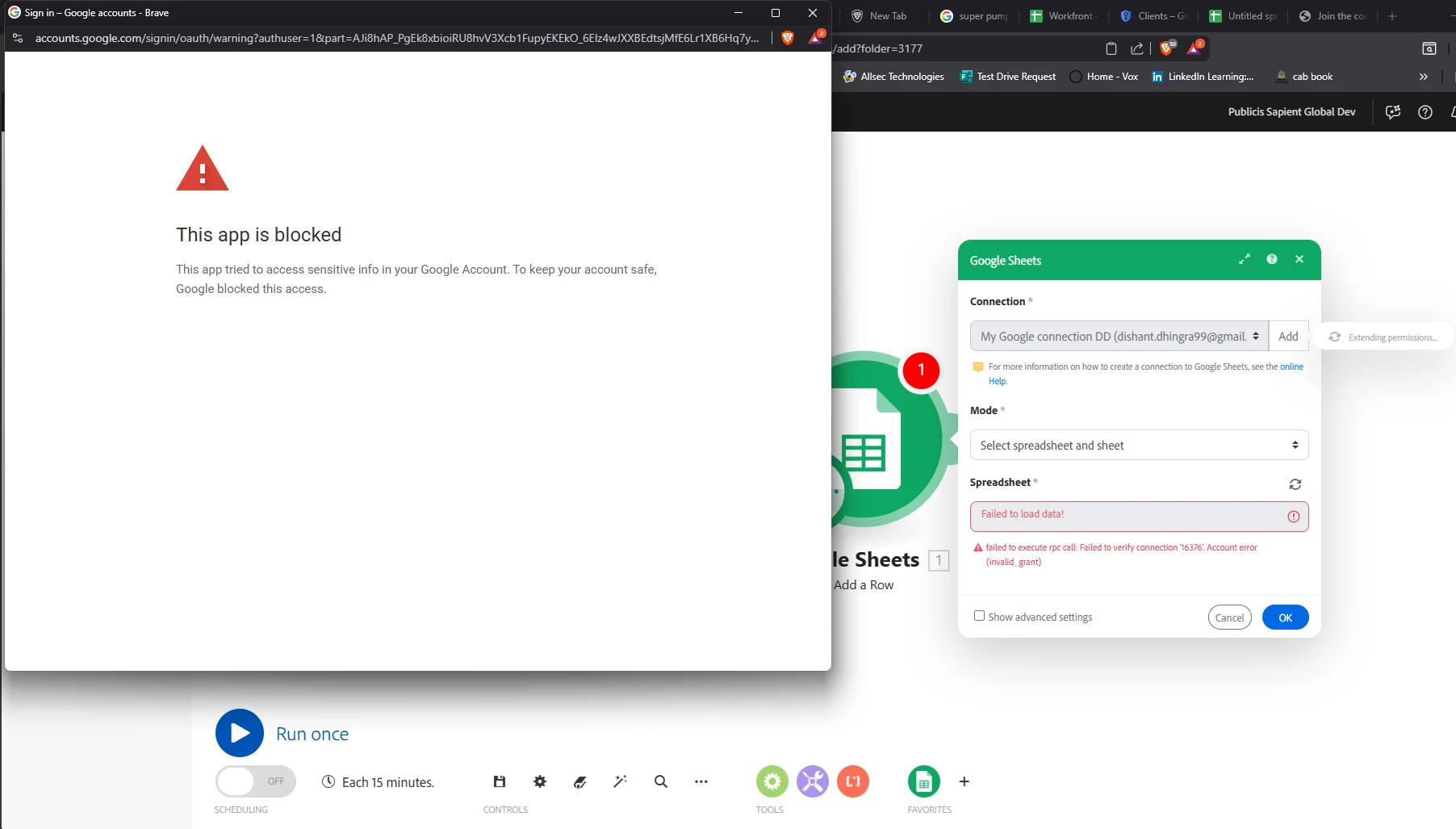
Thank you for sharing the screenshot and the details.

We reviewed the error, and this appears to be occurring during the Google authorization flow rather than from a failure in Adobe Workfront Fusion itself. The message “This app is blocked” is typically returned by Google when there is a mismatch in the OAuth configuration or when the Google account/policy being used does not allow the connection.

Could you please verify the following items:

  1. Confirm which Google module you are connecting

    • Your screenshot appears to show a Google Sheets connection.
    • If you are actually connecting Gmail, the redirect URI is different.
  2. Validate the redirect URI in Google Cloud Console

    • For Gmail or Google Drive use: https://app.workfrontfusion.com/oauth/cb/google-restricted
    • For Google Sheets and other Google apps use: https://app.workfrontfusion.com/oauth/cb/google
  3. Confirm the Google account type

    • If you are using a personal Gmail account (@gmail.com / @googlemail.com), please confirm that the connection is being created with a custom OAuth client.
    • If you are using a Google Workspace account, please confirm whether your Google Workspace admin allows this app/client under Security > API controls.
  4. Verify the Google Cloud project setup

    • The required APIs must be enabled for the project.
    • For Google Sheets, this normally includes Google Sheets API and Google Drive API.
    • Please also confirm that workfrontfusion.com is added correctly in the OAuth consent configuration where required.

One additional note: if the setup is correct, Google may show a warning that the app is not verified. That warning can be expected in some custom OAuth setups. However, the message you shared is “This app is blocked,” which usually indicates a configuration or policy issue rather than the normal consent warning.

If you’d like, please send us:

  • the exact Google module being connected (Gmail or Google Sheets),
  • whether the account is personal Gmail or Google Workspace,
  • and a screenshot of the configured redirect URI in Google Cloud Console.

Once we have those details, we can help confirm the correct configuration.

Best regards,
Ewan

Level 1
April 26, 2026

Hi ​@etaylor-1,

Thanks for the reply,

Refer below details and please guide me accordinly,

  1. I am connecting google sheet module.
  2. Redirected URL are same as you mentioned.
  3. I am using gmail.com and yes the connection is created by custom Oauth client, I am using my personal google account not the workspace one.
  4. Project setup is same as mentioned.