
Fusion: Attach Project Template | 'Options' selection | Community
Skip to main content
_Manish_Singh
Level 9
September 16, 2025
Solved

Fusion: Attach Project Template | 'Options' selection

  • September 16, 2025
  • 2 replies
  • 380 views

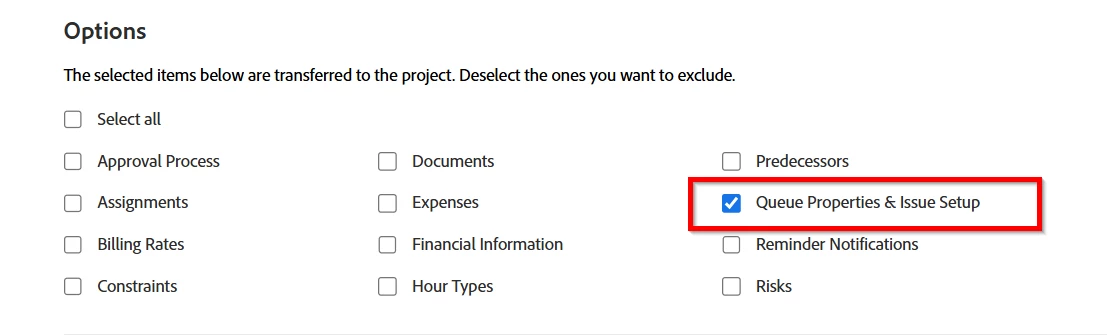
I want to select only 'Queue Properties & Issue Setup' when attaching the project template using Fusion.
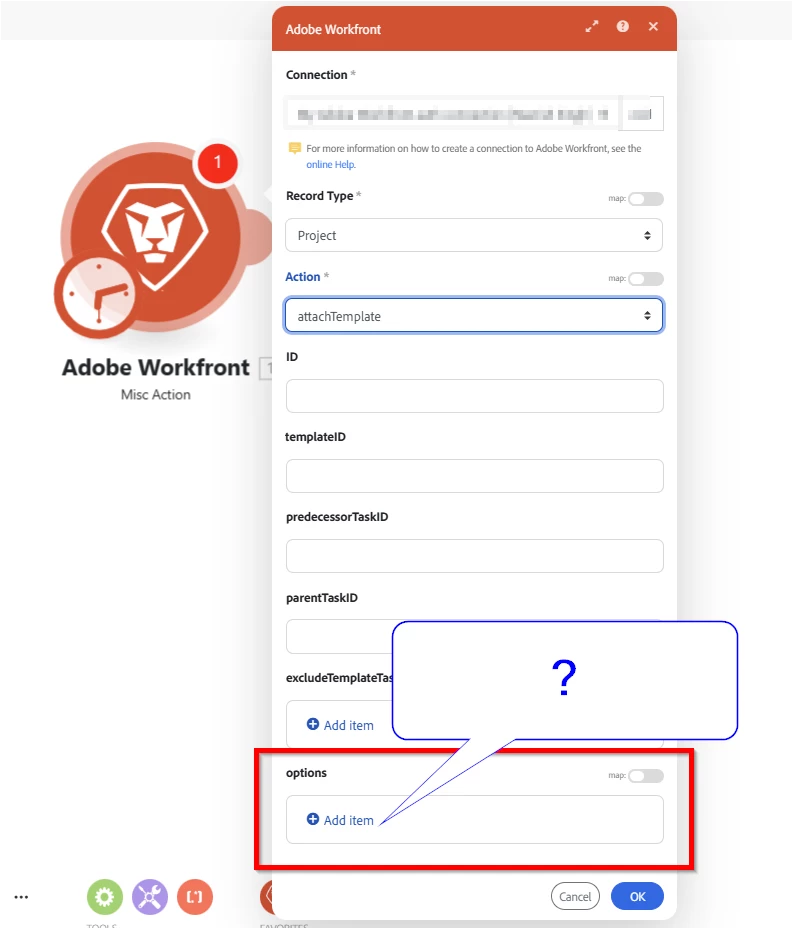
What should I enter in the 'Options' field in the Fusion module?
Best answer by _Manish_Singh

Here is the solution from support:

You’ll need to send the clear parameters for each option, as you're excluding them (except for Queue Properties & Issue Setup)

Each of the following options should be included in the options array:

"options": [
"clearApprovers",
"clearAssignments",
"clearBillingRates",
"clearConstraints",
"clearDocuments",
"clearExpenses",
"clearFinancials",
"clearHourTypes",
"clearPredecessors",
"clearTimedNotifications",
"clearRisks",
"clearSharingOptions"
]

You could add them this way:
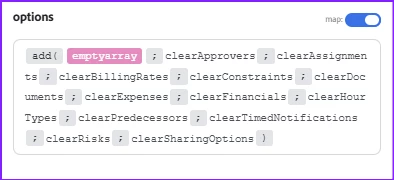
 

In the future, if you want to exclude Queue Properties & Issue Setup, the correct parameter to use is: "clearIssueSetup"

2 replies

Kurt_Jones
Community Advisor
Community Advisor
September 17, 2025

Manish,


If you enter preserveIssue that will tie the resolution of the original request to the project being created.  All the queue information stays on the request, it does not come over to the project.  You do not need to put anything in the options field, you can choose to leave it blank as well, it won't impact your ability to attach the template.

_Manish_Singh
Level 9
September 23, 2025

Hello @kurt_jones, This is an existing project. I have created new queue topics that I want to add to over 100 existing projects without modifying anything else. If it is not possible to select only 'Queue Properties & Issue Setup', I can create a new template with only the new queue topics and leave everything else blank, but that would be my last resort.

Level 3
September 23, 2025

Hi @_manish_singh 

I have done this many times before. Just create a new template, blank out as much as you can, then only add the queue topics. If the values are blank on the template, it doesn't wipe out values on the project it's being attached to, it just doesn't update them.

_Manish_Singh
_Manish_SinghAuthorAccepted solution
Level 9
September 24, 2025

Here is the solution from support:

You’ll need to send the clear parameters for each option, as you're excluding them (except for Queue Properties & Issue Setup)

Each of the following options should be included in the options array:

"options": [
"clearApprovers",
"clearAssignments",
"clearBillingRates",
"clearConstraints",
"clearDocuments",
"clearExpenses",
"clearFinancials",
"clearHourTypes",
"clearPredecessors",
"clearTimedNotifications",
"clearRisks",
"clearSharingOptions"
]

You could add them this way:


In the future, if you want to exclude Queue Properties & Issue Setup, the correct parameter to use is: "clearIssueSetup"