current projects with pending proofs--how best to find/filter
I’m working on a Power BI dashboard for some of our business partners. I’m told that delays with these projects frequently stem from the partners failing to approve proofs in a timely fashion. In addition to project info, I am hoping to show folks info on current tasks and any pending proof approvals.
I know that proofs use a completely different API than does Workfront. My thought is to create a custom form for documents and populate it with reviewer/status info obtained from a Workfront Proof module (that way I wouldn’t have to hassle with making a Workfront Proof API call in PBI). I tested the back end of this idea--pulling reviewer names/roles/approval status, aggregating those values, and updating a custom field attached to my document with the aggregated text--and it worked.
I’m now trying to figure out the best way of isolating the population of objects I need for the front end of the scenario. For my initial test, I’m hoping to pull documents with pending approvals for projects that have a status of current and that have a particular project custom field value. After reading this thread, I create a Document Version report with this filter:
EXISTS:1:$$OBJCODE=DOCU
EXISTS:1:DE:project:Portfolio this request falls under.=Firm Services
EXISTS:1:ID=FIELD:documentID
EXISTS:2:$$OBJCODE=DOCU
EXISTS:2:ID=FIELD:documentID
EXISTS:2:project:status=CUR
proofDecision=pending
proofDecision_Mod=cieq
This works fine in a report, but I was unable to use the filter criteria in a Fusion WF Custom API Call module--I got an error indicating the EXISTS statement cannot be used. I saw an older thread suggesting that specifying the Internal API as the version would work with EXISTS, but I was unsuccessful with attempts trying to invoke it and the Unsupported API.
Instead I’ve attempted to pull a broader set of records and then iterate through them in order to filter down to what I need:

I first have a Custom API Call module that searches for Document Version records with this criteria (I picked the starting date because a report indicated with don’t have any current projects with pending proofs before Oct. 2025):
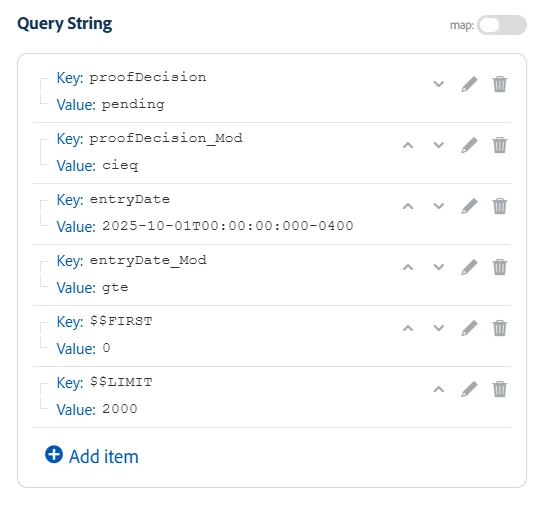
I iterate through the results, sending them to a Document-based Custom API Call:
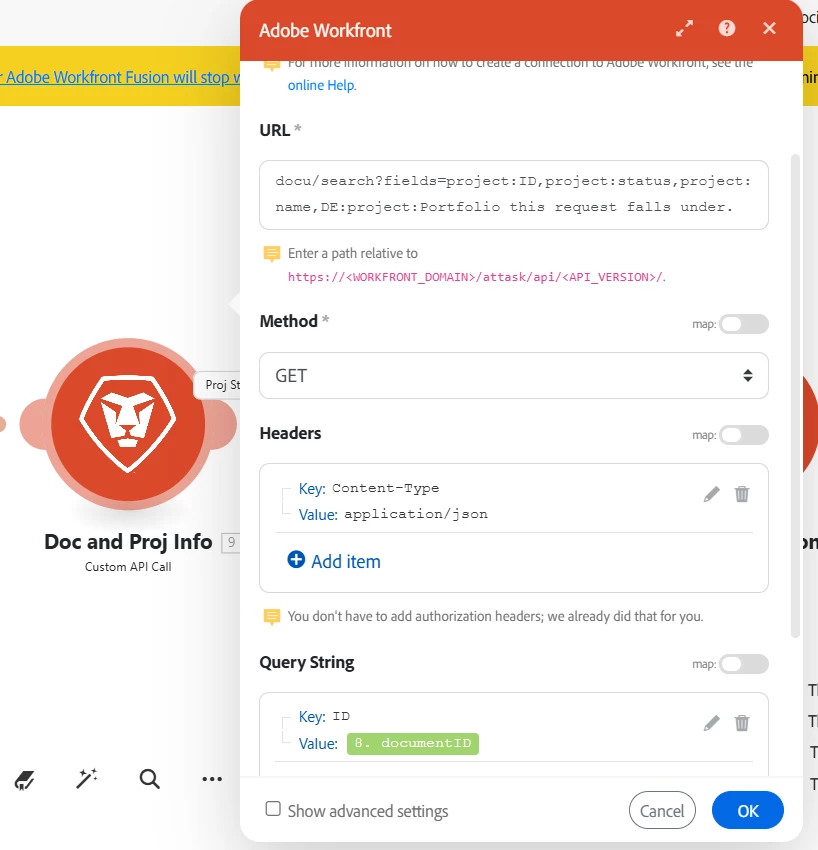
I filter those results for Project-level values:
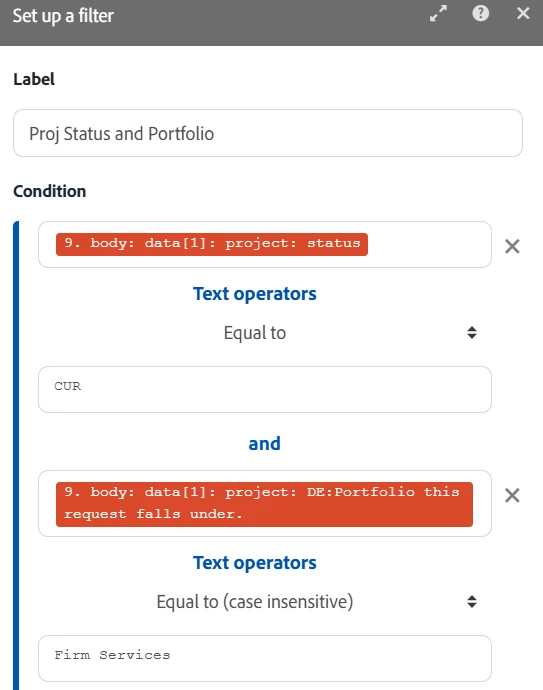
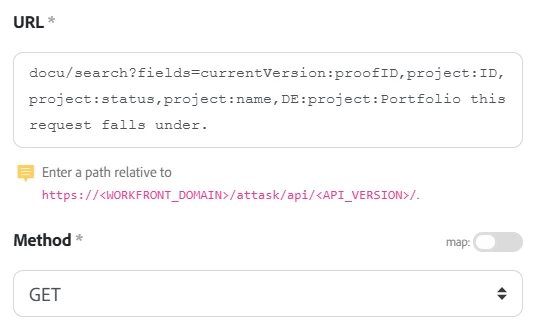
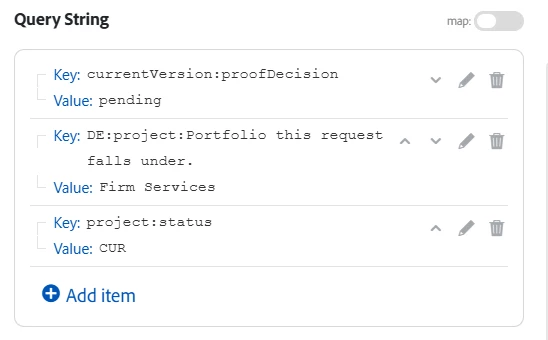
I iterate those results and feed them into another Document Version-based Custom API Call in order to extract the Proof ID I need to drive the second half of the scenario:
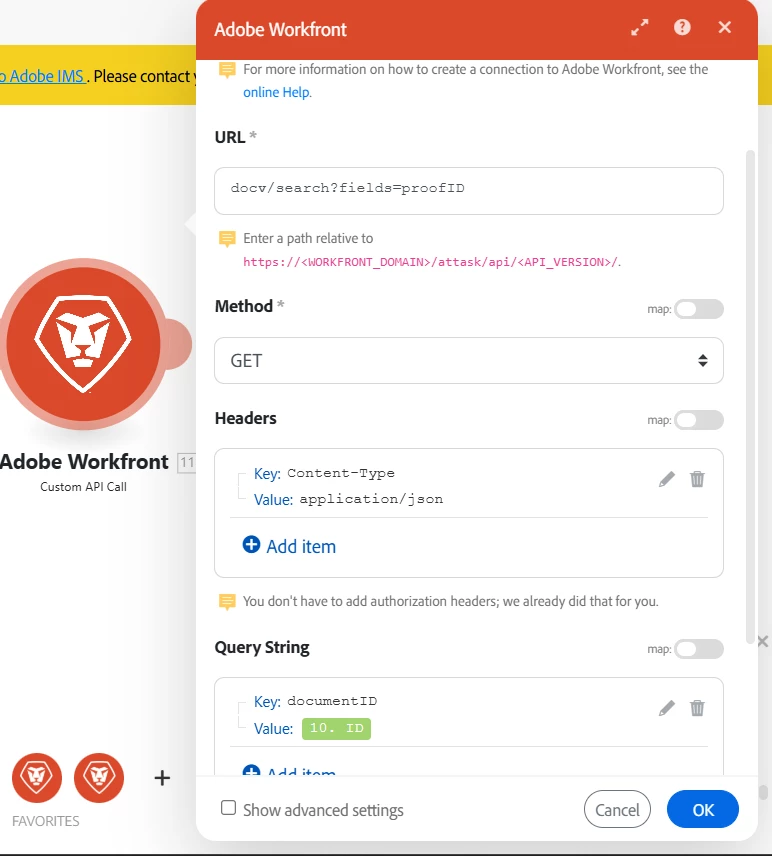
This works, but I’m wondering if there’s a cleaner and more efficient way to get to the filtered values I need (my scenario seems a little clunky). I’d appreciate any suggestions/assistance.
Thanks!