Add a string of text to a Text Field with Formatting field
I am newer to creating and supporting various fusion scripts and ran into a challenge and wondering if there is a solution.
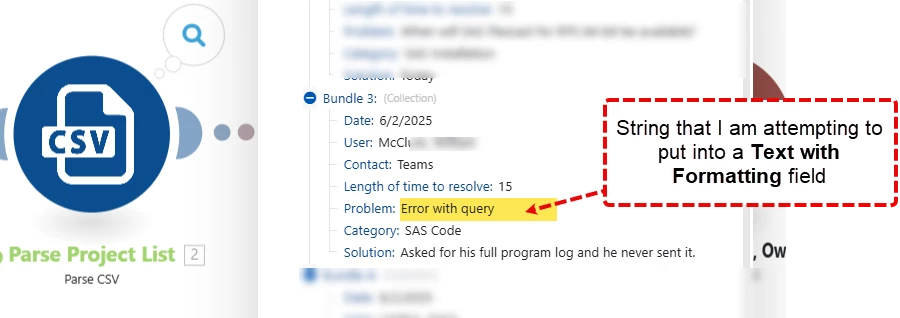
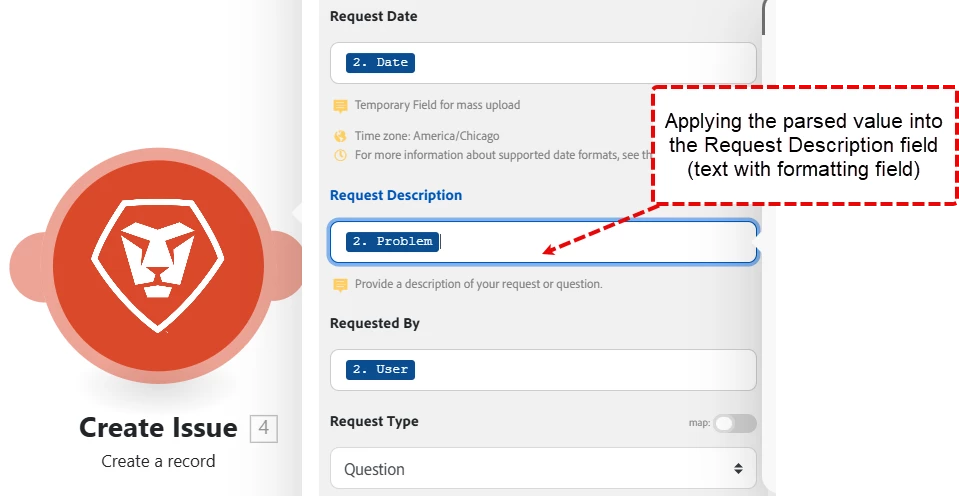
Scenario: I have a CSV file that we are reading with fusion that includes a "problem" text (just a string of text) that we are looking to insert the text into a new "Request Description" field which is a text field with formatting.
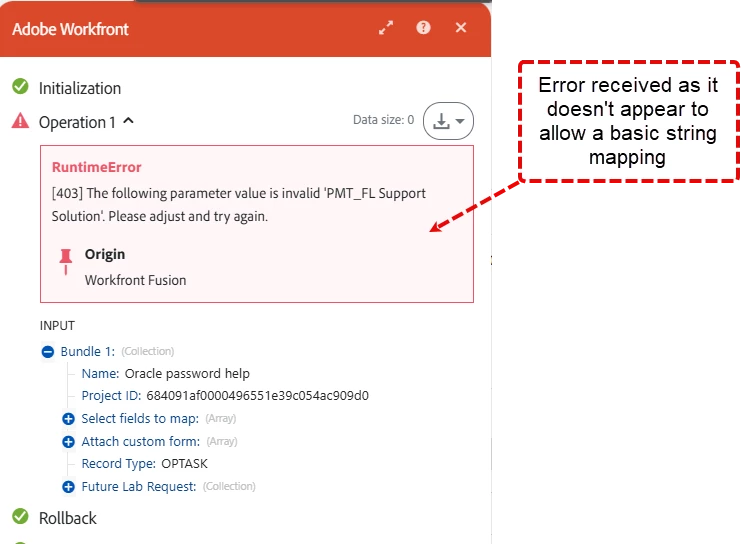
Issue: When running a fusion scenario that is creating a record, I receive the following message: "The following parameter value is invalid....". From what I found, this appears to be a formatting issue.
Doing some digging, I found this article that refers to the need for a JSON file to upload into this field, but I feel I am missing something from a fusion standpoint on how to create this: Rich text fields in the Adobe Workfront API | Adobe Workfront
Ideas? Is there an easy solution to convert this to allow for applying to the new field? How would I convert a string of text into a JSON file/value and apply the text into the new text with formatting field?
Appreciate any insight that anyone has. Thanks!