Workload Balancer - Not showing any users in 'Assigned Tasks' | Adobe Higher Education
Skip to main content
Level 2
August 28, 2024
해결됨

Workload Balancer - Not showing any users in 'Assigned Tasks'

  • August 28, 2024
  • 1 답변
  • 766 조회

Hi there,

We are trying to assign tasks on a project in Workfront. When we go into the Workload Balancer, we are expecting to see users available to us so that we can assign a task.

As per the guidance on the help site it states that :
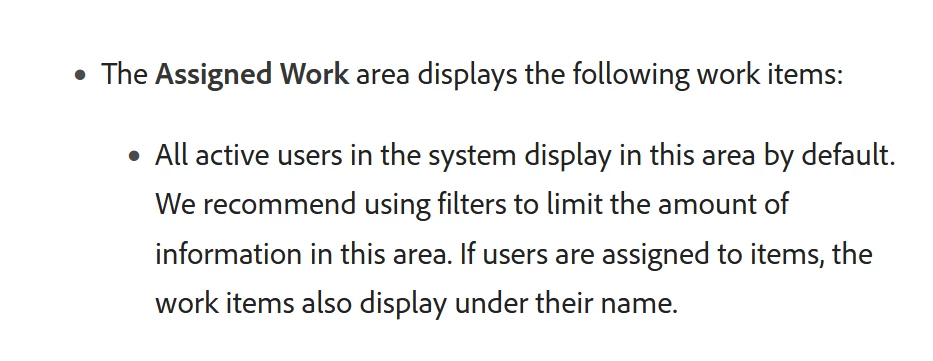

But we can't see any active users by default, they only appear if we manually assign individual tasks.

Please can anyone advise on how we can view all users (and then apply filters) on the workload balance in the 'Assigned Work' section.

Thanks in advance

최고의 답변: Daniel_Clarke

Sounds like you found it James, you can click the "see all users" button in the top right within the Workload Balancer so you can see all resources even when using with an individual project view. 

Alternatively you can use the "people" area to add individual users to a project without forcing them onto assignments which can make it easier than scrolling through a large team in the balancer using the "all users" button.

1 답변

Rafal_Bainie
Community Advisor
Community Advisor
August 28, 2024

hi @jameswi7 

workload balancer indeed should display all users without additional action.

the reason why it may show as empty is that you are looking at a project page which also can include balancer view, but if no users are added to the project this may show as empty, e.g. this project has 1 task not assigned to anyone so balancer looks like this:


JamesWi7작성자
Level 2
August 28, 2024

many thanks, i had not clicked the button in the top right!

Daniel_Clarke
Community Advisor
Community Advisor
August 28, 2024

Sounds like you found it James, you can click the "see all users" button in the top right within the Workload Balancer so you can see all resources even when using with an individual project view. 

Alternatively you can use the "people" area to add individual users to a project without forcing them onto assignments which can make it easier than scrolling through a large team in the balancer using the "all users" button.