Workfront Reports | Community
Skip to main content
Level 3
June 15, 2026
Question

Workfront Reports

  • June 15, 2026
  • 2 replies
  • 62 views

Hi Team ,

I have a scenario, is that possible to group the planned completion date with week that consists only Mon-Fri. I have added the image with week , I need same with addition of only Working days in week.
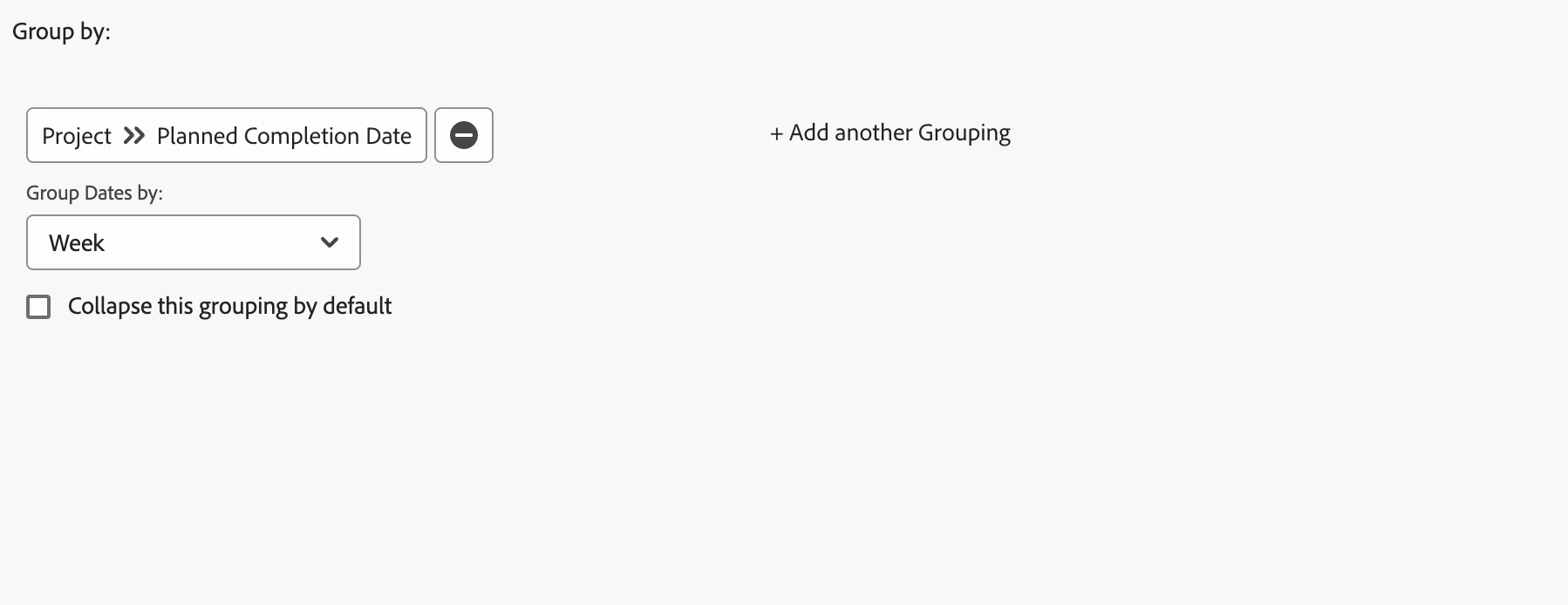
Is this being Possible? If possible, any suggestion.

2 replies

Lyndsy-Denk
Community Advisor
Community Advisor
June 15, 2026

Hi, ​@ArunachalamElangovan. I’m going to go out on a limb and say it can’t be done. What would the system do for days that fall outside a weekday? If you have planned completions landing on a weekend, then there are a few things to know:

  • Schedules matter. You can set the default schedule for a project based on the Schedules you’ve configured in your Setup area. If this is blank, it leans heavily into who is assigned to the tasks and the time zones associated with their user records. If you don’t have schedules configured in your Setup, I imagine the system will interpret that you folks work weekends because there’s no schedule telling Workfront otherwise.
  • Time zones matter. If your project or the final task is associated with a Schedule or user in a time zone quite different from yours, you are liable to see times and dates outside of your typical business week. For example, I’m in the US Eastern time zone, but we’re a global company and have people assigned on the opposite side of the globe from me. Workfront understands that they will be working at 2 a.m. while I’m asleep.

Knowing that, you can try to manipulate your closing tasks so that projects end within business days.

Adobe Support
June 21, 2026

Hi ​@ArunachalamElangovan,  grouping by a strict Mon-Fri working week isn't natively available, but you can get close with a calculated custom field that snaps each date to the start of its working week (Monday), and then group your report by that field.

Create a calculated custom field on your object (Task or Project) using an expression that calculates the Monday of the week the planned completion date falls in. Something like:

ADDDAYS(plannedCompletionDate, IF(DAYOFWEEK(plannedCompletionDate)=1,-6, IF(DAYOFWEEK(plannedCompletionDate)=2,0, IF(DAYOFWEEK(plannedCompletionDate)=3,-1, IF(DAYOFWEEK(plannedCompletionDate)=4,-2, IF(DAYOFWEEK(plannedCompletionDate)=5,-3, IF(DAYOFWEEK(plannedCompletionDate)=6,-4,-5)))))))

This shifts each date back to the Monday of that week regardless of which day it lands on.

Add that calculated field to your report as a grouping. This will give you a "week of" grouping anchored to Monday. Items falling on weekends will still appear but will be grouped under the Monday of that week, so you can see them separately and handle them via schedule configuration.