
Workfront Report Sharing | Community
Skip to main content
JennyWi
Level 3
April 23, 2026
Solved

Workfront Report Sharing
  • April 23, 2026
  • 2 replies
  • 24 views
Web Team’s View

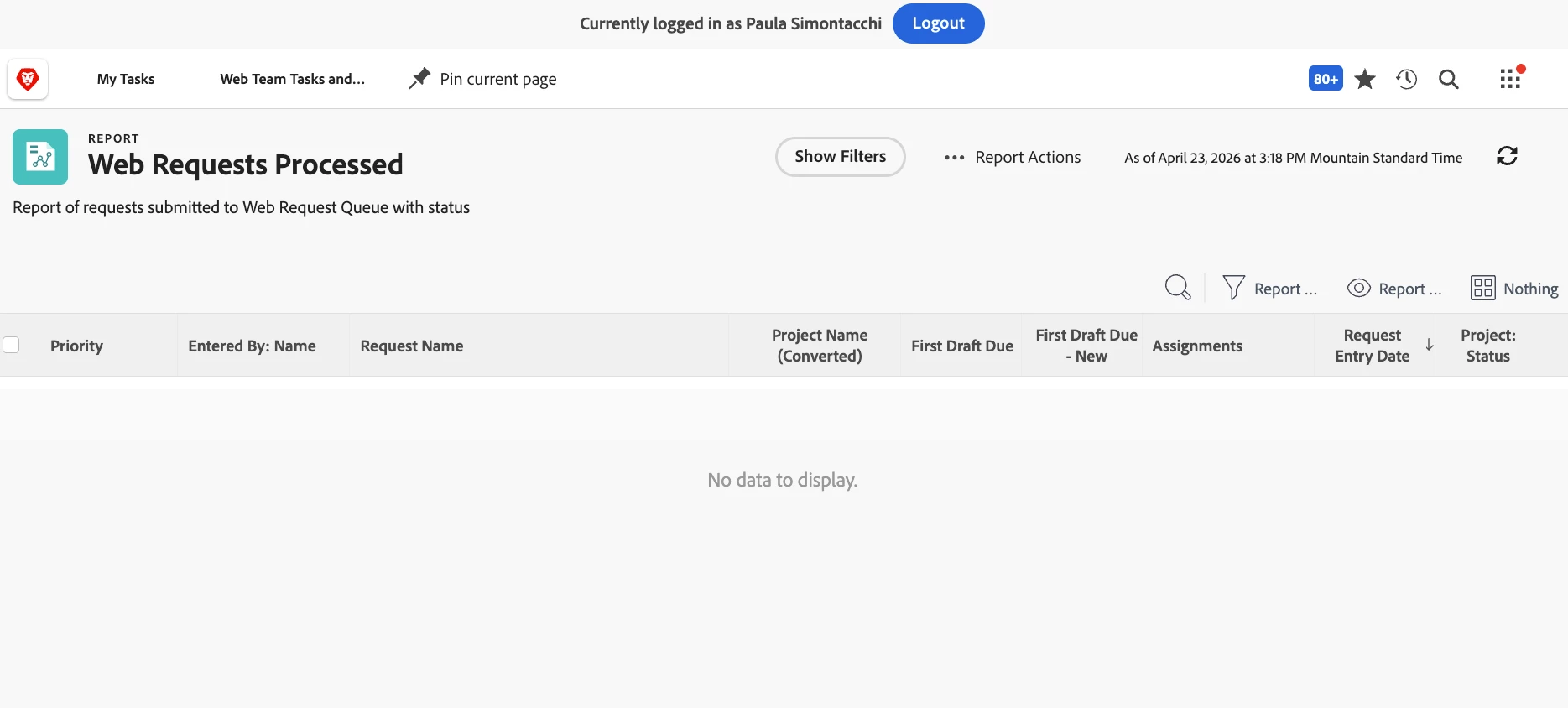
I have created a Processed Web Request report and am hitting a roadblock when sharing with two members of the Web Team. Their report is blank, they can see the Title of the Report Name, that is all.

I have checked their access to reports and they are both set to Edit. I’m not certain why they cannot see the full data collected.  They are not system admins, they have a Standard License. 


Thank you,

Jenny
Best answer by _Manish_Singh

Hi ​@JennyWi - This means the report is shared with them, but the items listed in the report are not.

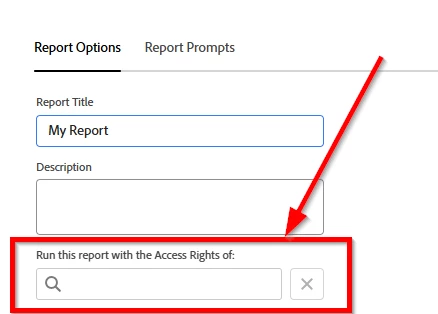
Run the report using your (admin) access and check with them to see if they can view the items. If they see the items after this step, it means items are not shared with team members.


2 replies

JennyWi
JennyWiAuthor
Level 3
April 23, 2026
Admin View


_Manish_Singh
_Manish_SinghAccepted solution
Level 9
April 24, 2026

Hi ​@JennyWi - This means the report is shared with them, but the items listed in the report are not.

Run the report using your (admin) access and check with them to see if they can view the items. If they see the items after this step, it means items are not shared with team members.


ninoskuflic
Level 4
April 24, 2026

When sharing (after testing), I would also reccommend to share with that exact group/team so that the items appear on their report - don’t leave the report with the admin access rights. 😀

If this solved your issue, please mark it as solved so others can find the solution faster.
JennyWi
JennyWiAuthor
Level 3
April 24, 2026

UPDATE: I changed the visibility setting and it works! Thank you so much to you both. I ran the report with access rights as myself.