Workfront Plugin and Indesign - comment integration | Community
Skip to main content
September 13, 2023
Question

Workfront Plugin and Indesign - comment integration

  • September 13, 2023
  • 1 reply
  • 1704 views

Hi everyone,

I am looking to see if there is a function within workfront similar to the Acrobat PDF comment importer within Indesign.

In the comment importer it will show all the comments made on the pdf proof and more importantly to me, on text amends you can simply accept/approve each or all and InDesign will automatically do all the text amends.   
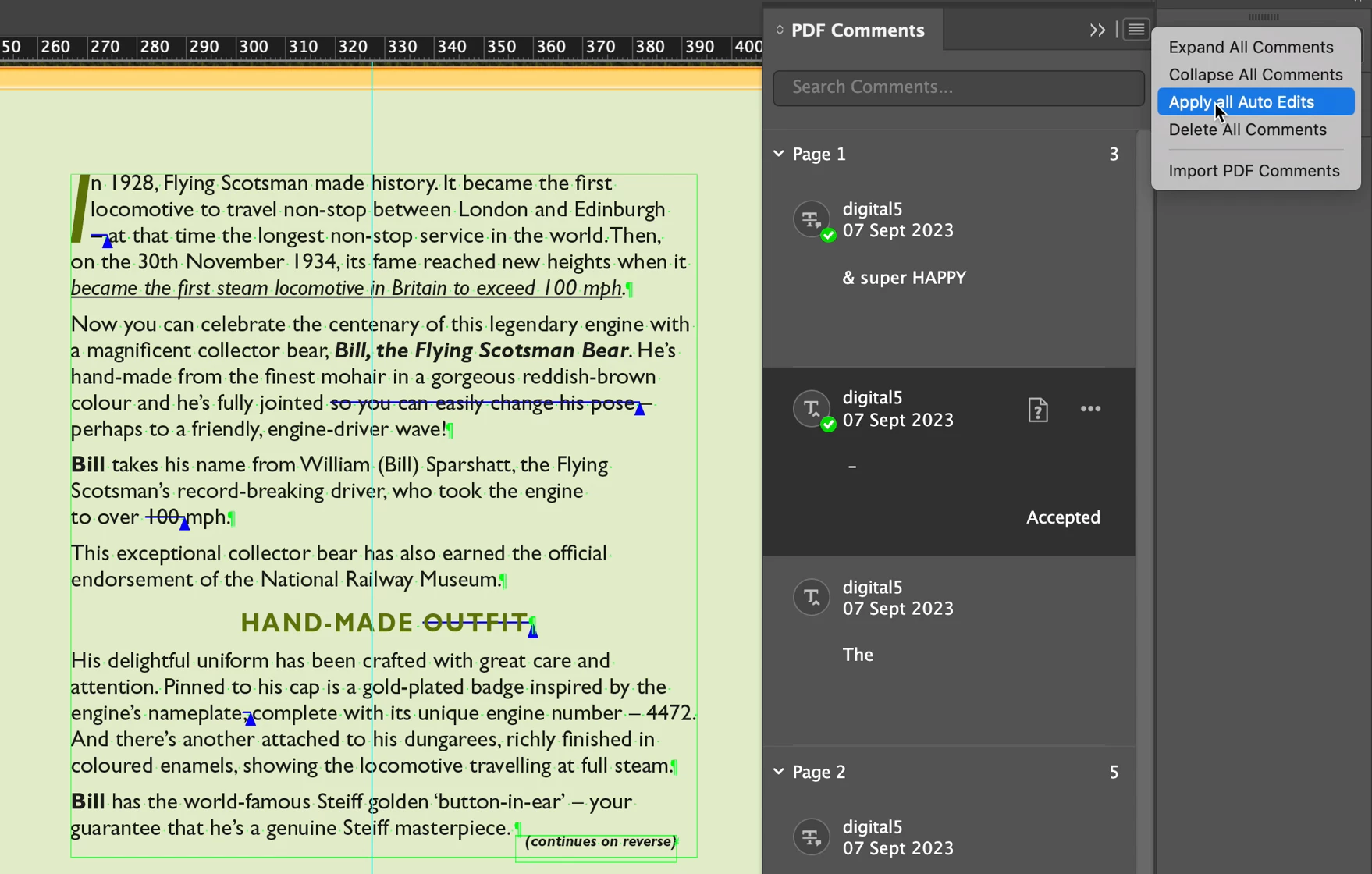
I have the Extension for workfront installed, however, the comments made to documents won't link to the document within InDesign. So don't show there location never mind apply edit options.

Does anyone know if there is such a feature within workfront yet and if not could it be suggested as an update?


Thank you


David

This post is no longer active and is closed to new replies. Need help? Start a new post to ask your question.

1 reply

Madalyn_Destafney
Community Advisor
Community Advisor
September 13, 2023

Are you using WF Proofs? When people make comments in your WF Proofs, they not can annotate to show X comment is for Y place in the proof (usually connected by a line or rectangle in the proof). Multiple people can review assets in a proof and the receiver or proof owner can see all comments in mark each one resolved as they work through the edits needed. 

There is a ton of documentation on WF Proofing in this site - when you say you have the extension, are you referring to the WF plug-in for Creative Cloud?

If this helped you, please mark correct to help others : )
DavidCa32Author
September 14, 2023

Hi, Yes I am using the WF plug-in for Creative Cloud and want to try to use the plug-in more for when correcting proofs, rather than cross referencing to the web page. On the WF website the areas of correction are visible like you say with lines and boxes. However, when you use the plug-in within InDesign it doesn't show or at least I don't know how to make it show where the corrections are. But also I would hope there could be a function I mentioned before similar to pdf comment importing to InDeisgn, that could be added to the WF plug-in (if it is not there already) that can auto/quick action the text updates.


Image above showing the Web view vs Indesign with plug-in view.

Below is a video showing how the PDF Comments importing works within InDesign and then also how the WF Proof looks online and with the plug-in on Indesign.


Madalyn_Destafney
Community Advisor
Community Advisor
September 15, 2023

Hi there, 

I’m not in a role where I’m using the CC WF plug-in so I can’t answer definitively, but essentially a proof is a static file - comments don’t integrate with your source file. I think your video is great highlighting how this would be really useful for CC plug-in users. I suggest asking this question in a support ticket and submitting the video with the ticket to explain. It may be a setting and I just don’t know it, but I’m inclined to say there is not.

If this helped you, please mark correct to help others : )