Workfront Planner Export Questions
I am struggling to utlize the export results from the Workfront planner. My end goal is to get a report that provides monthly planned hours by program/project/role that I can then export.
I have narrowed down my fields to include just monthly planned hours.
When I export the data, I juse the "raw" setting so that I can get the baseline data. That output includes a line for the total project plus the individual components, in essence double counting the numbers when I export it. (See yellow highlights)
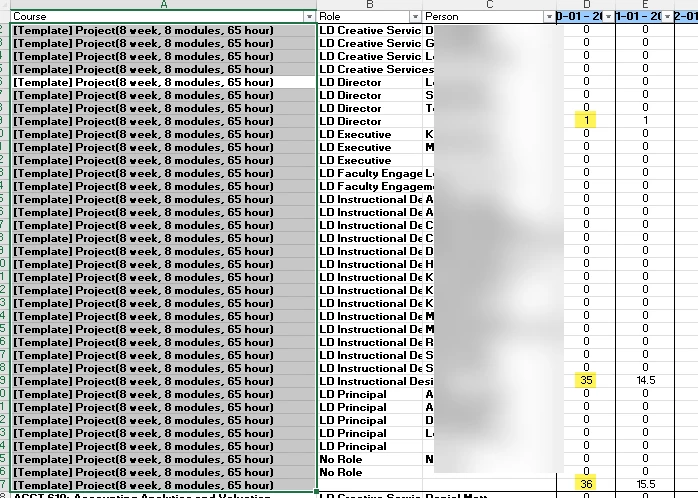
1. How can I turn this setting off so that the raw data I get is not aggregated?
2. Is there a way that I can export the program information as well? (I was told to use planner instead of reports, but that may be my next step (although I can't figure out how to break out planned hours by month across the top, but that is a separate problem).
Eventually I may use the planner without exporting, but right now we are working on ensuring projects are set up correctly and transitioning fully to Workfront, so I am not there yet.
Thanks in advance for any insight!