Understanding Auto Complete Task Tracking Mode | Community
Skip to main content
September 18, 2023
Solved

Understanding Auto Complete Task Tracking Mode

  • September 18, 2023
  • 1 reply
  • 1390 views

Hi everyone -


I'm hoping someone can help me understand task tracking mode. I'm running a pilot where we're looking to revamp some projects to include "catch-all" tasks. They will not be resolved after finishing one task, but used for multiple needs over the course of a month, to be resolved at month's end.


I'm changing some of the task's modes from "user must update" to "auto-complete." From what I understand, the tasks should complete at due date except if it has a predecessor which is incomplete. The tasks I'm using have no predecessors and a due date of last business day of month/ 5:00p.m. For some reason, I cannot get tasks to auto close no matter what I do.


Is there something I'm missing?
This post is no longer active and is closed to new replies. Need help? Start a new post to ask your question.
Best answer by Rafal_Bainie

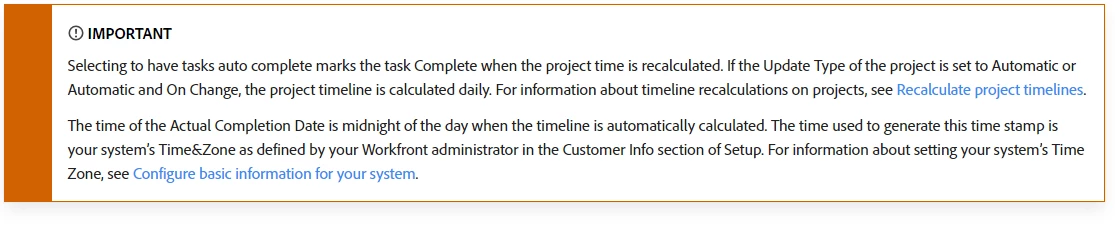
at least one thing to check is project update type, as per documentation:

https://experienceleague.adobe.com/docs/workfront/using/manage-work/tasks/task-information/task-tracking-mode.html?lang=en

also auto-complete happens "daily" at best, not at the very moment when the due date is.

good luck!

1 reply

Rafal_Bainie
Community Advisor
Rafal_BainieCommunity AdvisorAccepted solution
Community Advisor
September 18, 2023

at least one thing to check is project update type, as per documentation:

https://experienceleague.adobe.com/docs/workfront/using/manage-work/tasks/task-information/task-tracking-mode.html?lang=en

also auto-complete happens "daily" at best, not at the very moment when the due date is.

good luck!

September 18, 2023

Ahh, thank you!