Time Logged to Vacation, Absence etc. NOT showing on the Resource Management Dashboard
Hi Community,
We discovered that the time logged to the following does not show up in resource management and utilization dashboard in Workfront. Do anyone know why? And how can we make it show up in resource management and utilization screen so that we can determine the accurate total time logged by a resource?
- Absence - Flex
- Absence - Other
- Absence - Sick
- Absence - Statutory Holiday / Designated Day
- Absence - Time in Lieu
- Absence - Vacation
For example, on July 1, 8 hours was logged against ‘Absence - Statutory Holiday / Designated Day’. The total hours logged for that week was 40 hours as shown in screenshots below.
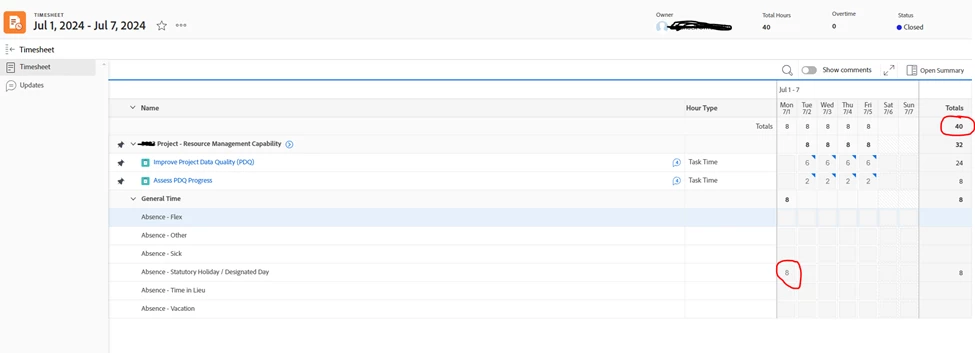
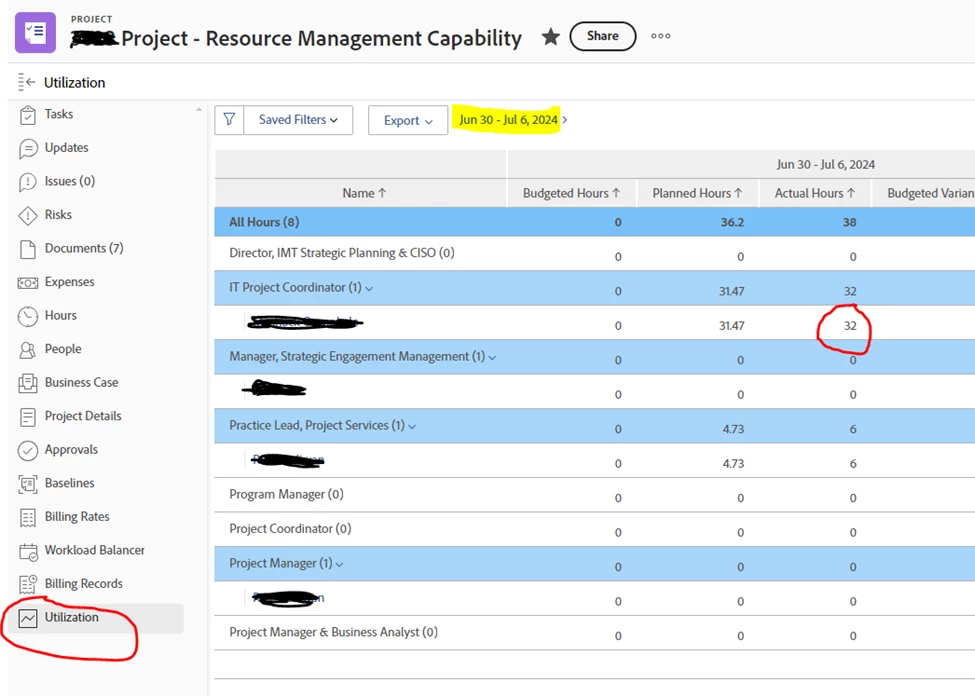
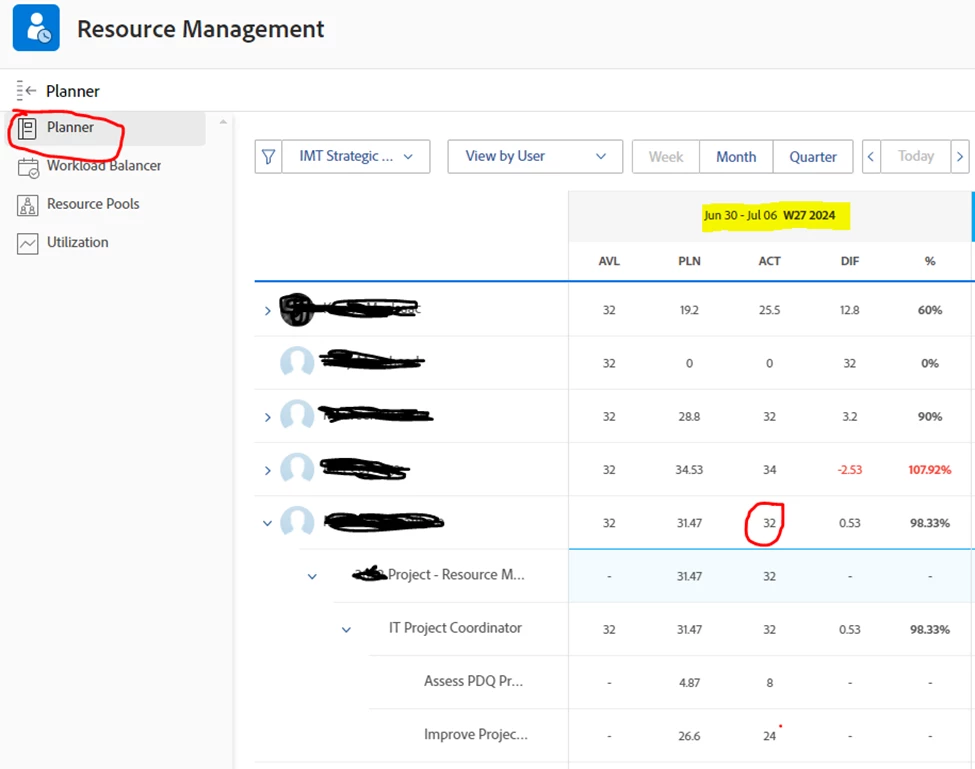
But when you view it in Utilization or resource management dashboard, the 8 hour logged is not pulling to the resource management or utilization screen, is showing a total of 32 hours instead of 40 hours. This is very miss leading when you are trying to account for the total hours logged by resources.
Screenshot: Utilization screen
Screenshot: Resource management dashboard
Any input is deeply appreciated.
Thanks