Task report: Can I show the assigned to role NAME in a chart? | Community
Skip to main content
Level 5
February 8, 2024
Solved

Task report: Can I show the assigned to role NAME in a chart?

  • February 8, 2024
  • 1 reply
  • 705 views

I'm working with a task report. It has a chart that has one (standard mode) Groupings:

Assigned To >> Role ID


We would like to show the role name instead of the role ID though, so I changed the Groupings to text mode. The report details groups by the role name as expected, but I cannot get the role name to show on the chart.

This is my Groupings:

textmode=true group.0.displayname=Assigned Role group.0.namekeyargkey.0=assignedTo:role:name group.0.namekeyargkey.1=roleID group.0.valuefield=assignedTo:role:name group.0.valueformat=string group.0.namekey=view.relatedcolumn group.0.linkedname=assignedTo


Can someone tell me what I'm missing? Thanks!
This post is no longer active and is closed to new replies. Need help? Start a new post to ask your question.
Best answer by MoniqueEvans

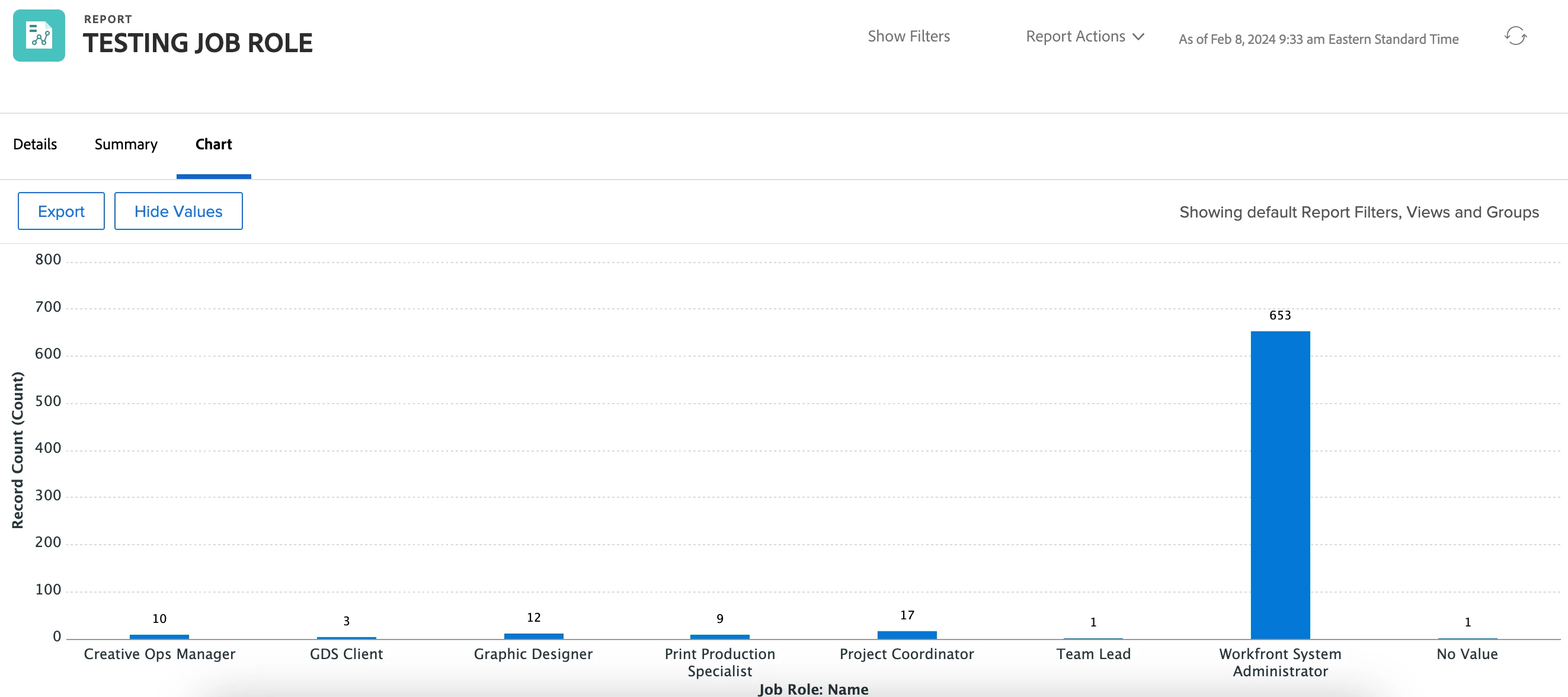
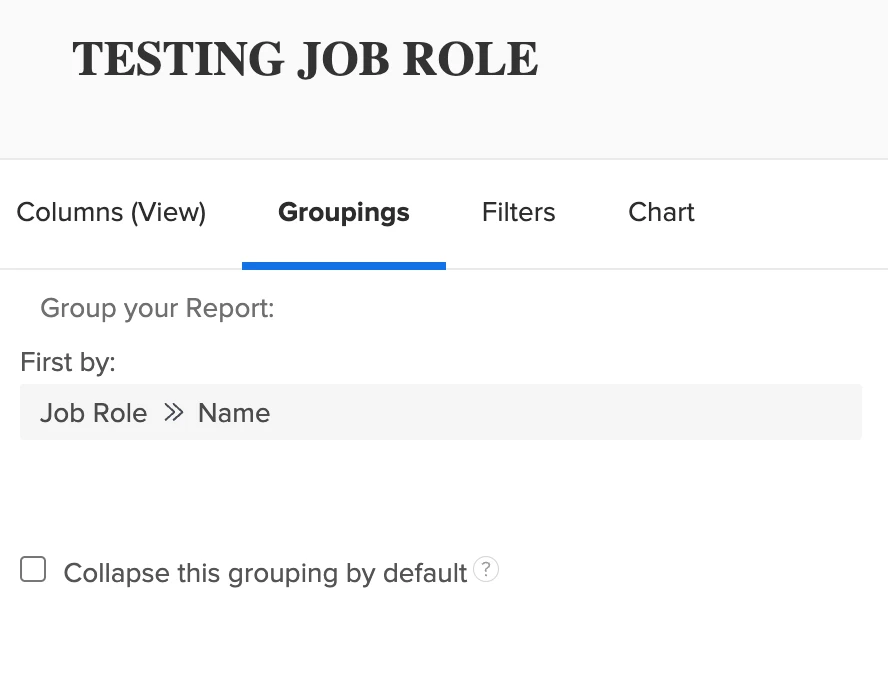
You were so close! Instead of grouping by Assigned To >> Job Role; Group by Job Role >> Name. Workfront will assume the "assigned to" portion and this should give you the expected results.

1 reply

MoniqueEvans
Community Advisor and Adobe Champion
MoniqueEvansCommunity Advisor and Adobe ChampionAccepted solution
Community Advisor and Adobe Champion
February 8, 2024

You were so close! Instead of grouping by Assigned To >> Job Role; Group by Job Role >> Name. Workfront will assume the "assigned to" portion and this should give you the expected results.

Level 5
February 8, 2024

Thank you, Monique! Guess I was making it harder than necessary.