Question
Simple New Technique For High Level Planning
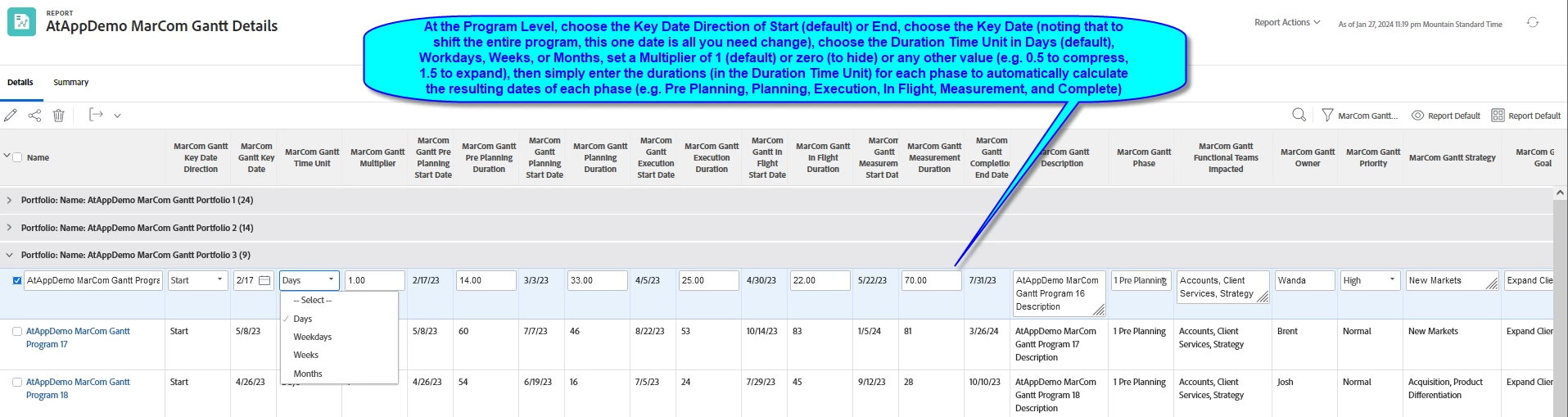
As below, I've just invented a simple new technique for High Level Planning using native Workfront Custom Data, with which planners can:
- at the Program Level (for example)
- choose the Key Date Direction of Start (default) or End,
- choose the Key Date (noting that to "shift" all the Program Phases, this one date is all you need change)
- choose the Duration Time Unit in Days (default), Workdays, Weeks, or Months (e.g. to match how you "think" about the Phase durations)
- set a Multiplier of 1 (default) or zero (to hide) or any other value (e.g. 0.5 to compress, 1.5 to expand...a slick addition I've thought about for years, thanks to an idea @skyehansen shared, back in the day), then
- simply enter the Phase Durations (in the Duration Time Unit) for each phase to automatically calculate the resulting dates of each phase (e.g. Pre Planning, Planning, Execution, In Flight, Measurement, and Complete)
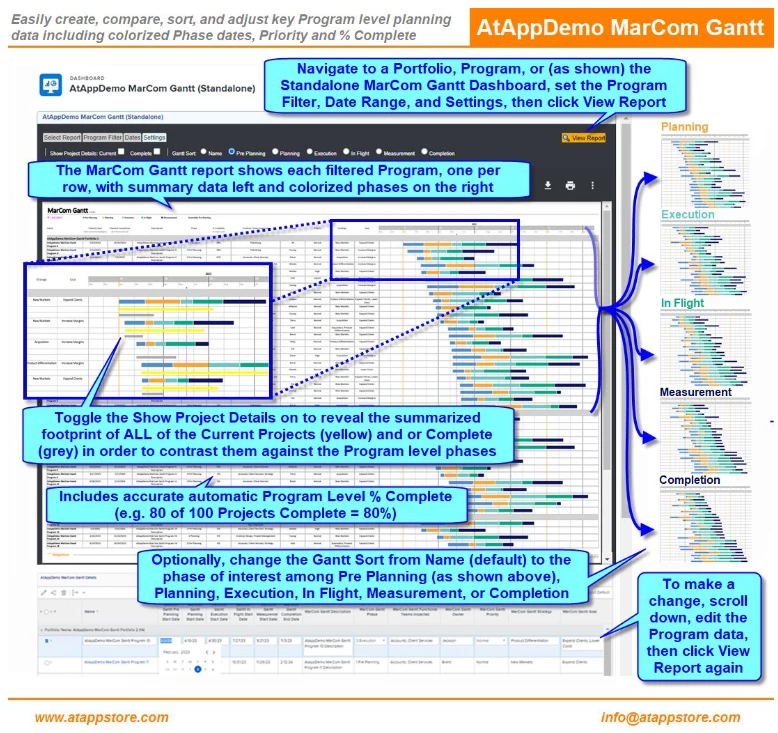
I've included a couple of screenshots below, and a link to our MarCom Gantt solution, which -- thanks to this new approach -- will be easier than ever to keep current and adjust as opportunities arise and plans change, as shown in this short video.
I invite you to consider using this technique in your own processes, and if you're interested in more details to email me at doug.denhoed@atappstore.com.
Regards,
Doug