


Set Team default status for "Mark as done"
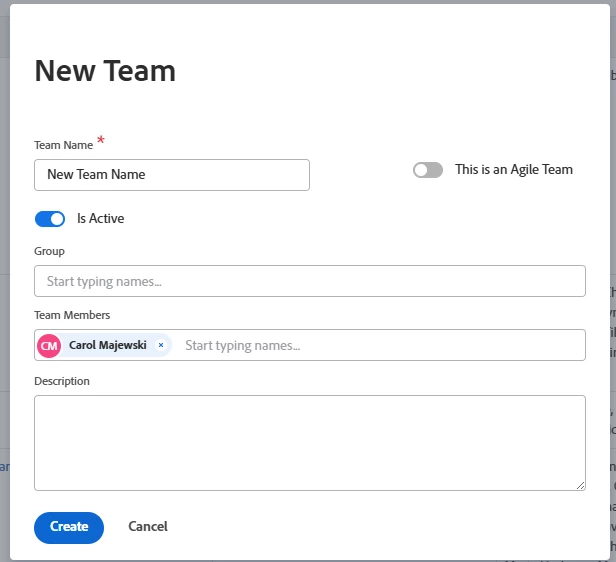
When creating a new Team, users are only required to complete a few fields. Once the Team Name and Team Members are entered, the Team can be created.
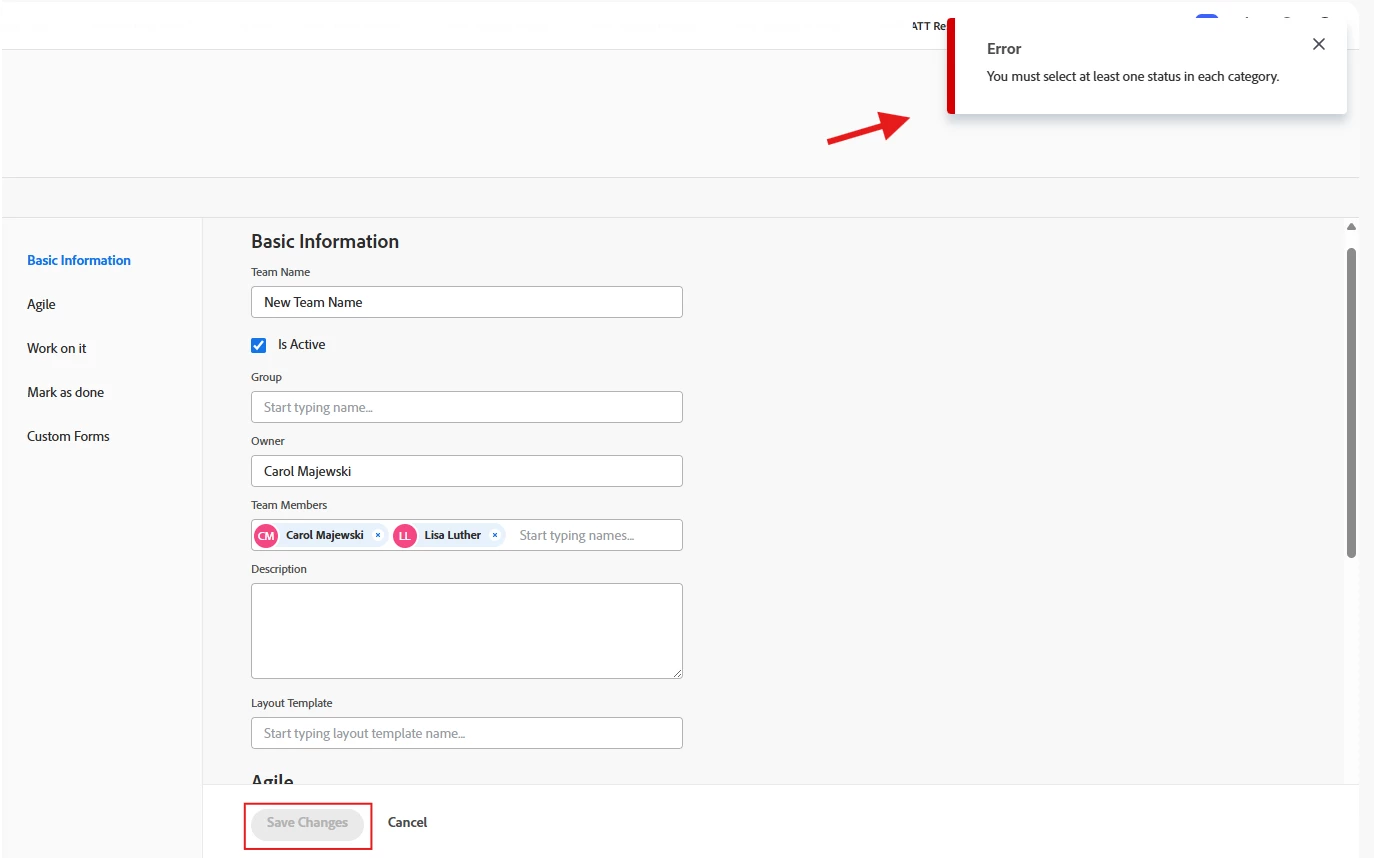
However, when a user subsequently edits the Team for the first time—for example, to add or remove a Team Member—they may receive the error message:
“You must select at least one status in each category.”
This can be confusing because the Mark as done section, along with the other fields requiring status selections, is not available when initially creating the Team. These fields only appear when editing the Team.
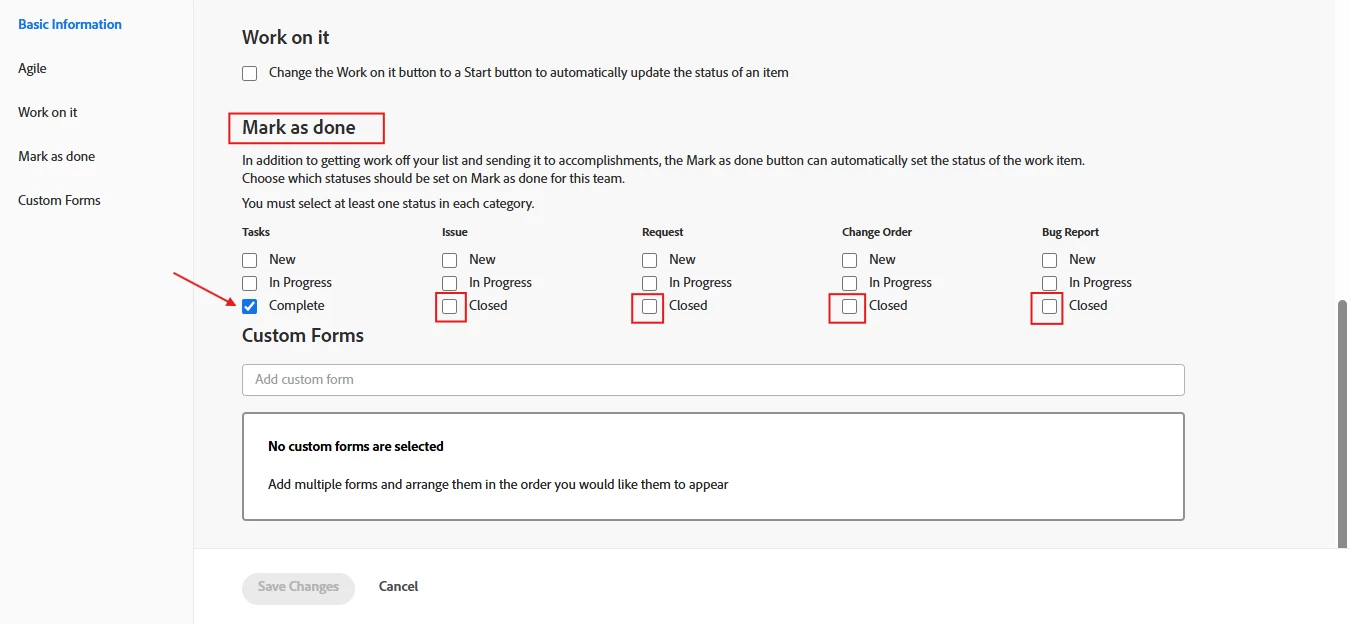
The user must then scroll down to the Mark as done section and manually select at least one status under each category before they can save their changes. This can lead users to believe they do not have permission to edit the Team.
Suggested Improvement:
Instead of requiring users to select statuses the first time they edit a newly created Team, automatically select a default Closed status under each object in the Mark as done section when the Team is created.
This would be consistent with the existing behavior for Tasks, where Complete is already selected by default.
Users could still update the selected statuses as needed, but providing default selections at Team creation would:
- Prevent an error when a user makes a basic edit to a newly created Team.
- Eliminate confusion about whether the user has permission to edit the Team.
- Provide a more consistent experience between creating and editing a Team.
- Reduce the need for users to discover and configure settings that were not presented during Team creation.
The current behavior creates an unnecessary roadblock for a basic Team management action. Providing sensible default statuses when the Team is created would make the experience more intuitive and consistent.