RuntimeError [422] name cannot be null (Adobe Workfront Fusion) | Community
Skip to main content
February 17, 2023
Solved

RuntimeError [422] name cannot be null (Adobe Workfront Fusion)

  • February 17, 2023
  • 2 replies
  • 2801 views

What might cause the error "RuntimeError [422] name cannot be null" in Adobe Workfront Fusion?

Working through the "initial-scenario-design-walkthrough" found on:
https://experienceleague.adobe.com/docs/workfront-learn/tutorials-workfront/fusion/understand-the-basics/initial-scenario-design-walkthrough.html?lang=en

all goes well and exactly as instructed; however, when I attempt to run the scenario I get the following error:  
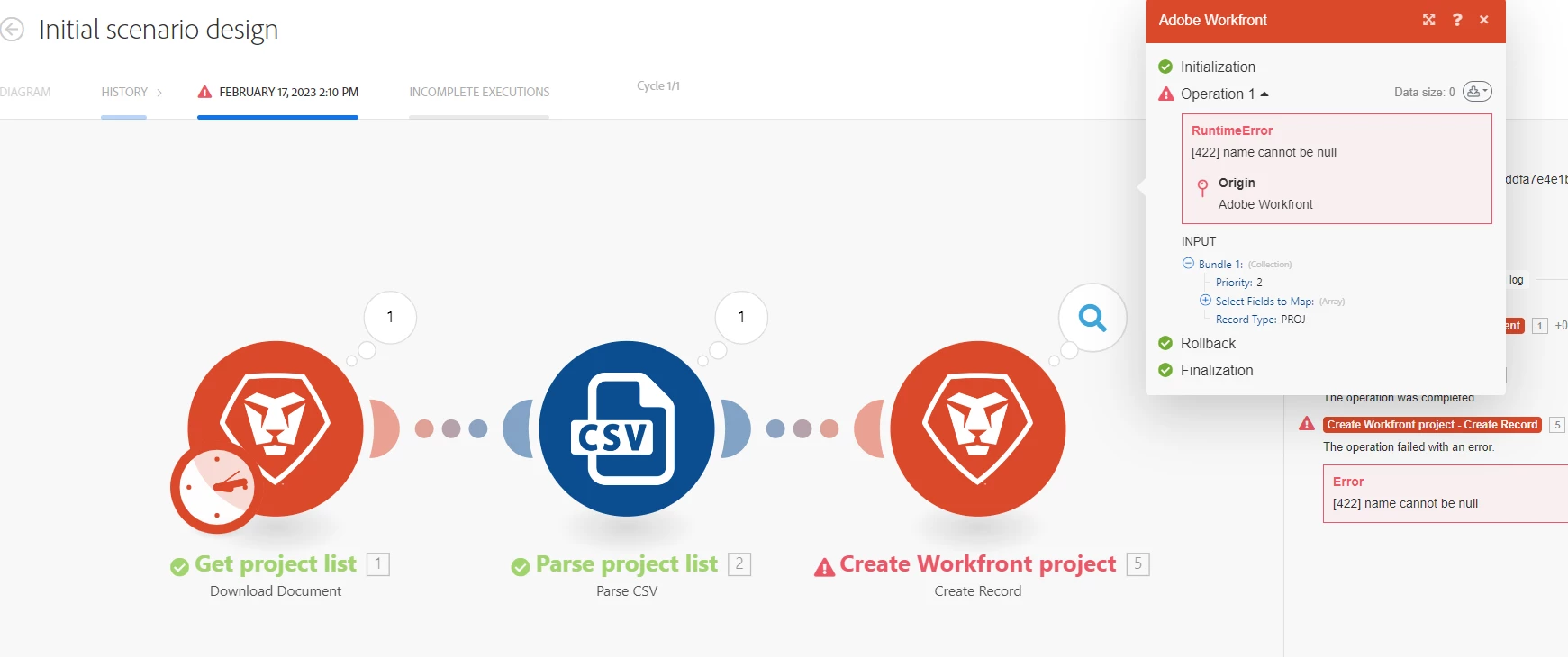

Note: I have attempted deleting and re-entering/re-saving the module "Create Workfront project" a few times without luck.

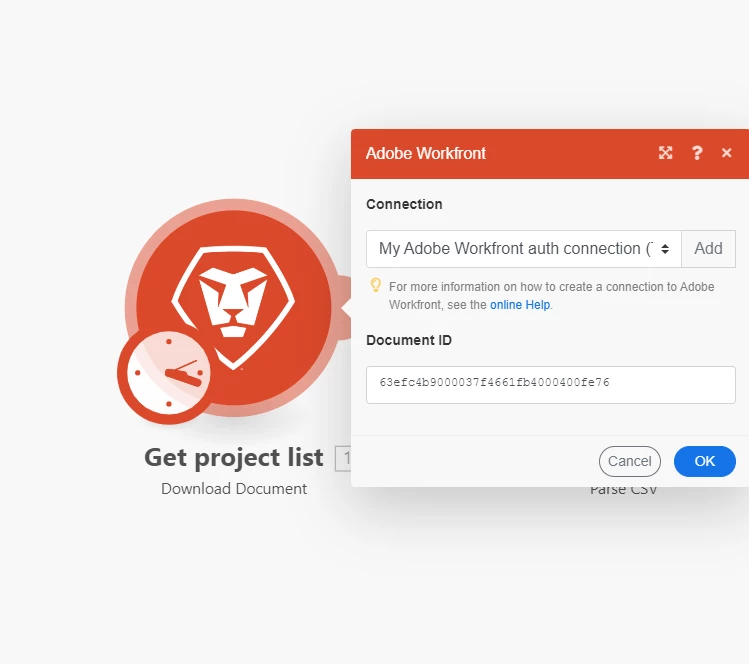
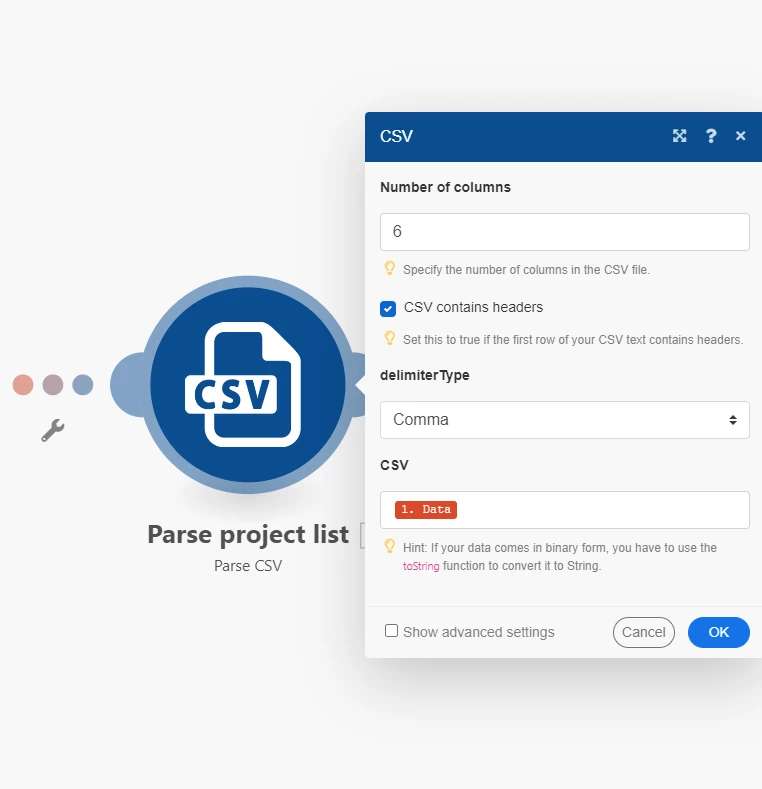
The field values are set exactly as suggested in the tutorial:

Get project list (runs successfully)
Parse project list (runs successfully):
Create Workfront project (fails to run)
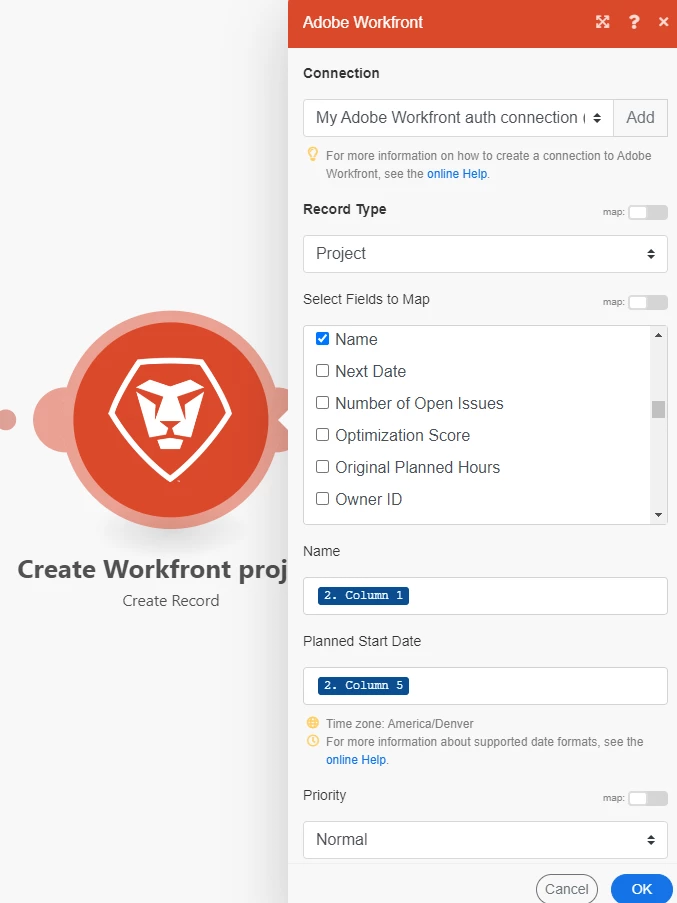
 

Each time I attempt to run the scenario the same error is produced. 

Leveraging DEV Tools I have been able to determine that my company has a strict Content Security Policy (CSP) in place, which produces CSP related errors when selecting "Run once." To work around this I set the scheduling to ON, which automatically kicks off the run and appears to bypass the CSP issues. But then the "RuntimeError [422] name cannot be null" error occurs. I am not certain if the CSP could still be causing the issue (?), I also will try this on a non-company asset at my first opportunity.

Any insight on the "RuntimeError [422] name cannot be null" error would be helpful. 
This post is no longer active and is closed to new replies. Need help? Start a new post to ask your question.
Best answer by shanemckinney13

Resolution found.

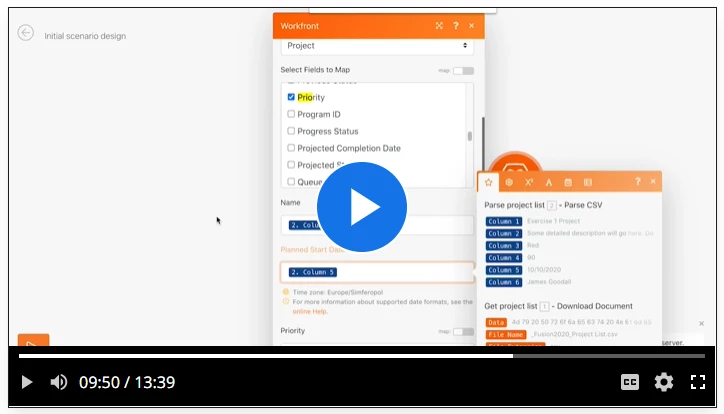
Incorrect instructions were provided in the Adobe tutorial. (https://experienceleague.adobe.com/docs/workfront-learn/tutorials-workfront/fusion/understand-the-basics/initial-scenario-design-walkthrough.html?lang=en)

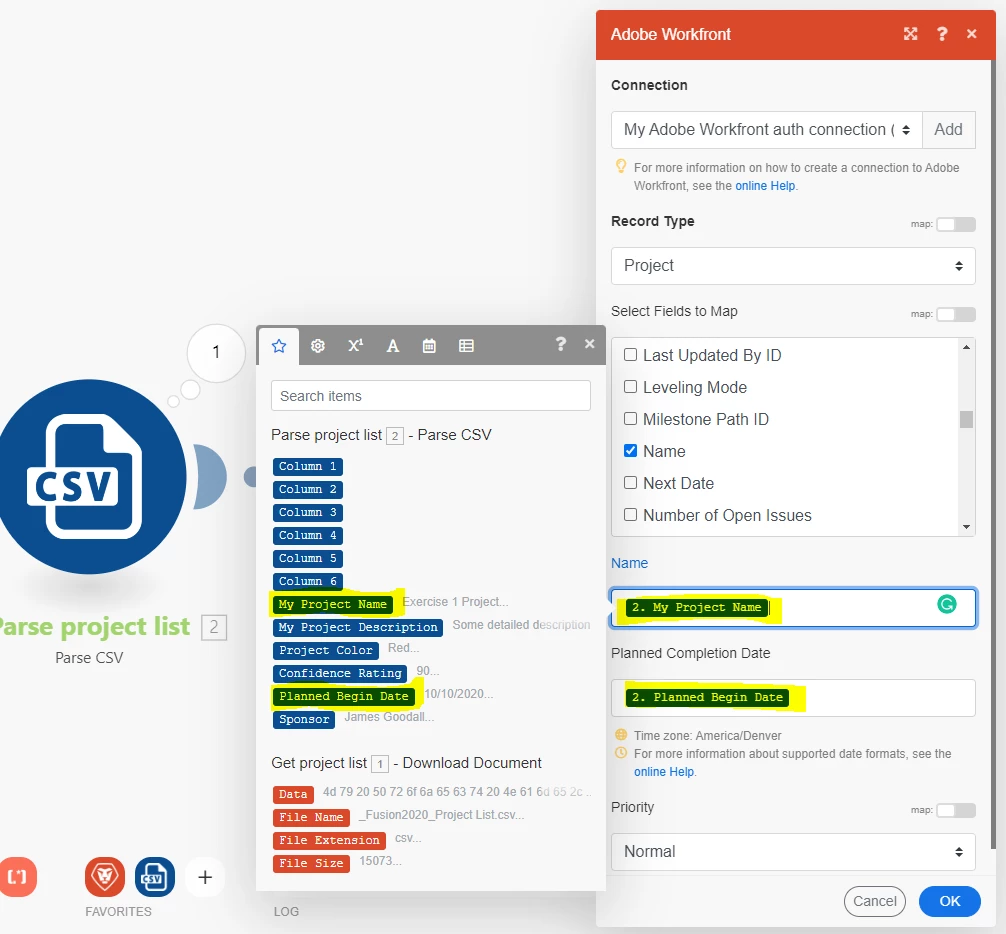
Incorrect (screenshot from the tutorial):


Correct:


2 replies

Kurt_Jones
Community Advisor
Community Advisor
February 18, 2023

The Name field for a project is required in that 3rd module, its not obvious, but that is the reason.  Select Name as one of the output field then input what you want to call the project in the Name field.

Kurt_Jones
Community Advisor
Community Advisor
February 18, 2023

Sorry, didn't see that last graphic, you do have Name.  I did something similar with creating users, in your second module I chose Other instead of comma and it opens a second field where you can input the character for the delimiter, which I input ,

I feel like a consultant told me that method works better for some reason, see if that helps.

February 20, 2023

Thank you for your reply. I attempted this and unfortunately, I ended up with the same result.

adjusted as suggested:

result:

second module:

third module results:


Additionally, I was able to rule out CSP being the issue. 
Any other ideas, being this is a demo/tutorial I am hopeful for additional insight from this community. 


shanemckinney13AuthorAccepted solution
February 21, 2023

Resolution found.

Incorrect instructions were provided in the Adobe tutorial. (https://experienceleague.adobe.com/docs/workfront-learn/tutorials-workfront/fusion/understand-the-basics/initial-scenario-design-walkthrough.html?lang=en)

Incorrect (screenshot from the tutorial):


Correct:


Adobe Employee
March 30, 2023

Thanks @shanemckinney13  and @kurt_jones for your research on this. That I have updated the training materials to make it clear which columns are the correct ones to map to.


It looks like a Fusion update that provided column names based on the CSV file also left in labels for columns 1-6, which didn't map to what they had mapped to before.