Hi Manuel,
If you want to group by a multi-select field in a report, the below text mode for your grouping should do it:
group.0.displayname=Keywords
group.0.valueexpression={DE:Keywords}
group.0.valueformat=HTML
textmode=true
However, please note that you will not be able to create a graph using this grouping.
If you want to create a graph against your multi-select field, you will need to create a calculated field on the custom form that references the 'Keywords' field. Enter the following into the calculation: {DE:Keywords}. You will then be able to reference this calculated field in your reports and use it to build graphs. There is more help on this subject in this article here on Workfront One.
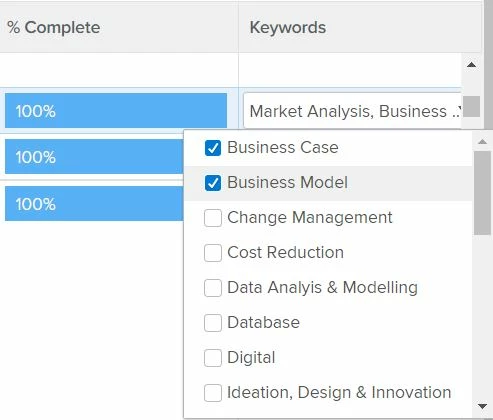
One thing to point out though, is that when you report on a multi select field Workfront will group by each of the custom field entry variations in their entirety. So in your example above, a report group would appear as "Business Case, Business Model'". Or if a user was to select all fields, another group would appear as "Business Case, Business Model, Change Management, Cost Reduction, etc. etc.". Workfront will provide a string for each of the multi-select variations that have been entered into the custom field to group by. For this reason, it could be difficult for you to count the number of times a keyword was used, especially if you have a large report with lots of field entry variations.
Hope this helps!
Best Regards,
Rich.