Report Grouping by Quarter Broken if Using Custom Quarters | Community
Skip to main content
Level 2
June 18, 2025
Solved

Report Grouping by Quarter Broken if Using Custom Quarters

  • June 18, 2025
  • 1 reply
  • 391 views

Hello,


I have a Project report with the following groupings:

However, our org would like to enable custom quarters with the following dates:
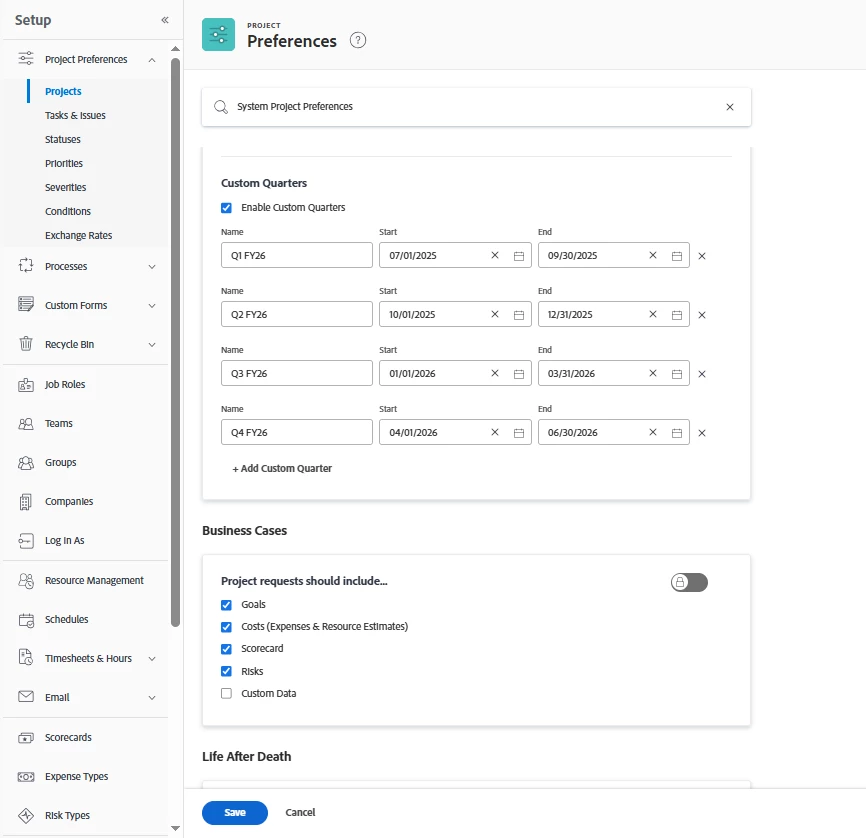
 

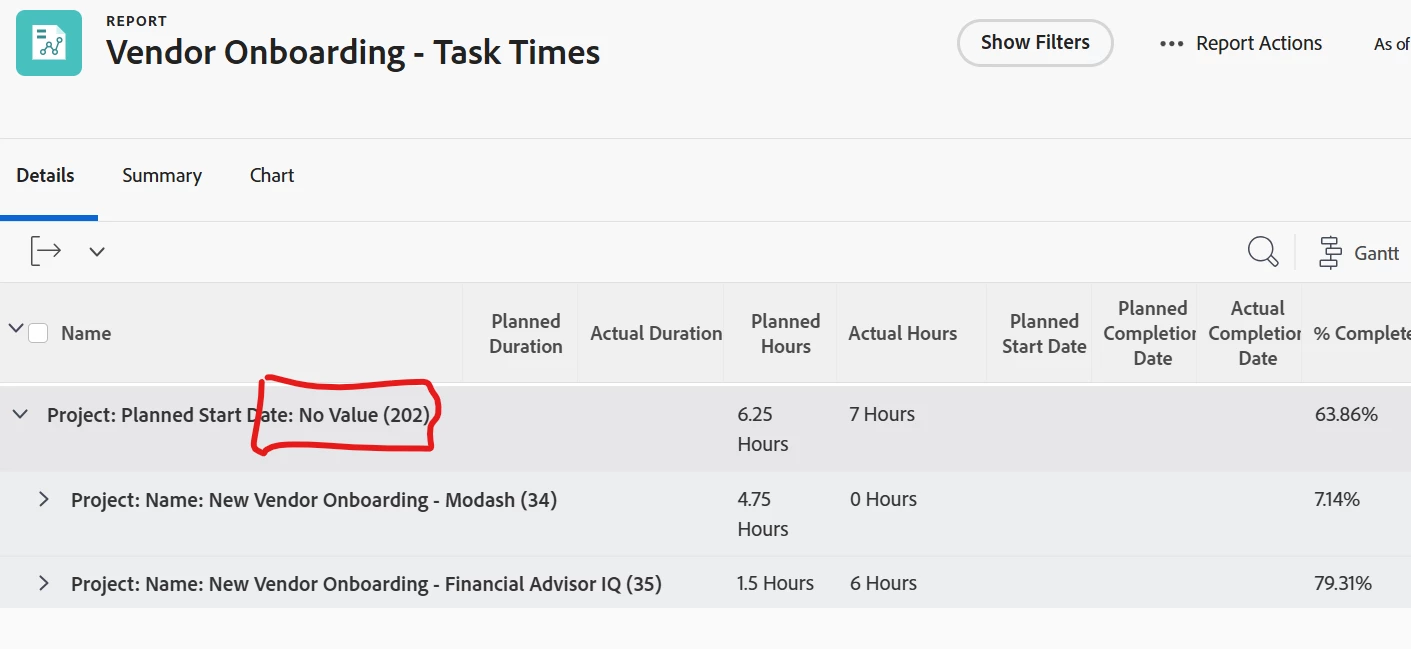
However, keeping the same groupings leads to 'No Value' when using custom values. Any workarounds for this?
 

Best answer by skyehansen

I have recorded fiscal quarters in my instance from FY23 (Q1-4) to FY24 (Q1-2). What I see when I do a planned start date by quarter, is that everything falling from FY23 to halfway through FY24, is captured in a grouping and everything starting outside of this period is falling into the No Value grouping.


Are you saying that all projects starting within your dates (July 2025 to Jun 2026) is coming up as no value? If so, definitely submit a case to Workfront Support for more assistance.

1 reply

skyehansen
Community Advisor and Adobe Champion
skyehansenCommunity Advisor and Adobe ChampionAccepted solution
June 18, 2025

I have recorded fiscal quarters in my instance from FY23 (Q1-4) to FY24 (Q1-2). What I see when I do a planned start date by quarter, is that everything falling from FY23 to halfway through FY24, is captured in a grouping and everything starting outside of this period is falling into the No Value grouping.


Are you saying that all projects starting within your dates (July 2025 to Jun 2026) is coming up as no value? If so, definitely submit a case to Workfront Support for more assistance.

IsaacWuAuthor
Level 2
June 18, 2025

Correct. I'll get in touch with the support team then!

skyehansen
Community Advisor and Adobe Champion
June 18, 2025

I would love to get an update on what was wrong, Isaac!!