Report Filter by Approvers for Task Approval | Community
Skip to main content
Level 2
July 3, 2025
Solved

Report Filter by Approvers for Task Approval

  • July 3, 2025
  • 1 reply
  • 414 views

Hello,


Reaching out here for help on a report.

We have a task approval which has 1 stage assigned to Project owner role (wildcard) by default. When users send it for approval, they edit the approval path and add the user name in approval and remove the Project Owner name from there.

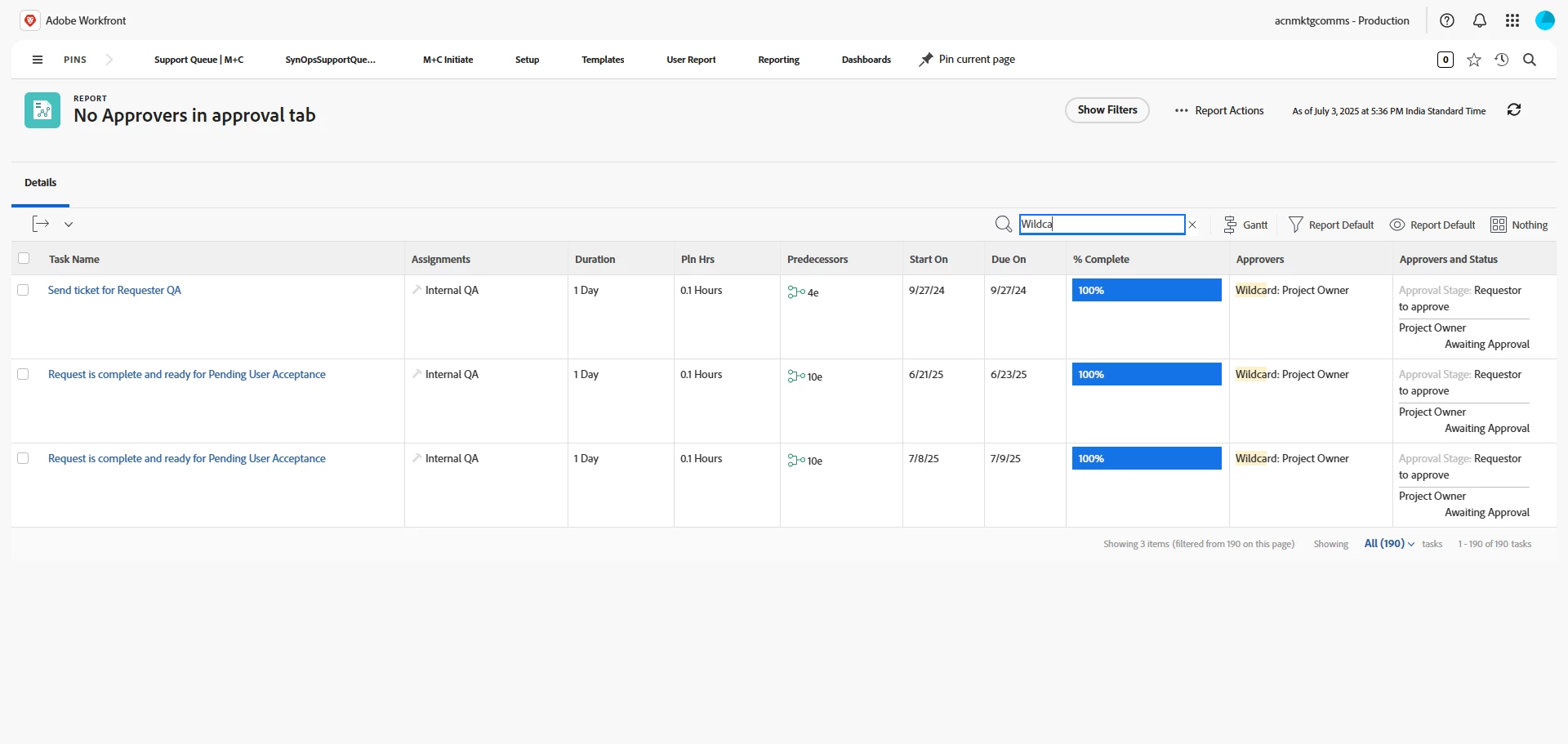
We want to build a report of all such tasks where the approval was triggered but the user did not remove Project Owner from the approval.

In the screenshot below, I want the report to only show the 3 tasks. Can anyone suggest on how this can be done?
 

This post is no longer active and is closed to new replies. Need help? Start a new post to ask your question.
Best answer by skyehansen

this is a bit lazy but -- if you already have the task report filtering on any task with a status in "pending approval" (e.g. completed pending approval), you can just add the Current User Approvers >> ID is blank to it to get the rest of the way. It saves you having to go into text mode to look for similar filtering.

1 reply

skyehansen
Community Advisor and Adobe Champion
skyehansenCommunity Advisor and Adobe ChampionAccepted solution
July 3, 2025

this is a bit lazy but -- if you already have the task report filtering on any task with a status in "pending approval" (e.g. completed pending approval), you can just add the Current User Approvers >> ID is blank to it to get the rest of the way. It saves you having to go into text mode to look for similar filtering.

Level 2
July 4, 2025

Thank you @skyehansen. This was briliiant 🙂