April 25, 2024
Solved

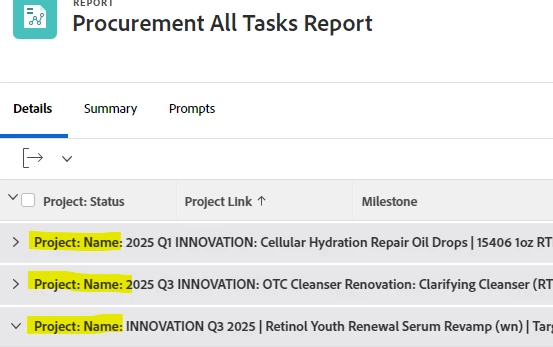
Removing "Project: Name:" from a Task Report Grouping

  • April 25, 2024
  • 2 replies
  • 588 views

Hi! 


I am pulling a task report on Adobe Workfront. I've created a grouping for Project Name but I don't want the text "Project: Name:" to show up in the grouping. Is there a way I can remove the text and continue to have the name of the project in the grouping? 


Thanks in advance! 


This post is no longer active and is closed to new replies. Need help? Start a new post to ask your question.

2 replies

skyehansen
Community Advisor and Adobe Champion
skyehansenCommunity Advisor and Adobe ChampionAccepted solution
April 26, 2024
Madalyn_Destafney
Community Advisor
Community Advisor
April 26, 2024

Hi there, yes this is an easy text mode tweak.

Go to text mode in your Groupings of the report, and you'll see something like this (I'm in a project report by Group in my example):
group.0.iscollapsed=true
group.0.linkedname=group
group.0.namekey=view.relatedcolumn - this is what's putting Project:Name: in your report. Simply remove the .namekey portion so it's just group.0=
group.0.namekeyargkey.0=group
group.0.namekeyargkey.1=name
group.0.valuefield=group:name
group.0.valueformat=string
textmode=true

If this helped you, please mark correct to help others : )