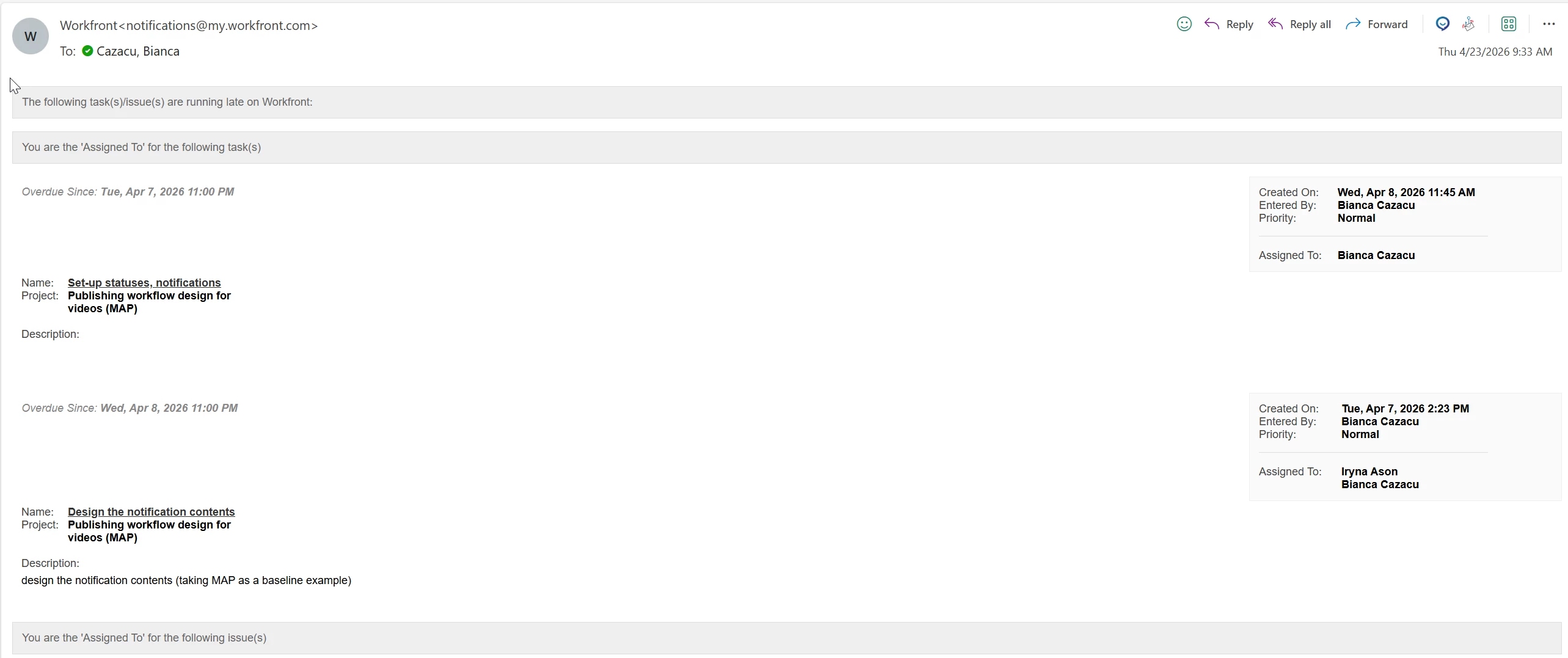
Does anybody knows how the Overdue email notification for task/issue can be turned off ?
I went in Set-up - Email - Notifications - and turned off everything related to task/issue + also in the User Profile - but still receiving them.
thanks,
Bianca
Best answer by Patrick-antegma
Hi @biancalina ,
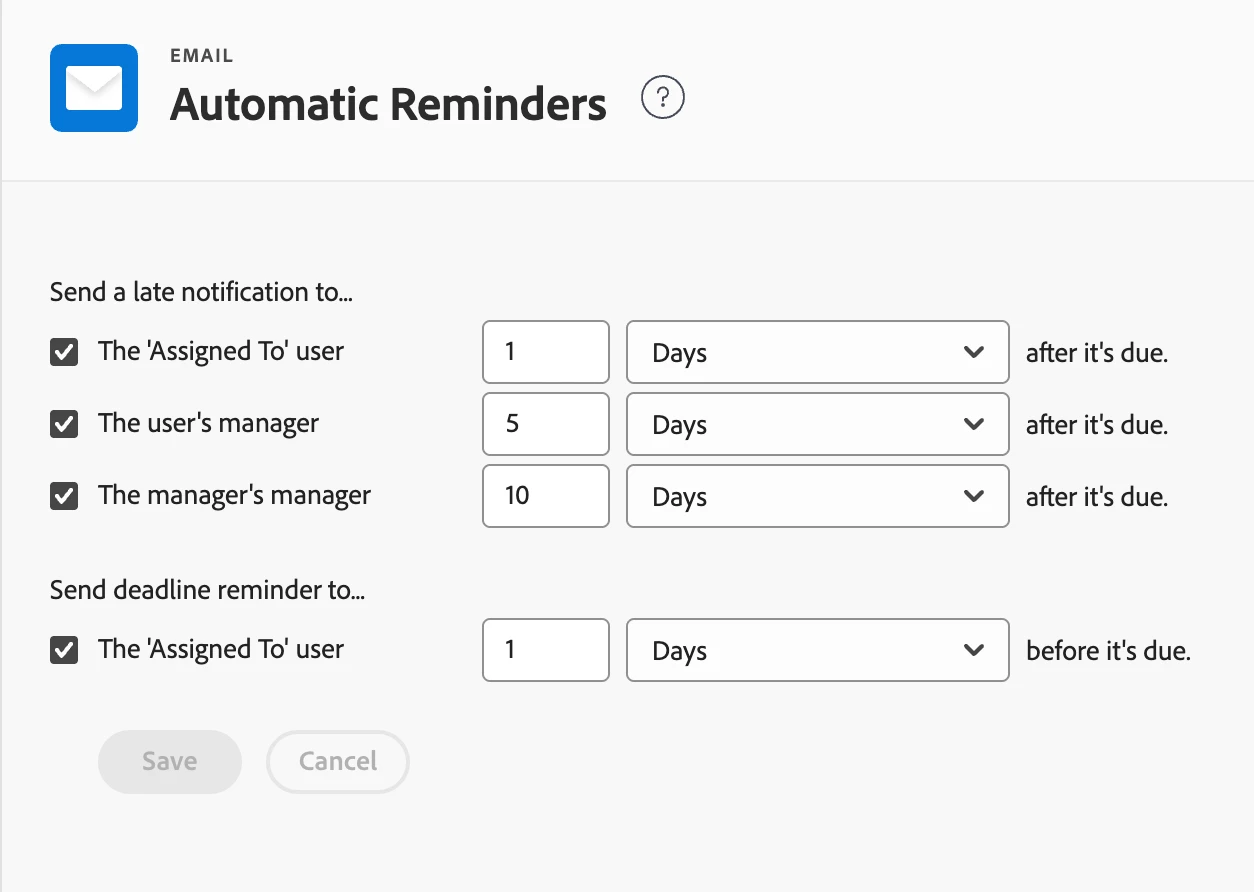
If you’ve already checked both Setup and your user profile, and you’re still receiving overdue emails, it’s very likely coming from Automatic Reminders at the system level.
These are configured under Setup → Email → Automatic Reminders and will continue to send notifications (e.g. 1 day after due, 5 days, etc.) regardless of individual user notification settings. So even if everything is turned off in your profile, those emails will still go out if Automatic Reminders are enabled.
Based on what you’re seeing, I’d double-check:
Whether Automatic Reminders are active for tasks/issues
If there are multiple reminder rules configured (for different time intervals or object types)
Any Reminder Notifications or Event Notifications layered on top
So in short, if those emails are coming from Automatic Reminders, they would need to be adjusted or disabled at the admin level rather than in user settings.
If you’ve already checked both Setup and your user profile, and you’re still receiving overdue emails, it’s very likely coming from Automatic Reminders at the system level.
These are configured under Setup → Email → Automatic Reminders and will continue to send notifications (e.g. 1 day after due, 5 days, etc.) regardless of individual user notification settings. So even if everything is turned off in your profile, those emails will still go out if Automatic Reminders are enabled.
Based on what you’re seeing, I’d double-check:
Whether Automatic Reminders are active for tasks/issues
If there are multiple reminder rules configured (for different time intervals or object types)
Any Reminder Notifications or Event Notifications layered on top
So in short, if those emails are coming from Automatic Reminders, they would need to be adjusted or disabled at the admin level rather than in user settings.
Hope that helps!
Patrick Heinzelmann | 11x Adobe certified | I blog on https://www.antegma.com/en/blog/