
New Event Subscription version | Community
Skip to main content
tibormolnar
Level 4
April 7, 2025
Solved

New Event Subscription version

  • April 7, 2025
  • 2 replies
  • 855 views

Hi All,

the Q2 2025 release notes mention the new event subscriptions version. This article describes the differences between the legacy and new version.

And the list of the Workfront Fusion modules describes (not vey detailed) how you can switch between the versions:
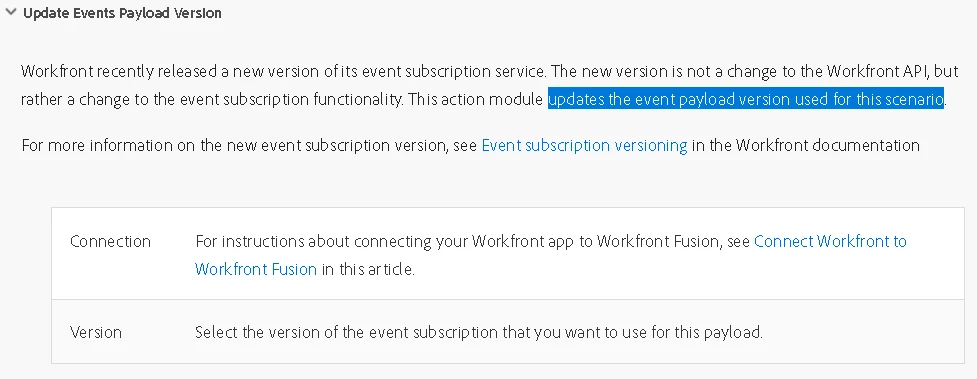
This suggests that you can change/set/manage the subscription version for each of your scenarios separately.

I did some testing today and my findings don't confirm this.

I found that:

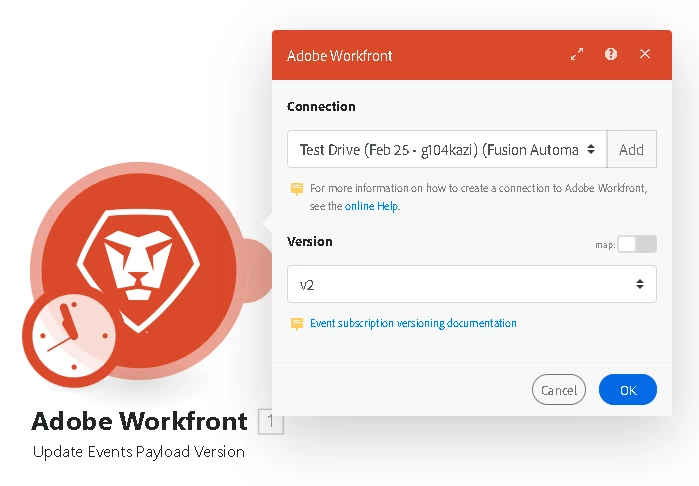
  1. The module "Update Events Payload Version" needs to be run only once, to set the desired version. (As opposed to being included in the scenario each time when it's running.)
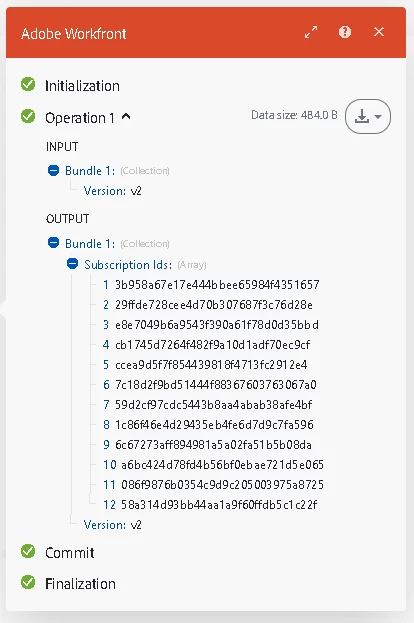
  2. More importantly, when the module runs, it sets the desired version for ALL your scenarios, not just for 1 specific scenario. (I confirmed this by checking my subsriptions' data using a custom HTTP call to the subscriptions endpoint.)

So it seems irrelevant which of your scenarios includes the module. You could create a new scenario just to hold the "Update Events Payload Version" module and it's enough to run that once. Remember that it impacts all your scenarios:
I hope this will be useful for some of you and I wonder if any of you have a different experience.

Tibor


This post is no longer active and is closed to new replies. Need help? Start a new post to ask your question.
Best answer by tibormolnar

Hi All,

the Adobe team addressed my question during a session today (thank you Brooke H. & Erika O.) and they confirmed my assumption:

The Connection that you select in the "Update Event Payload Version" Workfront module defines the target Workfront instance. When the module is run, all subscriptions for that particular WF instance get updated to the selected subscription version - regardless of the Fusion Team that holds them.

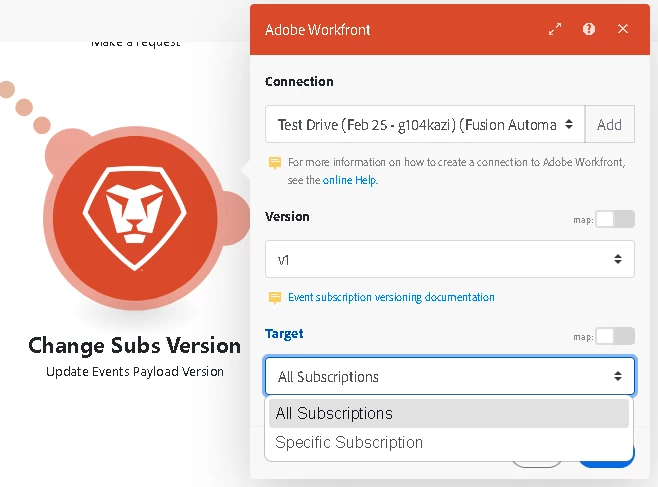
Also, the "Update Event Payload Version" Workfront module was updated today and now it gives you the option to select individual subscriptions that need to be upgraded/downgraded. - This is useful if you don't want to update all subscriptions at the same time.


2 replies

JohnJOSullivan
Level 6
April 11, 2025

I tried doing just that--taking the new module, creating its own scenario, and running it. Unfortunately, I get 500'd when I do this.


The response body is empty {}.


I don't believe this was ran before in our instance--I know for a fact it wasn't within my Fusion team. Is it ticket time? (I have ticket fatigue.)


-j


RAshley
Level 3
May 1, 2025

Tibor,

Did you have to run it once per Team, or did it update everything?

tibormolnar
Level 4
May 6, 2025

Hi,

I'm not 100% sure how this works, but I guess it's not so much the Team, rather the Workfront instance, that decides this.

The Connection that you select in the "Update Event Payload Version" Workfront module defines the target Workfront instance. When the module is run, all subscriptions for that particular WF instance get updated to the selected subscription version - regardless of the Fusion Team that holds them.

I created various webhooks in 2 different Fusion Teams, for the same Workfront Test Drive. Then I ran the "Update Event Payload Version" module (with a connection to the same WF TestDrive) and all subscriptions of this TD got updated, regardless of the Team that holds them. At the same time, webhooks kept in the same Teams for a different Workfront instance were not impacted.

I'm happy to be challenged if someone has different findings.

Tibor

JohnJOSullivan
Level 6
May 9, 2025

The module finally worked as expected and it updated a LOT of subs, so assuming you're right that targets the entire instance of WF instead of the Fusion Team.