
Net Present Value (NPV) in Custom Form Calculated Field | Community
Skip to main content
Kundanism
Level 10
February 22, 2021
Solved

Net Present Value (NPV) in Custom Form Calculated Field

  • February 22, 2021
  • 2 replies
  • 1033 views

Hello Community members,

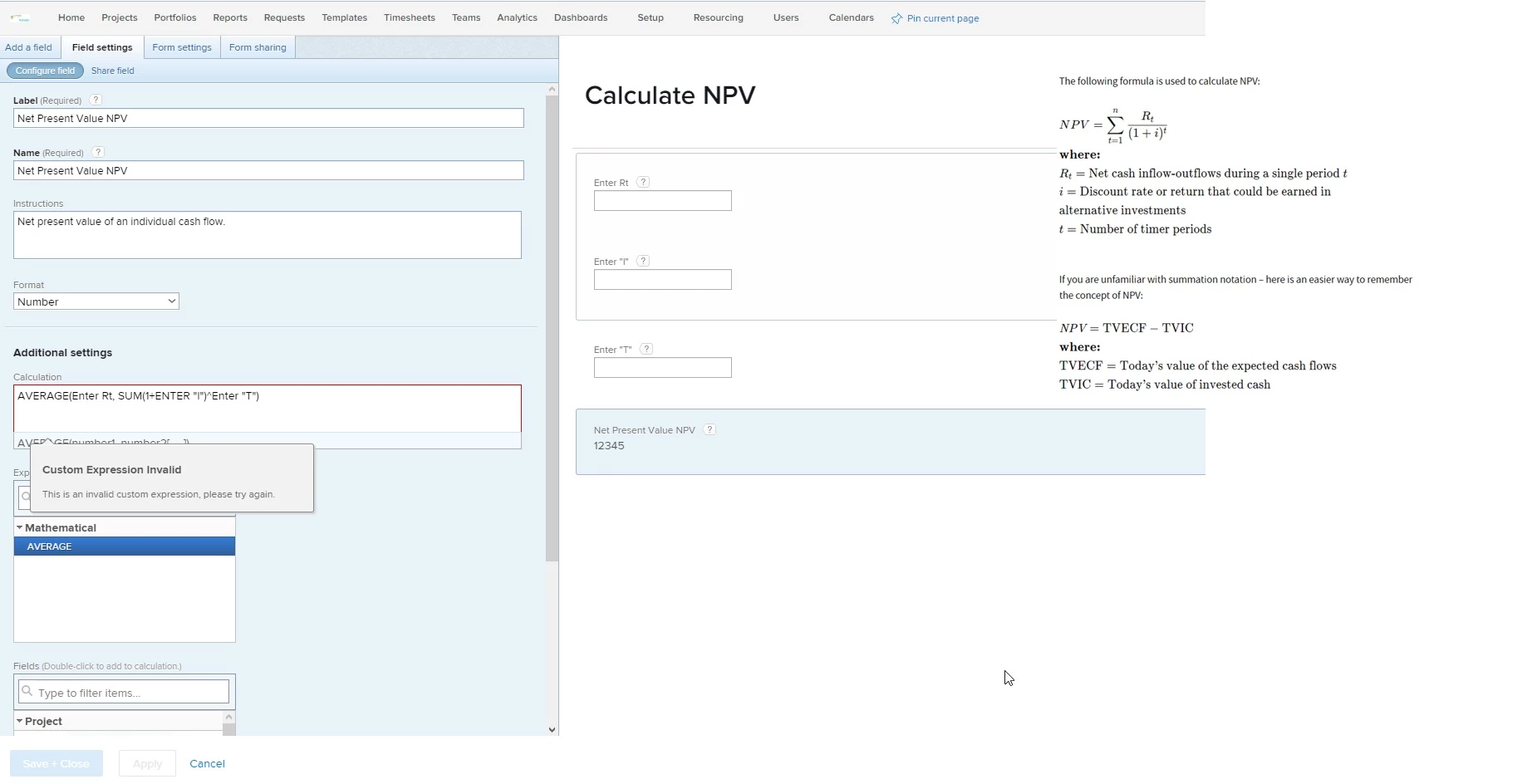
Looking for your help in regard to write expression to calculate NPV.

Attaching screen shot about the form and formula.

looking for your guidance.

Mvh

Kundan.
This post is no longer active and is closed to new replies. Need help? Start a new post to ask your question.
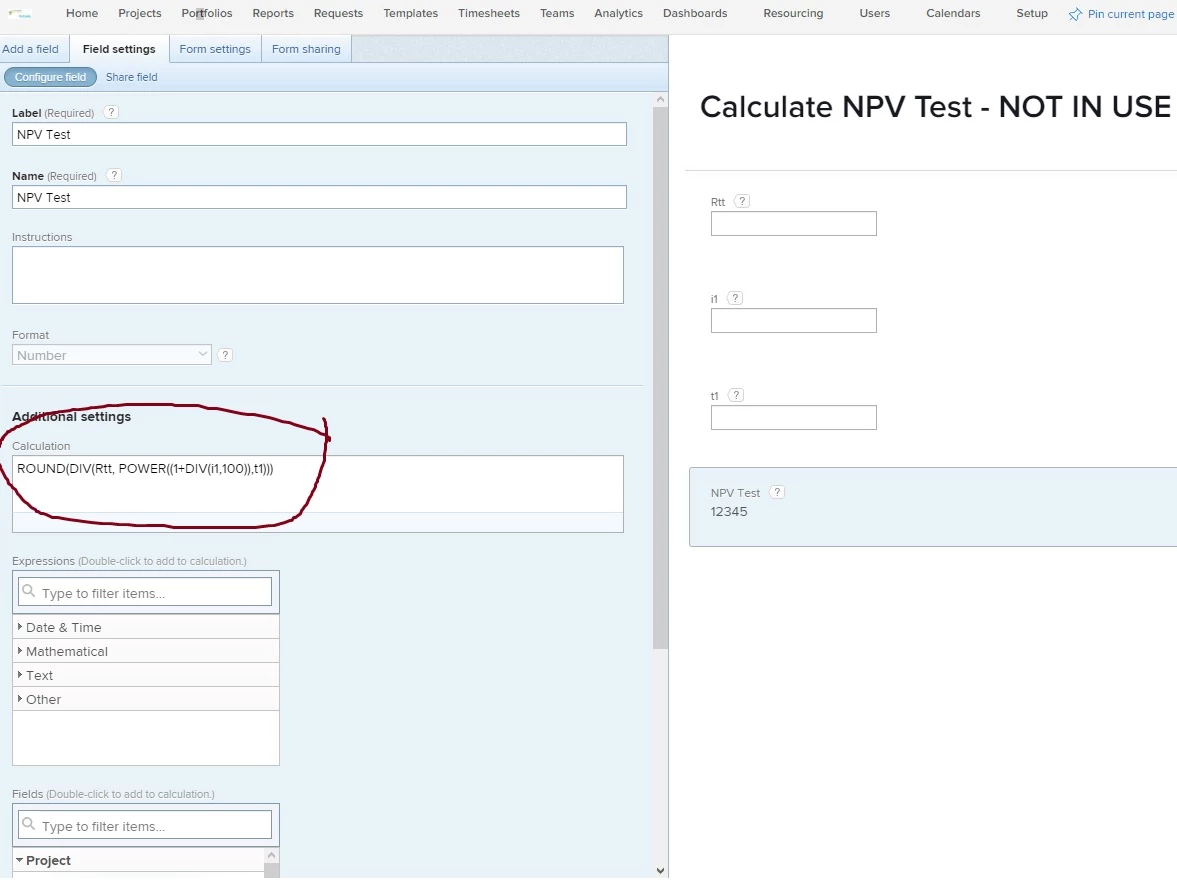
Best answer by Kundanism

Hi @Doug Den Hoed‚

Finally got it, please check;

BR

Kundan
2 replies

Doug_Den_Hoed_AtAppStore
Community Advisor
Community Advisor
February 23, 2021

Hi Kundan,

As I have a Finance degree, I am honor bound to respond (and love the idea!), but suggest you consider an alternative, such as calculating NPV outside of Workfront in Excel, and then pasting in the answer.

Regards,

Doug

Kundanism
KundanismAuthor
Level 10
February 23, 2021

Thank for the idea @Doug Den Hoed‚

But we are not in idea to continue in excel. But still can you or anyone help to create this expression.

Looking for expertise.

Mvh

Kundan.

Doug_Den_Hoed_AtAppStore
Community Advisor
Community Advisor
February 23, 2021

Wish granted Kundan,

NPV=Rt/(1-i)^t

NPV = net present value

Rt = net cash flow at time t

i = discount rate

t = time of the cash flow

Calculated Parameter Equivalent Formula (tested):

100/(POWER((1+0.01),2)) = $98..03

Similarly, you can create numeric custom parameters for Rt, i, and t and use them in a numeric (or currency) calculated custom parameter with a formula of Rt/(POWER((1+i),t))

Obligatory Finance Degree Fine Print: Be sure to test it, train users (eg i = .02 vs 2), and since over time the data will become out of date (ie i might change; as t decreases, NPV increases approaching Rt, etc), adopt a procedure to periodically adjust and/or recalculate these numbers as needed to ensure accuracy.

Good luck with it: I am interested to hear how you make out.

Regards,

Doug

Kundanism
KundanismAuthor
Level 10
February 24, 2021

Thanks @Doug Den Hoed‚

But I am not good in calculated field expression, still tried but failed;

AVERAGE(Rt, DIV(POWER(SUM(1,i),t)))

Could you help to correct it?

Best regards,

kundan.

Doug_Den_Hoed_AtAppStore
Community Advisor
Community Advisor
February 24, 2021

You are welcome Kundan,

I suggest you start with Rt/(POWER((1+i),t))

That formula works, as I tested and illustrated with 100/(POWER((1+0.01),2))

Once you get that going, you can then try other modifications such as average and div.

Regards,

Doug