Need a project report that shows the single user assigned to a specific role on the project (not multiple users)
Context: I have a report we use weekly to view which users are assigned to a project. We have 1 user assigned to copywriter, 1 user assigned to designer, etc. My report pulls in multiple users sometimes and causes confusion.
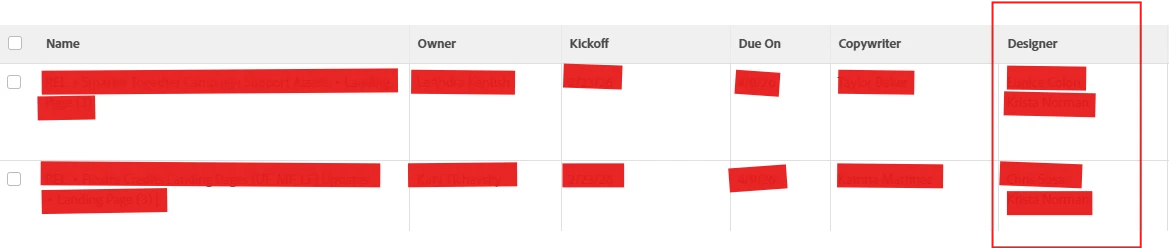
Example: It pulls in 2 users for designer, when only 1 is the designer on the project because the second user also has a role of designer, but is not assigned to the designer role on the project. They are assigned to the project in a secondary role, they just also happen to be a designer.
The need: I need the report to just return the single user assigned to that specific role on the project/task list. I do not want more than one user returned just because they are on the project but not assigned to that role.
I’d like to avoid creating custom fields on a project and having to populate them manually for each project and then using those custom fields in the report, though I do think that is a possible solution.
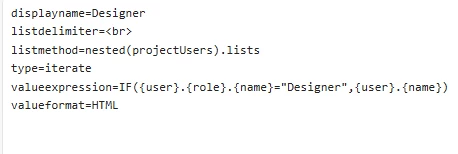
Text Code I currently use (works great when there is only one designer on a project, not great when there are two but 1 is not in the designer role on the project):
This is the same issue as I see here Project level report that shows only the people that are primary person assigned to tasks based on job role | Community. There was not a solution provided.
The suggested thread to assist Need help with a view field. Trying to pull specific Role ID out of a Project Users and display in Project report. Where have I gone wrong? I've tried a few variations of below: | Community did not resolve my issue.