Link Value to Actual Issue/Risk Page | Community
Skip to main content
Level 4
January 13, 2025
Solved

Link Value to Actual Issue/Risk Page

  • January 13, 2025
  • 1 reply
  • 406 views

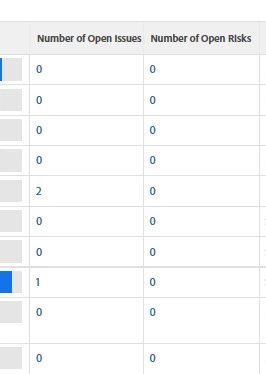
Hi WF Community, how do we directly link column value to the issue/risk page? 

descriptionkey=numberOpenOpTasks
link.linkproperty.0.numberOpenOpTasks=ID
link.linkproperty.0.valuefield=ID
link.linkproperty.0.valueformat=int
link.lookup=link.view
link.valuefield=objCode
link.valueformat=val
linkedname=direct
listsort=string(name)
namekey=numberOpenOpTasks
querysort=numberOpenOpTasks
section=0
shortview=false
stretch=0
usewidths=true
valuefield=numberOpenOpTasks
valueformat=int
width=11
 

This post is no longer active and is closed to new replies. Need help? Start a new post to ask your question.
Best answer by monicacardoso

Hi @a_en,


Thank you for your question! Unfortunately, there isn't a way to hyperlink those values to take you directly to the object's "Issues" or "Risks" page. The closest thing you could try is: 


1) Add 2 columns to your report. 


2) Create a custom expression for each column to display the link to the "Issues" and "Risks" pages respectively. Be sure to update the domain and object as needed. 


Issues page: 

displayname=Issues Link namekey=ID querysort=ID valueexpression=CONCAT("https://monicacardoso.my.workfront.com/project/",{ID},"/issues") valueformat=HTML


Risks page: 

displayname=Risks Link namekey=ID querysort=ID valueexpression=CONCAT("https://monicacardoso.my.workfront.com/project/",{ID},"/risks") valueformat=HTML


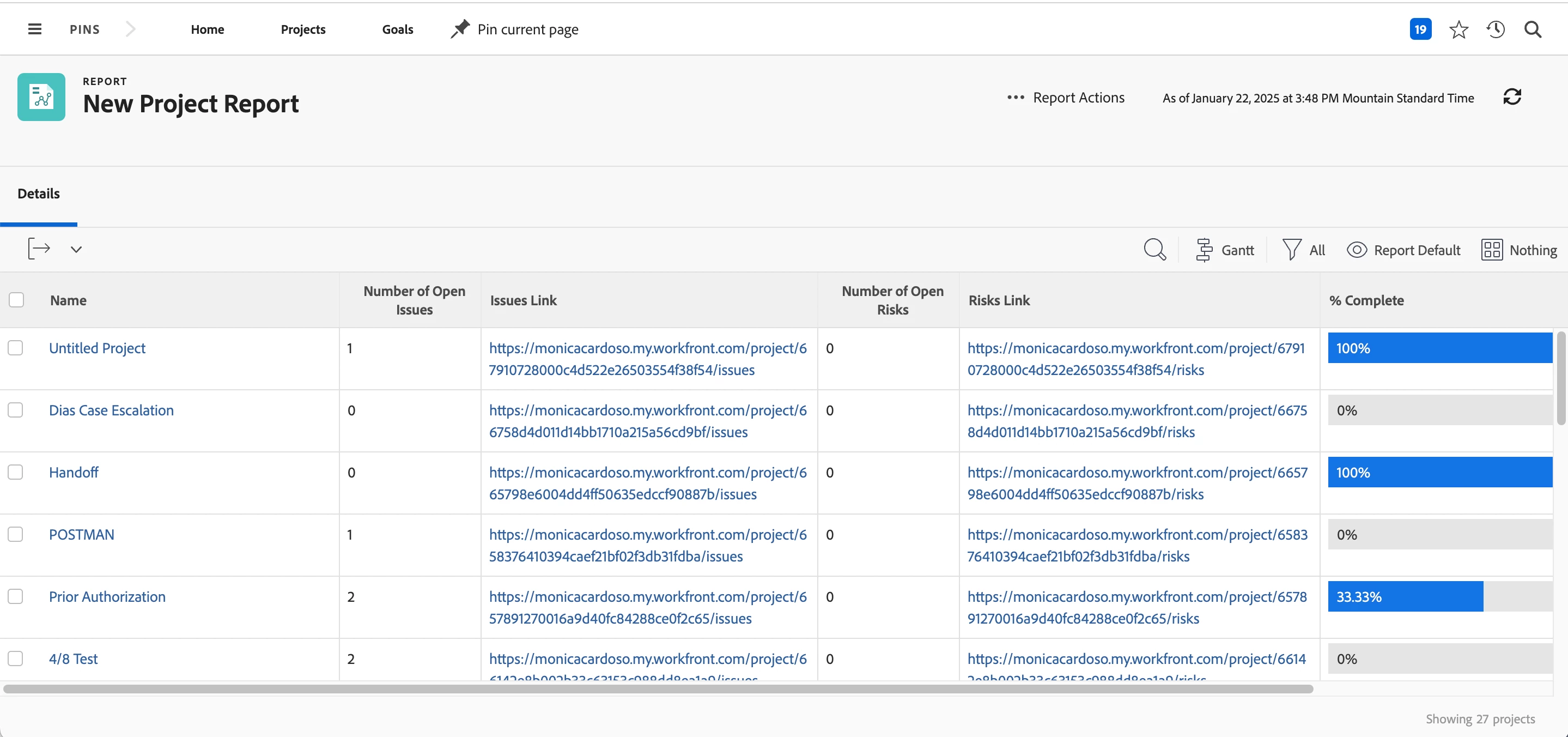
3) The columns will automatically calculate with the object ID. Below is an example in my instance: 


The users can then click each link to be redirected (in a new tab) to the Issues and Risks page respectively. 


- Monica 

1 reply

monicacardosoAdobe EmployeeAccepted solution
Adobe Employee
January 22, 2025

Hi @a_en,


Thank you for your question! Unfortunately, there isn't a way to hyperlink those values to take you directly to the object's "Issues" or "Risks" page. The closest thing you could try is: 


1) Add 2 columns to your report. 


2) Create a custom expression for each column to display the link to the "Issues" and "Risks" pages respectively. Be sure to update the domain and object as needed. 


Issues page: 

displayname=Issues Link namekey=ID querysort=ID valueexpression=CONCAT("https://monicacardoso.my.workfront.com/project/",{ID},"/issues") valueformat=HTML


Risks page: 

displayname=Risks Link namekey=ID querysort=ID valueexpression=CONCAT("https://monicacardoso.my.workfront.com/project/",{ID},"/risks") valueformat=HTML


3) The columns will automatically calculate with the object ID. Below is an example in my instance: 


The users can then click each link to be redirected (in a new tab) to the Issues and Risks page respectively. 


- Monica