Question
Journal Entry Report Help: Only the latest field change in a date range and preventing duplictes
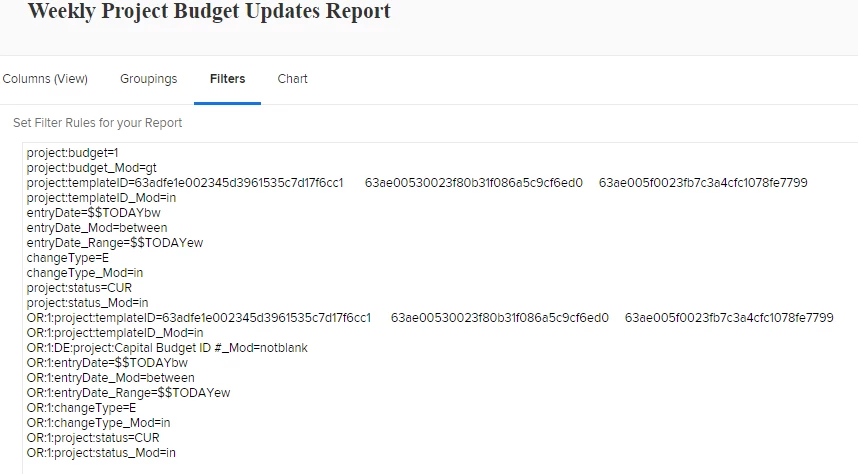
I have built a Journal Entry report to pull the project budget number (greater than 0) if edited this week. My two questions for the community are:
- How can I only pull the last budget field update (if someone updated the field multiple times in the week, I only want the max/latest change, not all)?
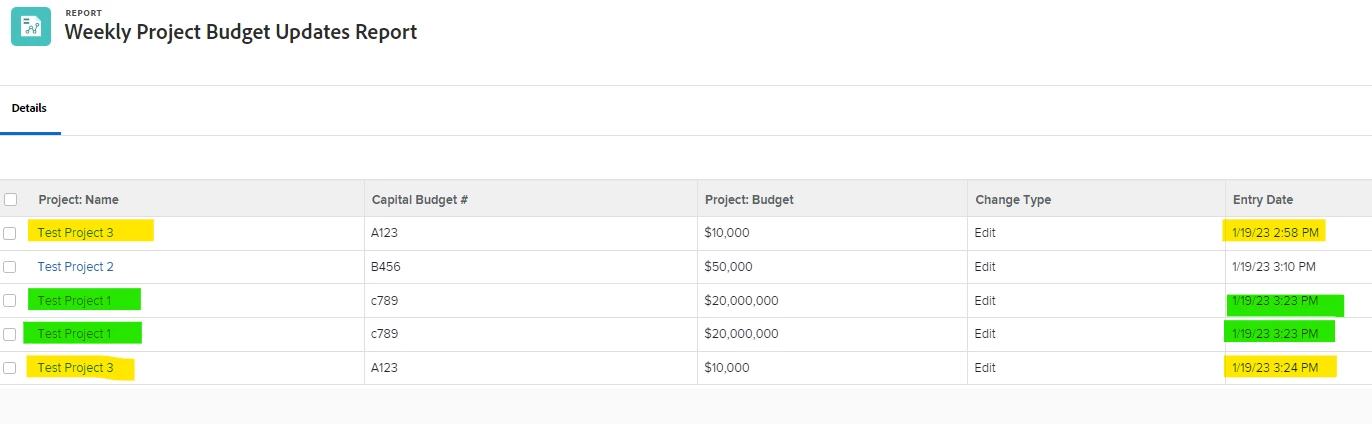
- How can I prevent random duplicate rows (several changes are complete duplicates with the same date/timestamp repeated up to 42 times, but some changes don't duplicate at all)?
In the attached image, 2 budget entries for 2 separate projects duplicated but one project (in the middle) reflects the accurate single row.