


How To Set Up An Exchange Rate Dashboard
Hi folks,
I'm increasingly working in Workfront environments with multiple currencies, so to make it easier to maintain Exchange Rates, invented this handy dashboard (see below) which I decided to share as a teachable moment / useful utility. Enjoy!
Regards,
Doug
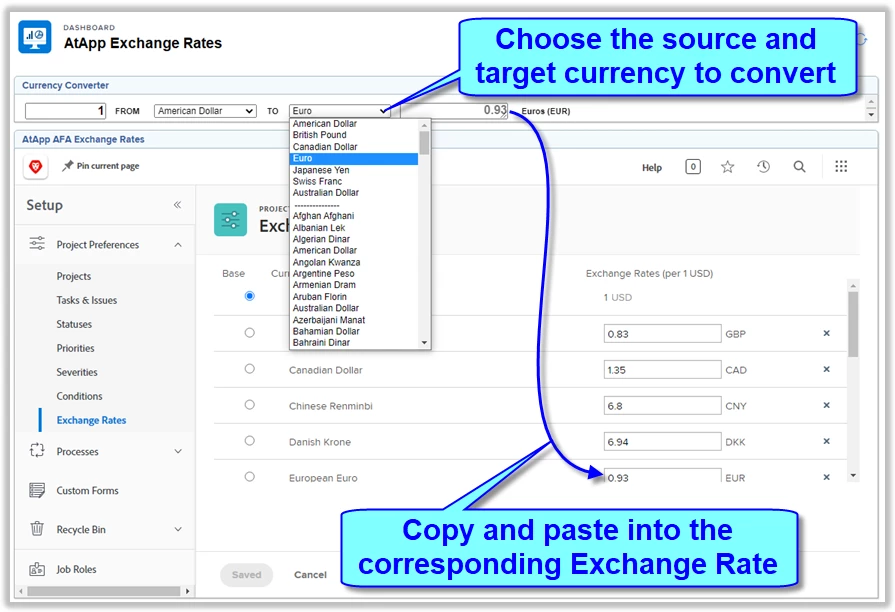
Instructions:
- Create a new dashboard (e.g. AtApp Exchange Rates)
- Click + Add External Page (bottom right), set the Name to Currency Converter, the URL as follows, and a height of 37
https://www.atappstore.com/Extras/CurrencyConverterUSDToCAD.html - Click + Add External Page a second time, set the Name to Exchange Rates, the URL as follows, and a height of 600
https://[YOURDOMAIN].my.workfront.com/setup/exchange-rates - Save the dashboard, share as desired and use as required