How to set the Milestone View as the default view on a Report | Community
Skip to main content
Level 4
October 7, 2024
Question

How to set the Milestone View as the default view on a Report

  • October 7, 2024
  • 1 reply
  • 873 views

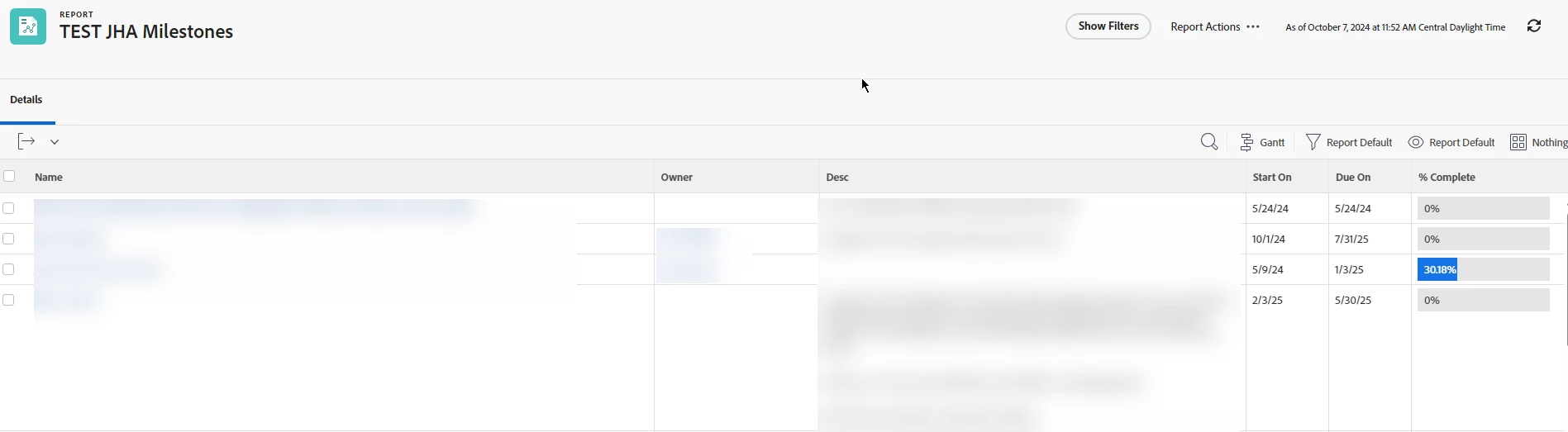
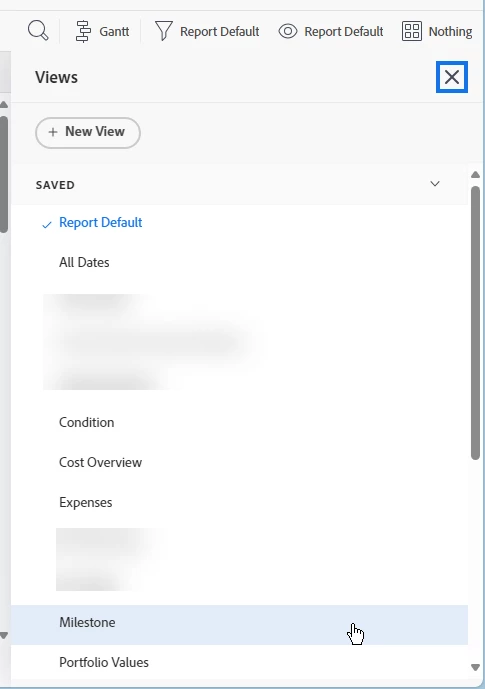
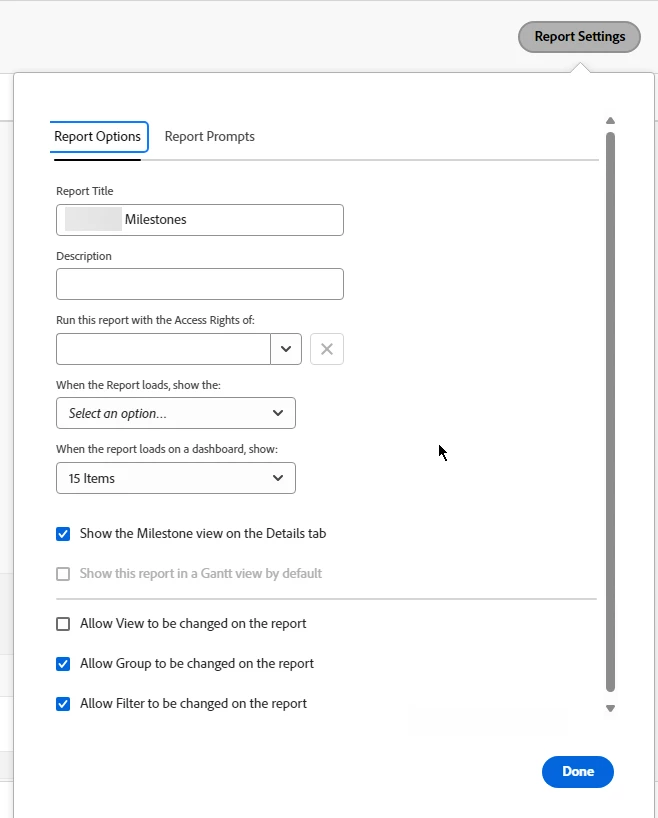
I need to be able to set the Milestone view on a report to be the default, so that users don't have to change their view when they pull up the report.  It looked like I could do this under Report Settings by checking the box for "Show the Milestone view on the Details tab" and un-checking the box for "Allow View to be changed on the report." However, when I apply and save, the report is still generating in the "Report Default" view with the columns. See screenshots.  
Please note that I've build and tested this in the Preview environment only.


TIA.


This post is no longer active and is closed to new replies. Need help? Start a new post to ask your question.

1 reply

Madalyn_Destafney
Community Advisor
Community Advisor
October 7, 2024

Hi there, you should be able to set the milestone view as the default from a project report only. Are you trying to use it in a different type of report perhaps?


If this helped you, please mark correct to help others : )
Srinija_N
Level 7
October 18, 2024

The steps you followed worked for me @annaholder.

@madalyn_destafney I think she is trying for Project Type report itself, cause this option either appear differently or doesnt appear at all on any other types.

eg: Task report has 'Show this report in a Gantt view by default'

Level 4
October 18, 2024

Thank you @madalyn_destafney and @srinija_n for your responses. Unfortunately, since our Preview environment has refreshed since my original post (and I somehow missed Madalyn's reply until today!), I can't go back to confirm -- but I'm fairly certain I created the report as a project report.  I wonder if building and viewing it in Preview was what caused the issue.  I'll be rebuilding the report again, likely next week, in Prod so I'll be able to confirm behavior at that time and report back on my findings! 


@madalyn_destafney, where is that screenshot from? Help documentation? 


Thanks again!