How to make input for two decimal digits? | Community
Skip to main content
Kundanism
Level 10
March 7, 2023
Solved

How to make input for two decimal digits?

  • March 7, 2023
  • 1 reply
  • 993 views

HI,

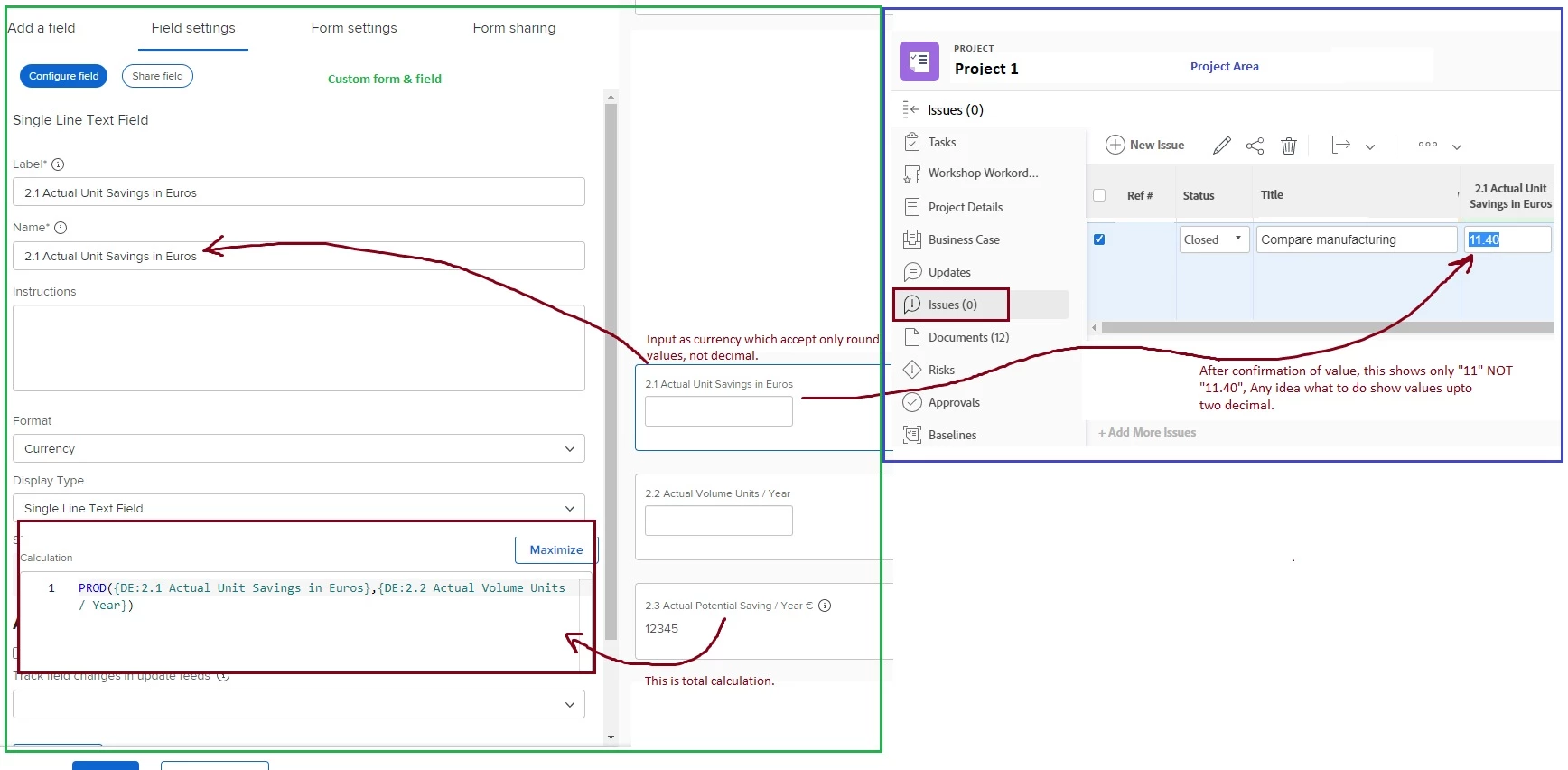
Looking your input about how to make input value acceptable upto 2 decimals.

Basically, a custom field created with type currency.

Calculation field formula: 

PROD({DE:2.1 Actual Unit Savings in Euros},{DE:2.2 Actual Volume Units / Year})
 
Appreciate any recommendation.
This post is no longer active and is closed to new replies. Need help? Start a new post to ask your question.
Best answer by Richard_Le_

Hi Kundan,


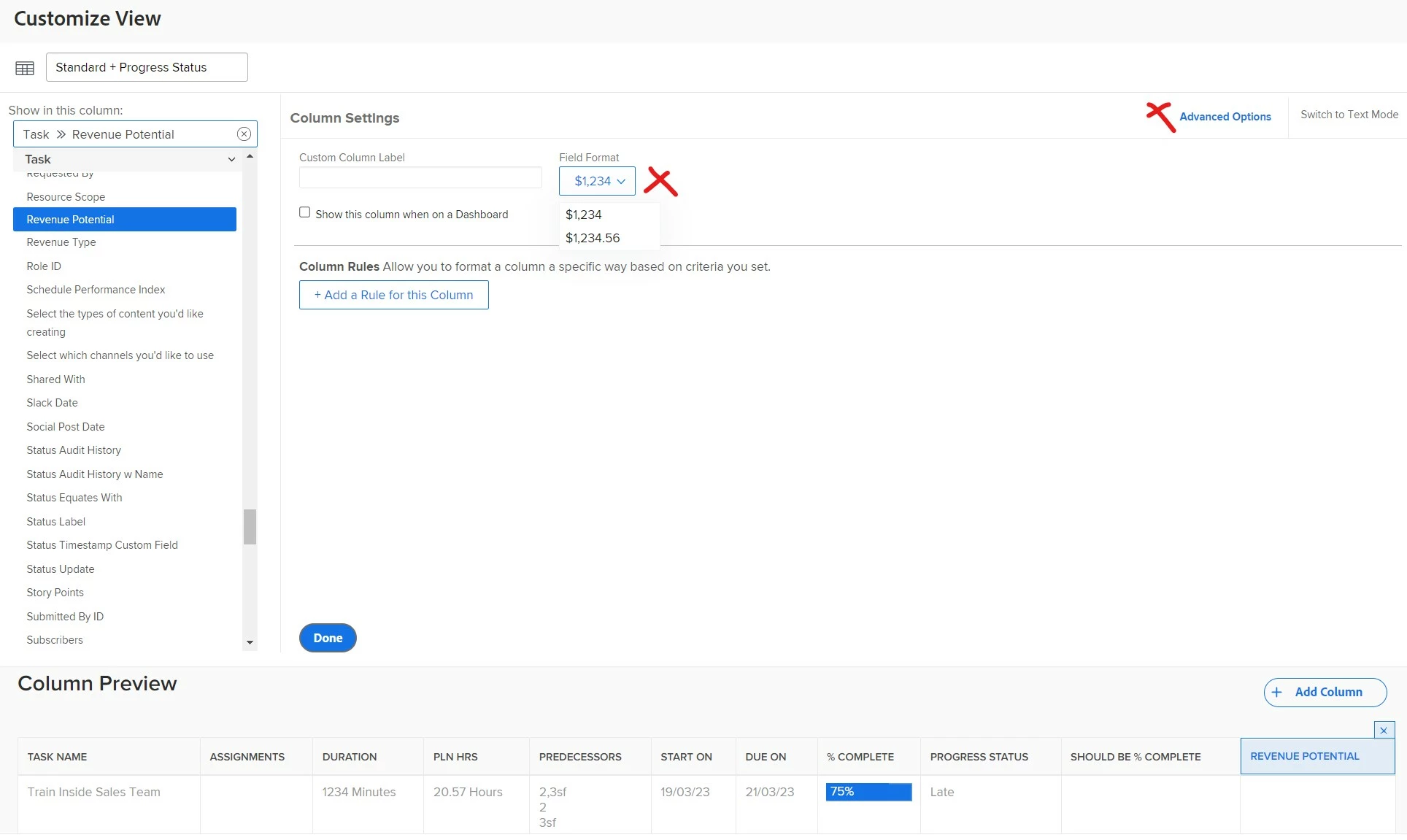
The number of decimal places displayed is configured in your view settings.


If you go to your report/view editor, click on the currency column you want to display with 2 decimal places, then click advanced options. You can update the field format accordingly. See below example. 


Best Regards,

Rich. 

1 reply

Richard_Le_Community AdvisorAccepted solution
Community Advisor
March 7, 2023

Hi Kundan,


The number of decimal places displayed is configured in your view settings.


If you go to your report/view editor, click on the currency column you want to display with 2 decimal places, then click advanced options. You can update the field format accordingly. See below example. 


Best Regards,

Rich. 

Kundanism
KundanismAuthor
Level 10
March 8, 2023

Excellent @richard_le_ 

Sometimes the possibility is in front of us, but we are not able to see it.

😉