How to combine several custom form fields into 1 cell in a report (both the field name and response).
My organization has 30 custom form fields they'd like to have on a report so it can be exported and shared externally, it has to be a report because of the inability to export custom forms. This creates an ugly horizontal scroll, so I'm curious if anyone has had any success with "sharecol=" in text mode and what pointers you may have? I'd like to make several groupings of custom form fields and their responses appear in 1 cell, maybe 6 groupings of 5 fields each.
I've found the page here as a reference - https://leappoint.com/2018/08/09/workfront-pro-tip-advanced-report-formatting-really-advanced/ but am just not having any luck. I seem to only get the headings I enter to appear and not the responses.
Here's what I've got so far, just trying to get 2 fields "What is the research about?" and "What are the core research questions?" to appear for now.
column.0.displayname=COMBINED
column.0.linkedname=direct
column.0.namekey=What is the research about?
column.0.querysort=DE:What is the research about?
column.0.sharecol=true
column.0.textmode=true
column.0.value=<font color=000000><b>What is the research about?</b></font>
column.0.valuefield=What is the research about?
column.0.valueformat=HTML
column.1.sharecol=true
column.1.shortview=false
column.1.textmode=true
column.1.value=<hr>
column.1.valueformat=HTML
column.2.displayname=
column.2.linkedname=direct
column.2.namekey=What are the core research questions?
column.2.querysort=DE:What are the core research questions?
column.2.textmode=true
column.2.value=<font color=000000><b>What are the core research questions?</b></font>
column.2.valuefield=What are the core research questions?
column.2.valueformat=HTML
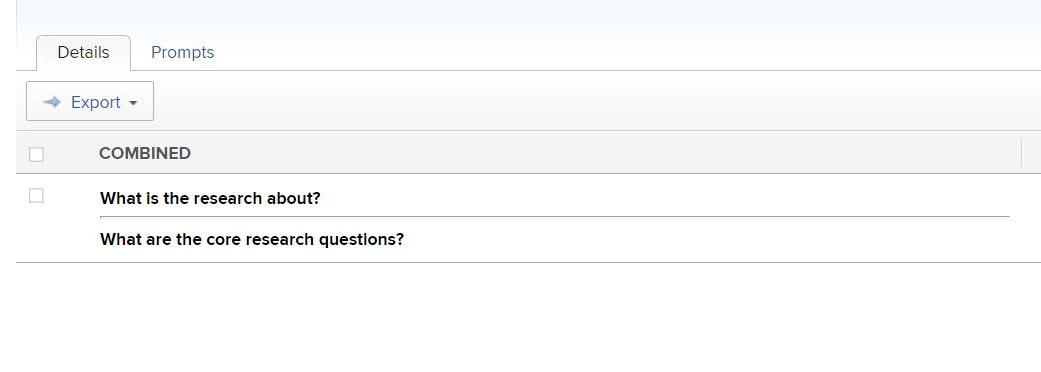
Below is how the above appears -