Level 2
May 20, 2026
Solved

how to add task name to document report

  • May 20, 2026
  • 1 reply
  • 15 views

Hi! I am trying to create a view on a project’s document screen that shows the task name that the document is stored in (stored at the task level).
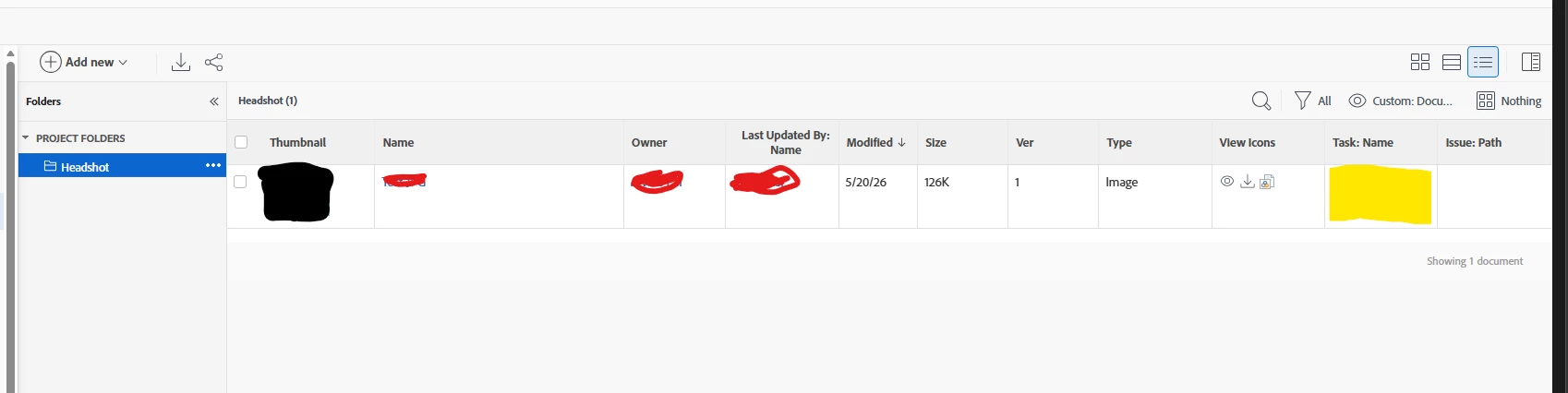
Currently the column is showing the Task Name and was a column offered when editing the view, but it pulls empty.

linkedname=tasknamekey=view.relatedcolumnnamekeyargkey.0=tasknamekeyargkey.1=namequerysort=task:namevaluefield=task:namevalueformat=HTML


Does anyone have this use, or know how to pull the task name?

Best answer by ninoskuflic

Hi,

using Task Name when editing the view will give you what you need: 


If it’s empty, it’s possible that the document is not uploaded on task, rather on project. Can you check if that might be the case? 😃

1 reply

ninoskuflic
ninoskuflicAccepted solution
Level 5
May 20, 2026

Hi,

using Task Name when editing the view will give you what you need: 


If it’s empty, it’s possible that the document is not uploaded on task, rather on project. Can you check if that might be the case? 😃

If this solved your issue, please mark it as solved so others can find the solution faster.