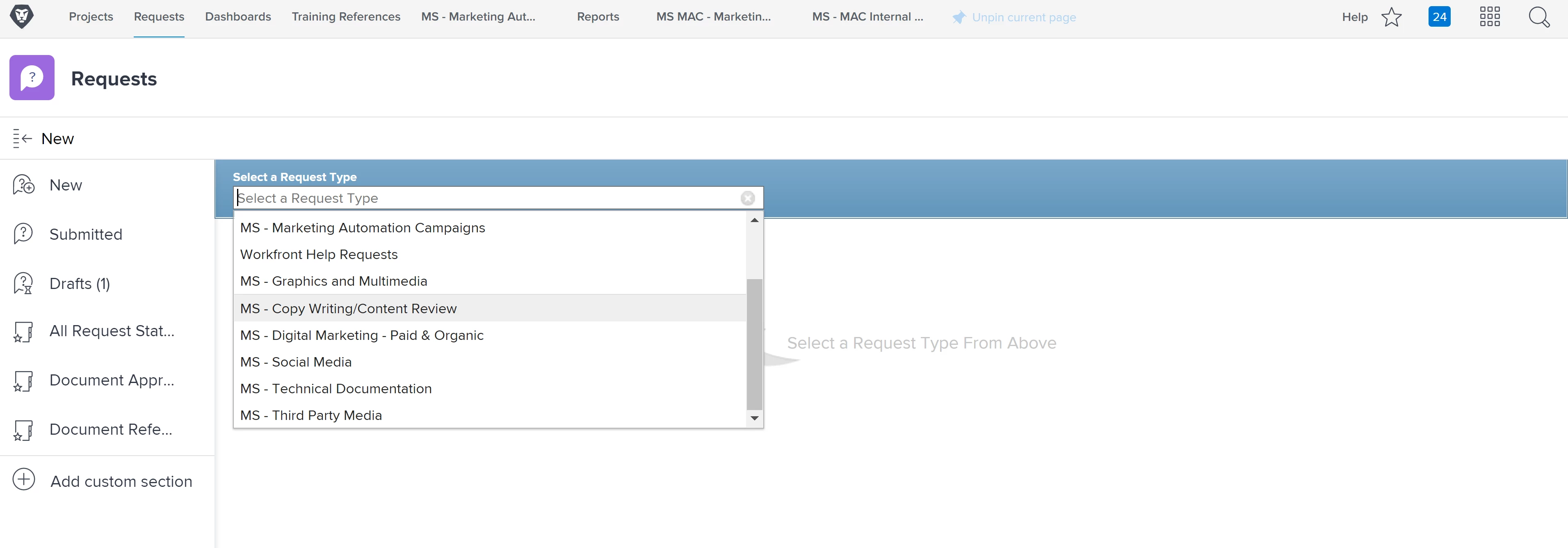
How come the issue custom form I created won't show up under Request Types even though the custom form is active? | Community
Skip to main content
This post is no longer active and is closed to new replies. Need help? Start a new post to ask your question.
Best answer by SaraAl2

Hello, it took me forever to figure this out!

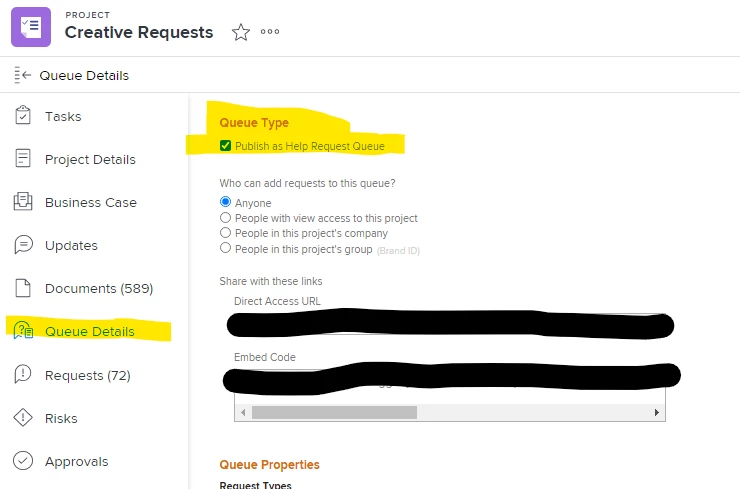
You actually have to create a "Project" and select the option "Publish as Help Request" in the Queue Details section. Not sure if you are using the new experience but the screen shot below is where to find it. (One thing to mention is the "Queue Details Section" may not be available depending on your Layout Template and those can be found/edited in the Set Up section. Good Luck! (Ignore my horrible screen shot, I was rushing 😅 )
2 replies

skyehansen
Community Advisor and Adobe Champion
April 7, 2021

this is where Request Queues show up (see https://one.workfront.com/s/document-item?bundleId=workfront-classic&topicId=Content%2FManage_work%2FRequests%2FCreate_and_manage_Request_Queues%2Fcreate-request-queue.html&_LANG=en for more info on how to create a queue). This isn't where custom forms show up.

Level 2
April 13, 2021

thank you so much for your help! :-)

SaraAl2Accepted solution
Level 3
April 8, 2021

Hello, it took me forever to figure this out!

You actually have to create a "Project" and select the option "Publish as Help Request" in the Queue Details section. Not sure if you are using the new experience but the screen shot below is where to find it. (One thing to mention is the "Queue Details Section" may not be available depending on your Layout Template and those can be found/edited in the Set Up section. Good Luck! (Ignore my horrible screen shot, I was rushing 😅 )

Level 2
April 13, 2021

Hi, thanks a lot. took me a while to see the our project queue but finally I saw it and changed the necessary steps under the queue details. thank you!