External Lookup field API call switches text for Unicode text
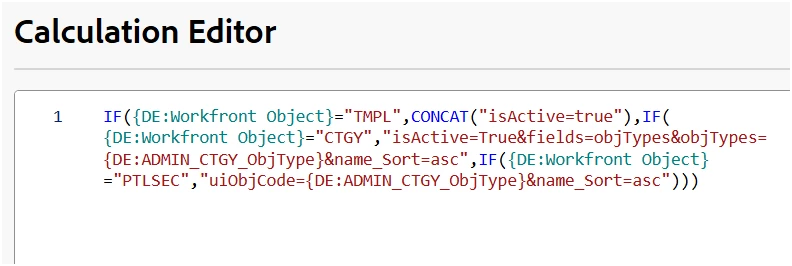
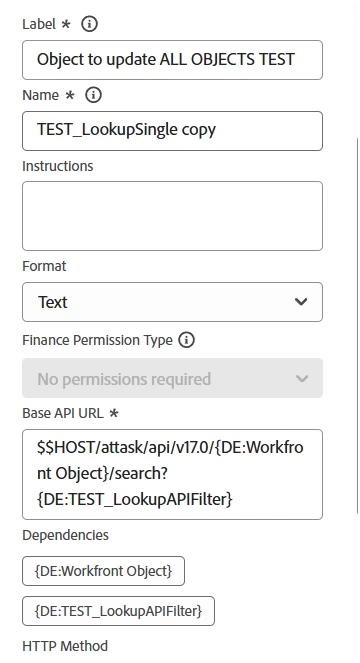
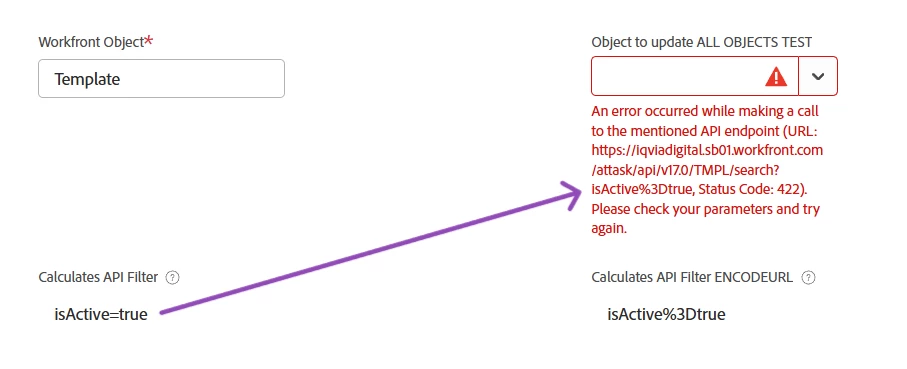
I am trying to use a calculated field to determine the API search and filter path on an external lookup field, depending on which object type is selected. For example, not every object has an “isActive=true” option so I wanted a dynamic filter depending on the Workfront Object selected. I am having trouble in that the calculated field correctly provides the text I want, but when that field is applied into the API call, the special characters such as “=” or “&” get turned into the Unicode characters and the API call shows an error. I have also tried using ENCODEURL (the second calculated field in the screenshot shows the result) but that only compounds the special characters. Does anyone know how to keep the actual text included in a calculated field when calling it in the API?
- I have tried each of the three filters individually in the API call to ensure the code itself is accurate. My only goal was to combine them into a dynamic field so that one external lookup field would work no matter what Object was needed.