
Edit Project Schedule Mode from Report | Community
Skip to main content
J_Mas
Level 5
February 22, 2024
Solved

Edit Project Schedule Mode from Report

  • February 22, 2024
  • 1 reply
  • 907 views

Is there a way to edit a project's Schedule Mode from a report?

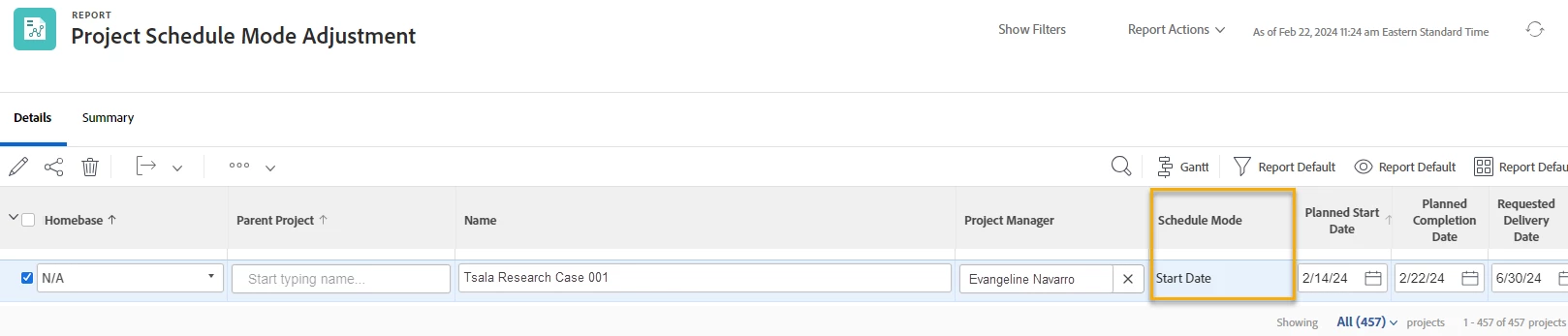
There are times when I'd like to switch the Schedule Mode of several planned projects from "Start Date" to "Completion Date". It's a lot of clicking to have to navigate to each project individually and switch the Schedule Mode. I've created a Project report that pulls in the Planned Start Date, Planned Completion Date, and the Schedule Mode, but it seems like the Schedule Mode field is view-only on my report. Is this because my report needs to be built at a different way (perhaps at a different Object-Type), or is the Schedule Mode field only editable from within a project's Details section?
This post is no longer active and is closed to new replies. Need help? Start a new post to ask your question.
Best answer by NicholeVargas

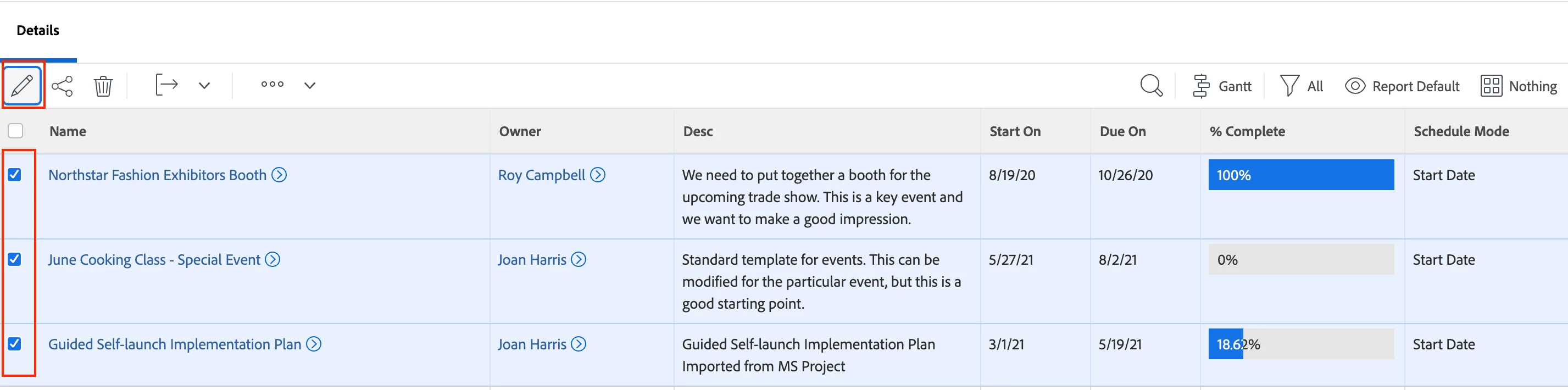
I don't believe that field is in-line editable in a view/report. If you are needing to update the Schedule Mode on several projects, in your report you can click the checkbox next to multiple projects to bulk edit. 

1 reply

NicholeVargas
Adobe Employee
NicholeVargasAdobe EmployeeAccepted solution
Adobe Employee
March 13, 2024

I don't believe that field is in-line editable in a view/report. If you are needing to update the Schedule Mode on several projects, in your report you can click the checkbox next to multiple projects to bulk edit. 

J_Mas
J_MasAuthor
Level 5
March 14, 2024

Thanks @nicholevargas, I think you're right that it can't be in-line edited. Bulk editing via checkbox might save a little time though, I'll have to play around with that.