Duplicate Email Addresses - Best method for de-duplicating CSV (or Microsoft Excel 365) lists - Workfront Fusion | Community
Skip to main content
Level 3
June 28, 2023
Solved

Duplicate Email Addresses - Best method for de-duplicating CSV (or Microsoft Excel 365) lists - Workfront Fusion

  • June 28, 2023
  • 1 reply
  • 634 views

I am seeking advice, on the best method to de-duplicate CSV (or Microsoft Excel 365) lists leveraging Workfront Fusion.

Locate duplicate entries with the same email address.
Automate the removal of the entry from the list. 
Automate this process via Workfront Fusion.
This post is no longer active and is closed to new replies. Need help? Start a new post to ask your question.
Best answer by Kurt_Jones

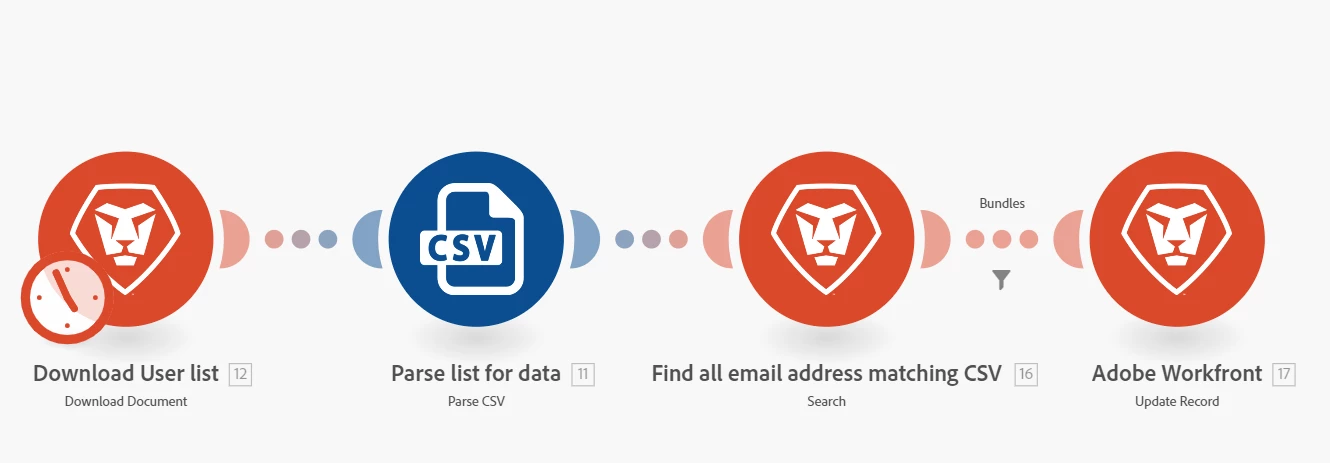
Fusion is overkill here, you can de-dupe your excel list within Excel.  Check this link on how to do this, https://blog.hubspot.com/marketing/remove-duplicates-excel.  Once you have the list you want you can use Fusion to read it and update any records needed within Workfront, similar to the below flow.


1 reply

Kurt_Jones
Community Advisor
Kurt_JonesCommunity AdvisorAccepted solution
Community Advisor
July 31, 2023

Fusion is overkill here, you can de-dupe your excel list within Excel.  Check this link on how to do this, https://blog.hubspot.com/marketing/remove-duplicates-excel.  Once you have the list you want you can use Fusion to read it and update any records needed within Workfront, similar to the below flow.