Default Access on Project Despite License | Community
Skip to main content
Level 2
March 1, 2024
Solved

Default Access on Project Despite License

  • March 1, 2024
  • 1 reply
  • 578 views

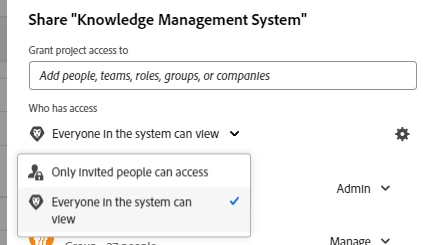
For all access levels, I've opened up the access on all objects (projects, tasks, issues, etc) as much as they can be opened. But when I add people to a project, the default on the said project is at a View access even if they have higher access per their license. This is such a pain point because I have to go in after adding the person to update their access to the project at a higher level of contribute. I don't have the same people on every project so I can't overcome this with the templates we use. It clearly says below in the image "Everyone in the system can view" and I think that's causing the default on the project. Other planners in the credit union create projects and add people, too, so it's causing projects to not be opened up standard because this is so manual. Any ideas of what I can do to overcome this so that when we assign someone to a project, they default to the highest level of access per their license? 


Also, we want the setting below to not be on "Only invited people can access" because we want visibility for projects in other parts of the business. 


This post is no longer active and is closed to new replies. Need help? Start a new post to ask your question.
Best answer by CynthiaBoon

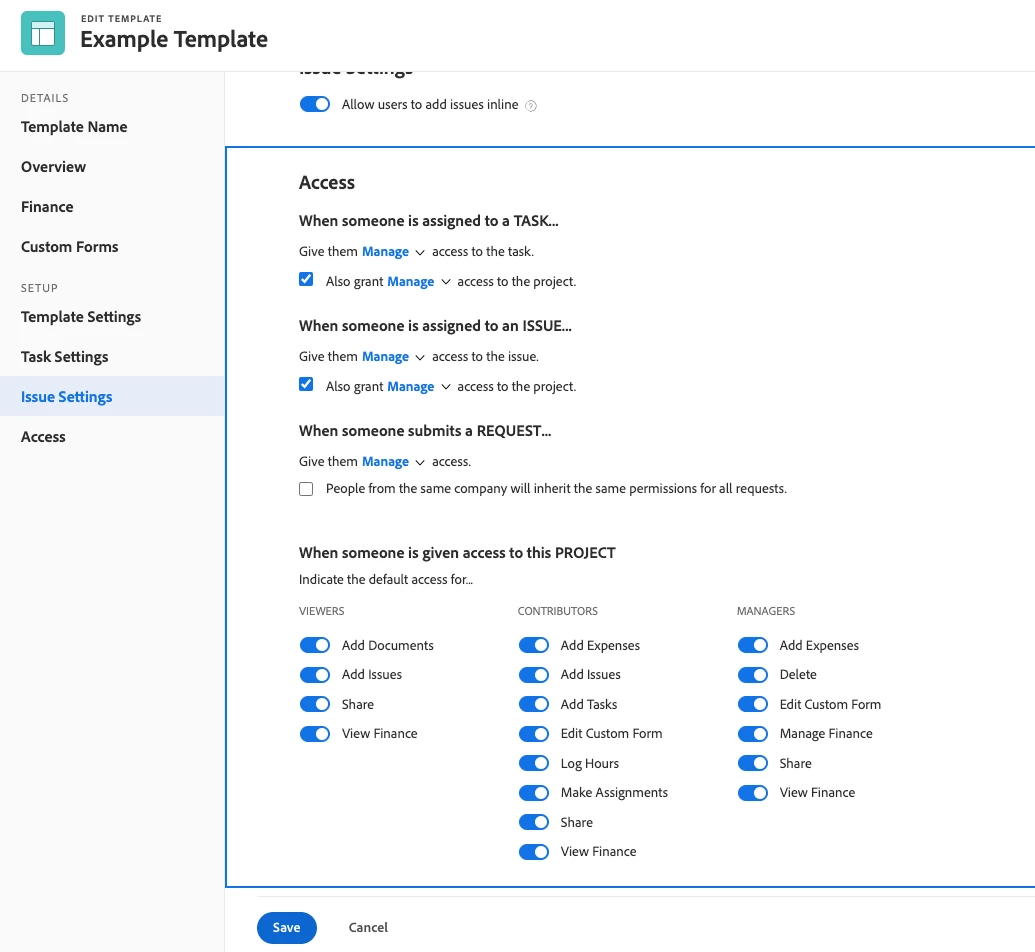
Hey there!  I'm not sure if this will help, but I used to open up the Access on the Project Level, with the Project Templates we used.  When I spun a Project using a Template with "All Access" then anyone that had the right License Access, could Manage the project completely. For example, my Work license folks could Add, Edit, or Delete items on a project.  Here's a screenshot of what I did.  Again - not sure if this will help, but figured I'd share! 


1 reply

CynthiaBoon
Adobe Employee
CynthiaBoonAdobe EmployeeAccepted solution
Adobe Employee
March 1, 2024

Hey there!  I'm not sure if this will help, but I used to open up the Access on the Project Level, with the Project Templates we used.  When I spun a Project using a Template with "All Access" then anyone that had the right License Access, could Manage the project completely. For example, my Work license folks could Add, Edit, or Delete items on a project.  Here's a screenshot of what I did.  Again - not sure if this will help, but figured I'd share!