Conditional formatting based on Condition and Percent Complete | Community
Skip to main content
Level 2
February 24, 2025
Solved

Conditional formatting based on Condition and Percent Complete

  • February 24, 2025
  • 1 reply
  • 691 views

Hi Community

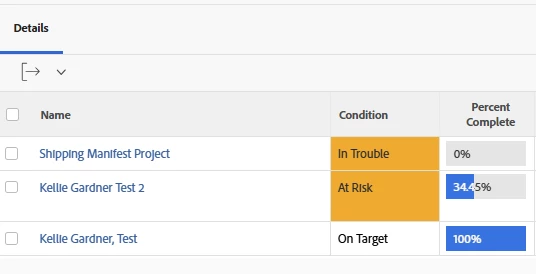
I've created a project report that highlights projects where the condition is 'At Risk' in orange or any that are 'In Trouble' in red. However, this should only be applied to incomplete projects (where Percent Complete < 100).


So, the one At Risk should be highlighted orange but the one In Trouble should not be highlighted red, as Percent Complete = 100.


None of the other rows should be highlighted, as they're On Target.
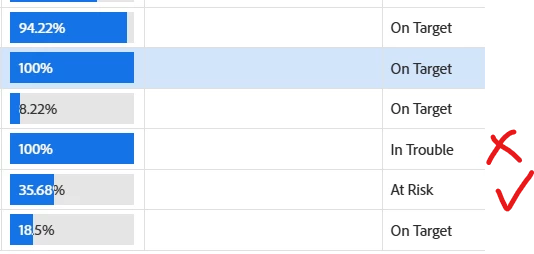
 

I've tried various combinations of cases in the text editor, without success. Any help would be appreciated..


thanks

Tony
Best answer by KellieGardner

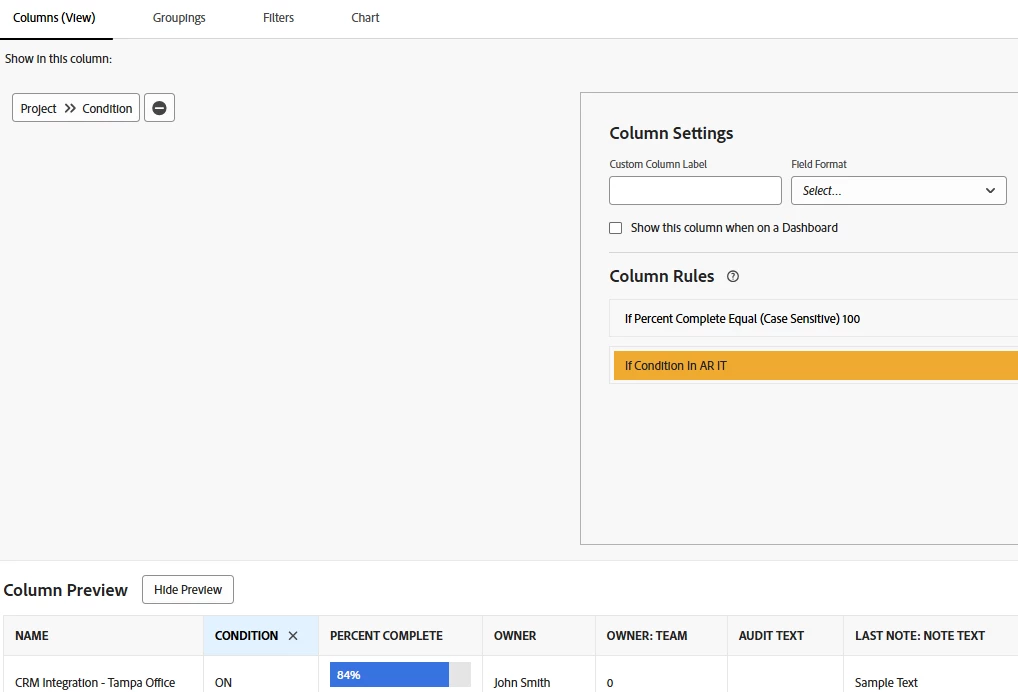
So you can trick the system with conditional formatting by setting up 2 conditional statements. Workfront will go down the list and apply the first format and then the second format.


Set your first condition to color the completed projects white, then set your second condition to color the at risk or in trouble projects.


1 reply

KellieGardner
Community Advisor and Adobe Champion
KellieGardnerCommunity Advisor and Adobe ChampionAccepted solution
Community Advisor and Adobe Champion
February 24, 2025

So you can trick the system with conditional formatting by setting up 2 conditional statements. Workfront will go down the list and apply the first format and then the second format.


Set your first condition to color the completed projects white, then set your second condition to color the at risk or in trouble projects.


tlangfordAuthor
Level 2
February 24, 2025

It's easy when you know how 😏


Thanks!

March 20, 2025

Hi MichD2

As Kellie wrote, each rule is applied based on when it was created, so if you make sure the last rule (the top one) is the same as the one I have in the screenshot, this will supersede any other rules that apply formatting.

Hopefully that should do what you need it to do...


thanks

Tony


Thank you, unfortunately not. I actually want this to show in the project tasks, not a report and that doesn't seem to work.

Thanks though!