Change the project status on 100 projects | Community
Skip to main content
January 30, 2024
Solved

Change the project status on 100 projects

  • January 30, 2024
  • 3 replies
  • 1031 views

Hi,


I'm trying to clean up our workfront projects as we have 100s of projects that are listed in a Project Status of "In Progress" that are from 2022-2019 and can confirm no one is activating against any of those projects. 


What I've done so far.


Create a project report that includes a project status column.  I then click the checkbox to check all projects in the in progress state > edit in the top left corner > and within the project settings their is no option to change the project status.  I can also confirm I'm a systems administrator. 


This post is no longer active and is closed to new replies. Need help? Start a new post to ask your question.
Best answer by Rafal_Bainie

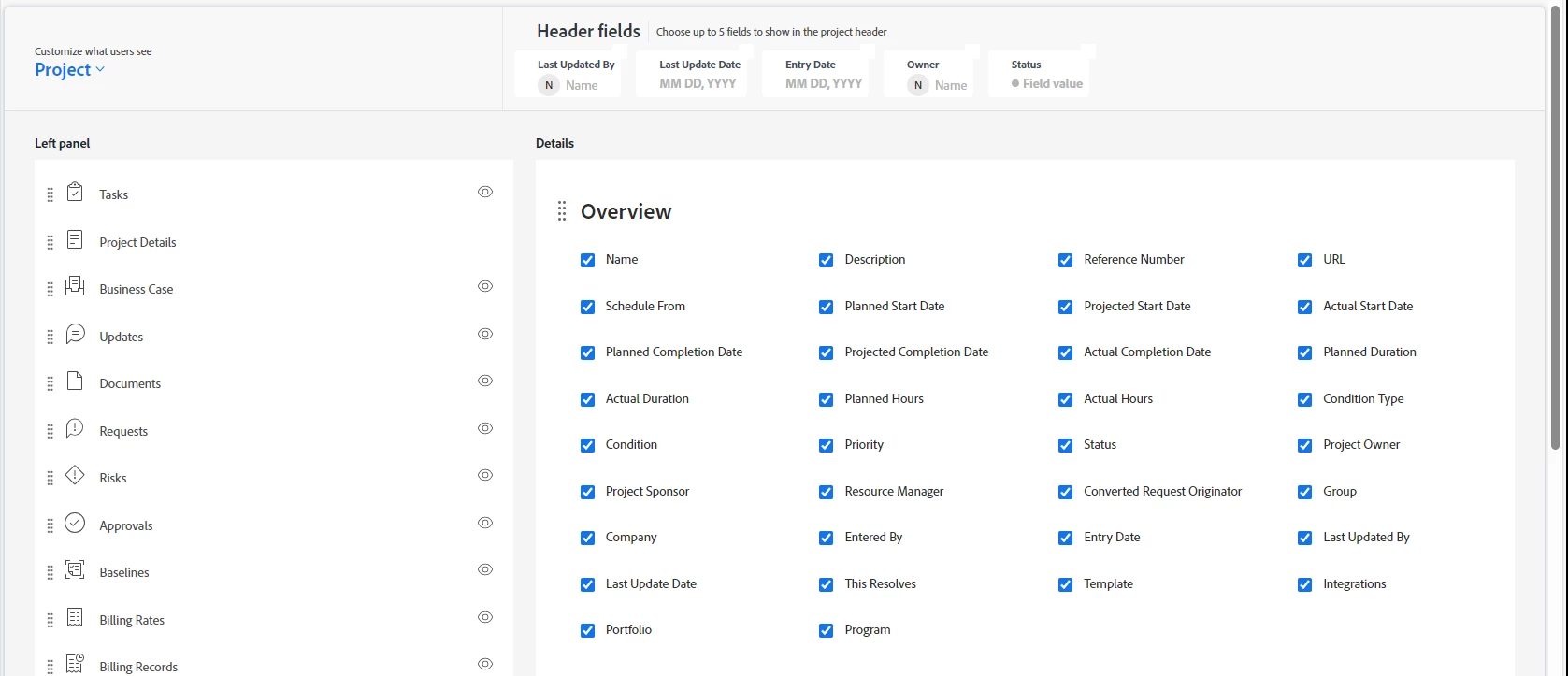
my guess is that you should check if your admin account has layout template assigned and if yes, check that layout template settings to see which fields are visible for you:

potentially status is not "enabled"

3 replies

lgaertner
Level 9
January 30, 2024

Hi Brian,


You do not really to add the status as a column, as when selecting multiple projects and clicking on Edit (Pencil), you should have access to all system fields. There you should also find Status under the section Basic information. If your selected projects have different statuses, you will see Multiple values in the dropdown prefilled.


Regards

Lars

BrianMa15Author
January 30, 2024

@lgaertner 


Thanks for responding. The weird thing is under basic information the only option I have is to select the priority.  I don't have an option to select status. 


Any thoughts on that? 

Rafal_Bainie
Community Advisor
Rafal_BainieCommunity AdvisorAccepted solution
Community Advisor
January 30, 2024

my guess is that you should check if your admin account has layout template assigned and if yes, check that layout template settings to see which fields are visible for you:

potentially status is not "enabled"

BrianMa15Author
January 30, 2024

Thanks for the reply. 


I logged in as our group admin and checked our templates and doesn't look like we have any. 


KellieGardner
Community Advisor
Community Advisor
January 30, 2024

Hi @brianma15 - It's most likely your access to those individual objects. You need to have manage access to the projects in order to change their status. While you might have view access to see and report on them, you might not have the ability to edit all of them. 


BrianMa15Author
January 30, 2024

Thanks!


Do you know where i need to go to in the settings to make that adjustment so that my account does have that ability? 


To add: I have the ability to change the status on each individual row from the report. So I feel like some setting or something might be missing.