
Can't get custom request forms or request queues to work | Community
Skip to main content
JustinWa2
Level 4
April 7, 2025
Solved

Can't get custom request forms or request queues to work

  • April 7, 2025
  • 2 replies
  • 443 views

Hello! I created a new custom form for when our people need to make a request to a specific team, but for some reason I can't get it to show up in the dropdown when trying to submit the request. I checked and made sure the form is active and was shared correctly. Also, I can't figure out how to make sure that this form sends the requests to the right queue. Can anyone help?


Thanks!


Justin
This post is no longer active and is closed to new replies. Need help? Start a new post to ask your question.
Best answer by Madalyn_Destafney

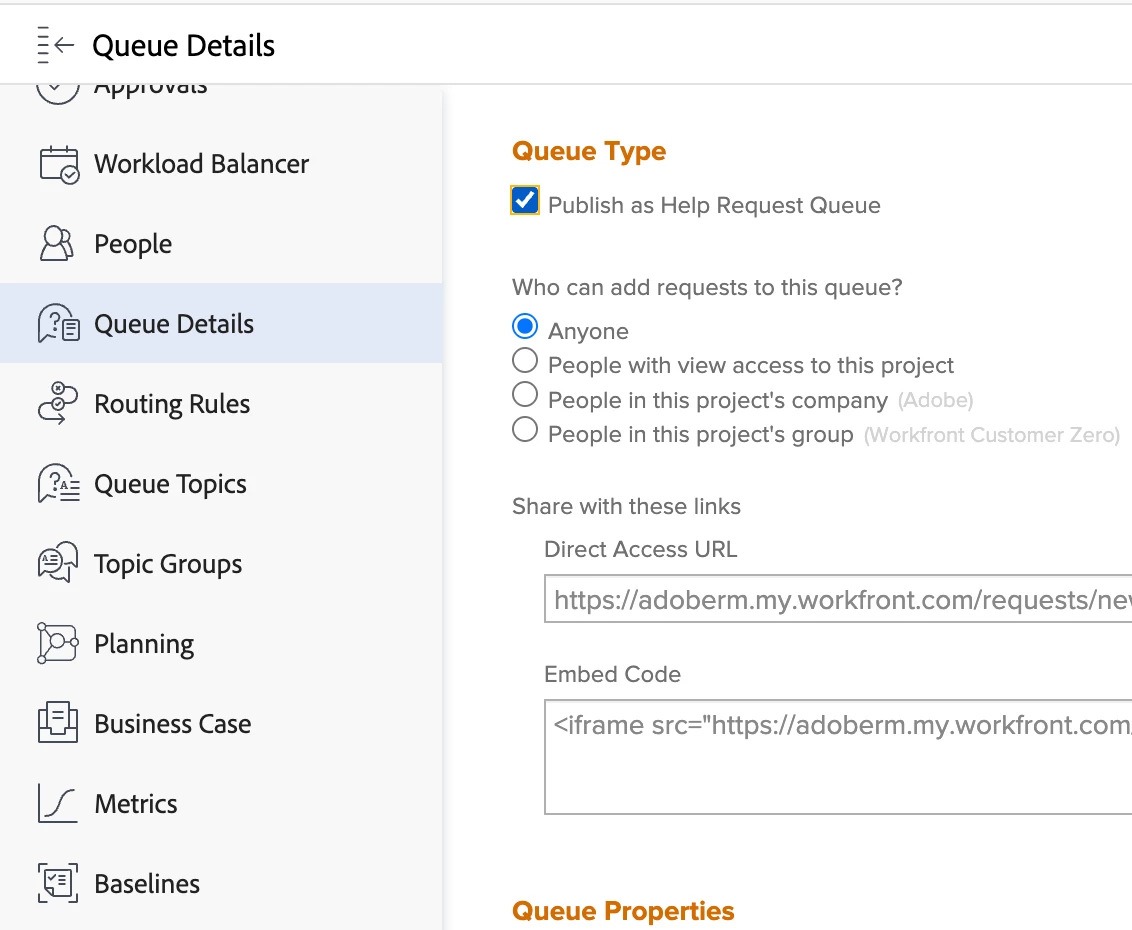
Hi Justin, do you have it published as a help request queue?

Go to the project of the queue/where requests will go > Queue Details in left panel > Publish as Help Request Queue

If your last question is about routing rules, go to Routing Rules in the project's left panel and go from there. More on routing rules here.

2 replies

skyehansen
Community Advisor and Adobe Champion
April 7, 2025

Your explanation of the errors you're experiencing are rather vague. I can point you to this link to help you along, but can't be more specific:

https://experienceleague.adobe.com/en/docs/workfront/using/manage-work/requests/create-and-manage-request-queues/create-manage-request-queues


When you are "trying to submit a request", you do not have the option to select a form. This would need either a queue topic (if you're in a project trying to add a new issue) or at the very least your queue details would need to be configured to include one custom form.


Forms do not "send requests to the right queue" either -- this would be a routing rule.


Madalyn_Destafney
Community Advisor
Madalyn_DestafneyCommunity AdvisorAccepted solution
Community Advisor
April 7, 2025

Hi Justin, do you have it published as a help request queue?

Go to the project of the queue/where requests will go > Queue Details in left panel > Publish as Help Request Queue

If your last question is about routing rules, go to Routing Rules in the project's left panel and go from there. More on routing rules here.

If this helped you, please mark correct to help others : )