Solved
Can't change dates for task - Grey dates
Hi, we have a project from Fusion that has grey task dates (screenshot attached). I have never seen this before, and when attempting to change the date, it automatically reverts back. Any tips?
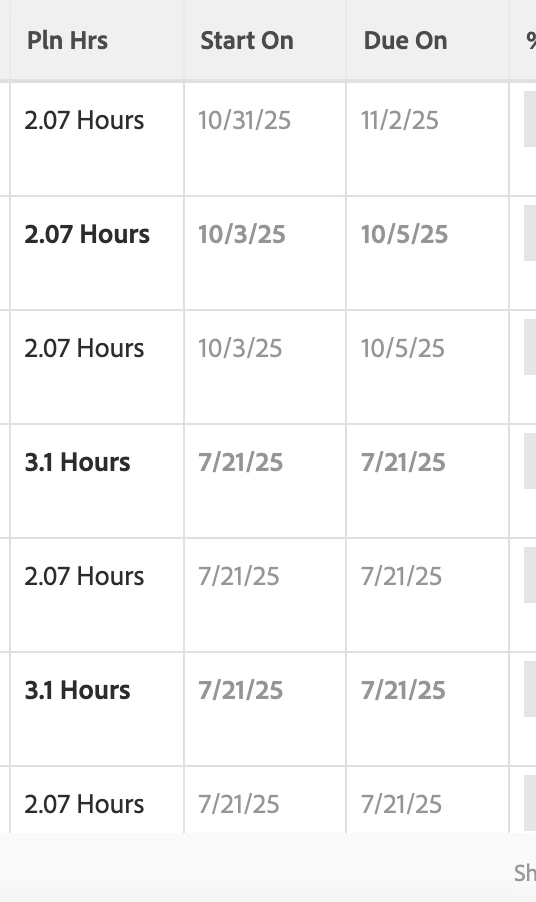
Hi, we have a project from Fusion that has grey task dates (screenshot attached). I have never seen this before, and when attempting to change the date, it automatically reverts back. Any tips?
We have this happen a few times per year. I understand this is a known issue and I have had 3-4 open cases with Adobe Service over the past 18 months. Typically this can happen on a larger project and even on a larger project (think several thousand tasks, not several hundred, or a large amount of items in the Document Section - for us it was several hundred) should take only a few minutes to update. This greying out is Workfront "thinking." Doing a manual recalculation of the timeline has been the recent recommended fix and often helps, but in my mind, it's like CTRL+ALT+DEL and clear/cache cookies response. I have found an improvement in our instance, but for a while, the dates would grey for 4-5 hours at a time, making all progress creating or adjusting your plan come to a screeching halt. We are not on Fusion, Workfront Classic.
Enter your E-mail address. We'll send you an e-mail with instructions to reset your password.