
Assignment Report with Color Coding for Multiple Conditions | Community
Skip to main content
HazelNB
Level 2
October 28, 2024
Question

Assignment Report with Color Coding for Multiple Conditions

  • October 28, 2024
  • 1 reply
  • 835 views

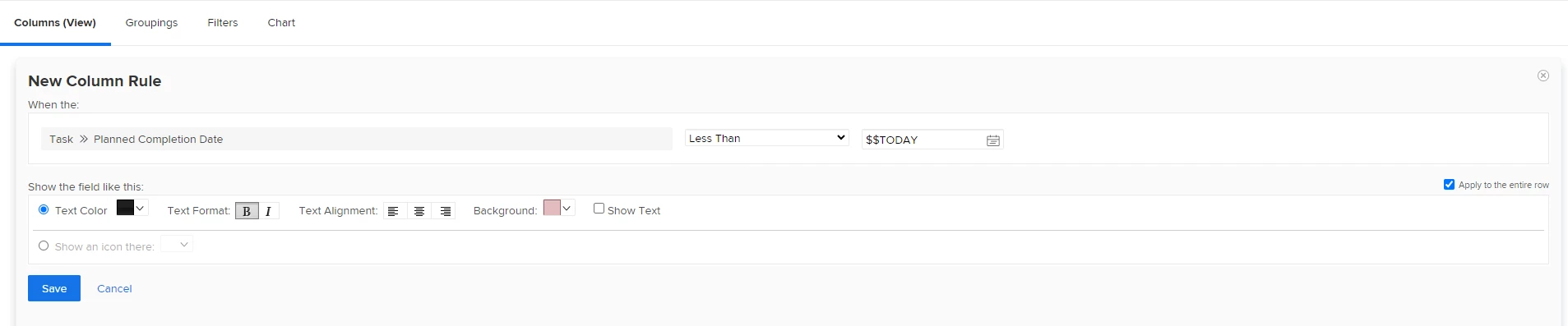
I'm working on an Assignment report where I'd like the row to be red if all the following conditions are met, but it looks like I can create only one column rule. Thanks in advance for your help!

Conditions:
Task Planned Completion date is less than today (aka late)

AND

Task Status is Ready

AND

Assignment is NOT Done


This post is no longer active and is closed to new replies. Need help? Start a new post to ask your question.

1 reply

KierstenKollins
Community Advisor
Community Advisor
October 28, 2024

You can only add one filter in a column rule, but you can stack multiple column rules working from the top down. See this community post for more insights: https://experienceleaguecommunities.adobe.com/t5/workfront-questions/is-there-a-way-to-use-2-criteria-in-a-column-display-rule/m-p/573836#M51803


HazelNB
HazelNBAuthor
Level 2
October 28, 2024

Thanks for the response and that is a shame there's only one filter in a column rule. Stacking them did not seem to help me get the results I was looking for. I tried reversing the order, but still no luck.


KierstenKollins
Community Advisor
Community Advisor
October 28, 2024

Can you try putting the red background color on the last column rule (If Status Not in DN) in your list?