Any idea why I can't click into the following field to edit it and change the priority. Is it because it is used in a sort? | Community
Skip to main content
Level 3
June 29, 2023
Question

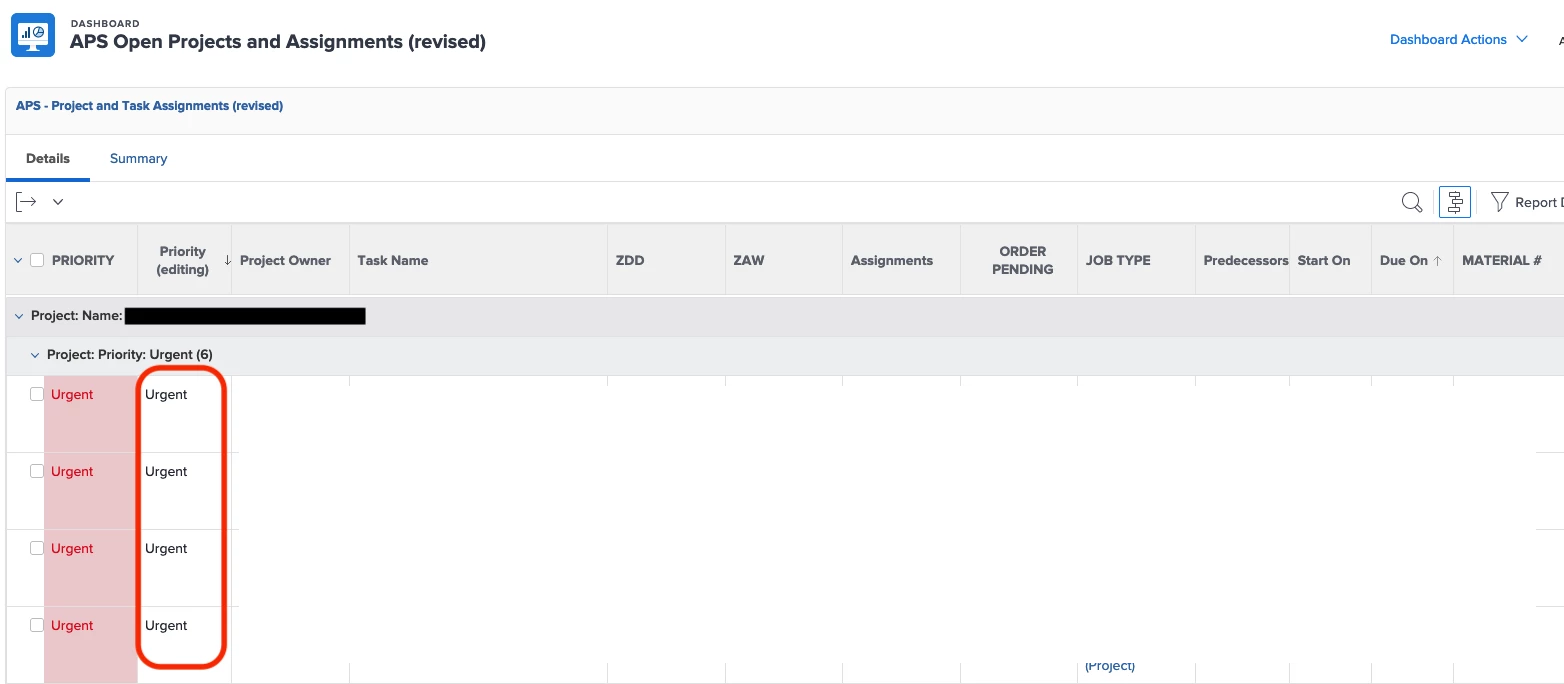
Any idea why I can't click into the following field to edit it and change the priority. Is it because it is used in a sort?
  • June 29, 2023
  • 2 replies
  • 1114 views

Any idea why I can't click into the following field to edit it and change the priority.  Is it because it is used in a sort?


This post is no longer active and is closed to new replies. Need help? Start a new post to ask your question.

2 replies

RandyRoberts
Community Advisor
Community Advisor
June 29, 2023

Is it a textmode field? Are you using a valueexpression? Is it a shared column? Can you go into edit mode and screenshot the column setup?

DeniseMoore
Level 4
June 29, 2023

My guess is that it is a calculated field being auto filled with the either the task's or project's priority or some other value expression.
It could also be that if this is a task report, then maybe that data field is from another object (maybe a project or issue priority rather than a task priority).

If it isn't a calculated field and it is for a sure a task field, consider checking that the task is shared with you to make edits.

DaBellAuthor
Level 3
July 3, 2023

This is a Project field (Project Priority) that is getting shown on a Task Report.  Is that the issue?

RandyRoberts
Community Advisor
Community Advisor
July 3, 2023

That would be it.