Add external URLs as linked items in Documents section
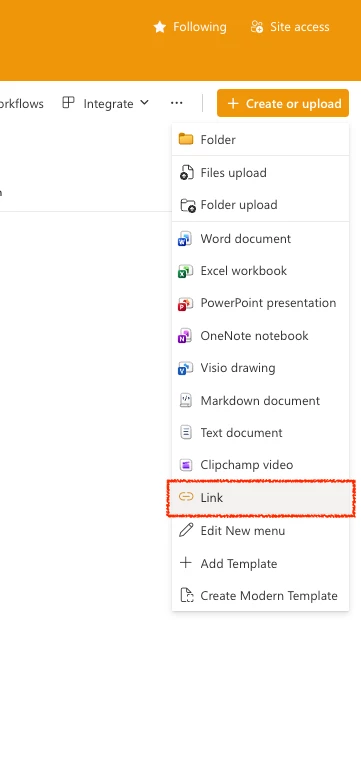
We'd like the ability to add external URLs (hyperlinks) as items within the Documents section of projects, tasks, and issues — similar to how OneDrive allows linked files alongside uploaded documents.
Use Case:
Our teams frequently reference external resources (SharePoint pages, OneDrive folders, briefs hosted outside Workfront, vendor links, etc.) alongside project work. Right now there's no native way to surface those links in context — users either have to add them to custom form fields or drop them in the Updates section, both of which reduce discoverability.
Expected Behavior:
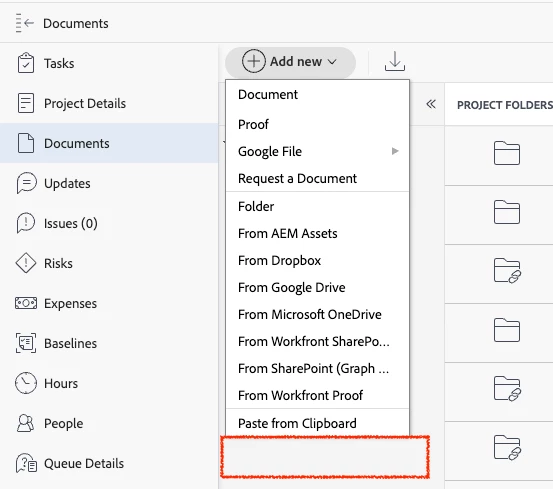
In the Documents section: a user can add a URL that appears as a linked item alongside uploaded files, with a display name and the external link
Business Impact:
Reduces context-switching and improves discoverability of related resources. Teams are currently using workarounds (custom fields, pinned Updates comments) that are inconsistent and easy to miss.