Solved
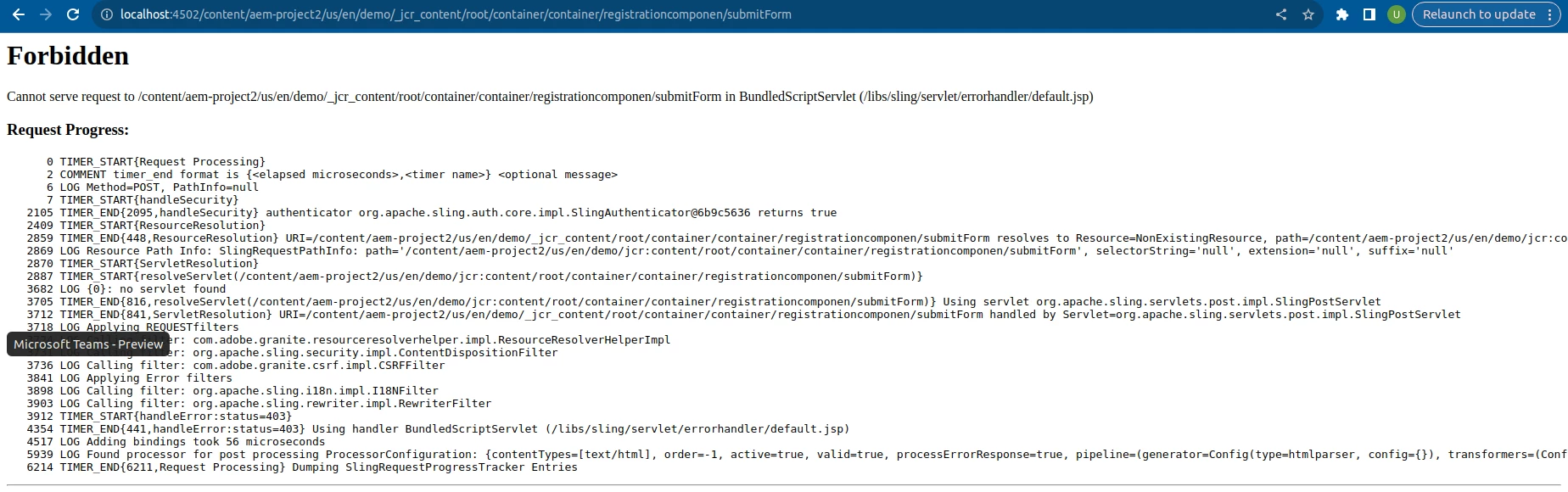
When I submitted the form, I got a Forbidden error. How can I fix this?
HTL CODE
<div data-sly-use.submitForm="com.aem.projectt.example.core.models.RegistrationModel">
    <form action="${submitForm.action}" method="post">
        <label for="name">Name:</label>
        <input type="text" id="name" name="name" required>
        <br/><br/>
        <label for="email">Email:</label>
        <input type="email" id="email" name="email" required>
        <br/><br/>
        <button type="submit">Submit</button>
    </form>
</div>
RegistrationModel
package com.aem.projectt.example.core.models;

import org.apache.sling.api.SlingHttpServletRequest;
import org.apache.sling.models.annotations.DefaultInjectionStrategy;
import org.apache.sling.models.annotations.Model;
import org.apache.sling.models.annotations.injectorspecific.SlingObject;
import org.apache.sling.models.annotations.injectorspecific.ValueMapValue;

@Model(adaptables = SlingHttpServletRequest.class, defaultInjectionStrategy = DefaultInjectionStrategy.OPTIONAL)
public class RegistrationModel {

    @SlingObject
    private SlingHttpServletRequest request;

    @ValueMapValue
    private String heading;

    public String getHeading() {
        return heading;
    }

    public String getAction() {
        return request.getResource().getPath() + "/submitForm";
    }

}
Sling Servlet
@Component(service = { Servlet.class },
        property = {
        "sling.servlet.paths=/bin/custom/saveFormData" ,
        "sling.servlet.methods={GET,POST}",
        "sling.servlet.selectors={one,two}",
        "sling.servlet.extensions=txt"
        })
public class SlingServletByPath extends SlingAllMethodsServlet {

    private static final Logger LOG = LoggerFactory.getLogger(SlingServletByPath.class);

    @Override
    protected void doPost(final SlingHttpServletRequest request, final SlingHttpServletResponse response) throws IOException {
        String name = request.getParameter("name");
        String email = request.getParameter("email");
        LOG.info("Value of Name: {}", name);
        LOG.info("Value of Email: {}", email);
        response.getWriter().write("Hello World" + " " + name +" "+ email);
    }

}