
The reason Why you see warning 'Adobe Target Content delivery is disabled' | Community
Skip to main content
Khushboo_Kalia
Adobe Employee
Adobe Employee
August 10, 2020

The reason Why you see warning 'Adobe Target Content delivery is disabled'

  • August 10, 2020
  • 4 replies
  • 5878 views

One might have been into a difficult situation while implementing Adobe Target on their site page where everything (setup/configuration etc.) looks perfect following the best practices but felt that Target library is not loading.

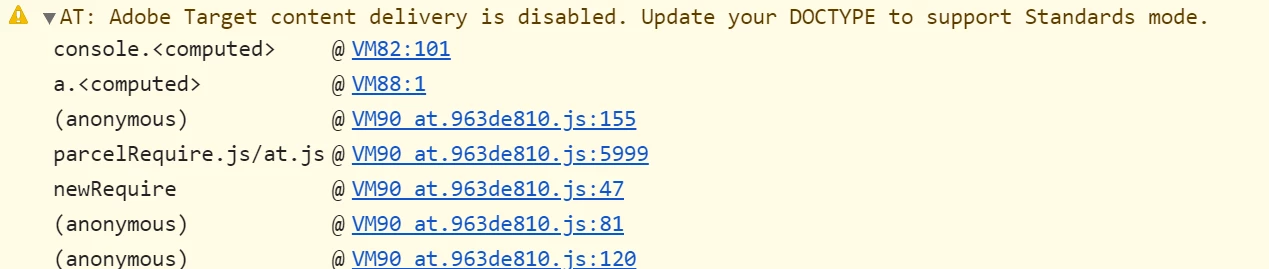
You get to see below warnings while doing debugging.

"AT: Adobe Target content delivery is disabled. Update your DOCTYPE to support Standards mode."

"AT: Target library is either not loaded or disabled, no request will be executed"

The solution to this problem is the support required for standard mode on your web pages. In simple words, your page demands the information for your browser that what document type to expect'. Thus, adding an information as '<!DOCTYPE html>' on your web page should do the job from my experience.
https://experienceleaguecommunities.adobe.com/t5/adobe-target-discussions/aem-6-1-seo-fetch-as-google-gt-at-adobe-target-content-delivery/m-p/283564#M1190

https://experienceleaguecommunities.adobe.com/t5/adobe-target-discussions/adobe-target-why-doctype-is-important-for-your-webpage/td-p/353288

Hope this helps!

Thanks,

Khushboo

This post is no longer active and is closed to new replies. Need help? Start a new post to ask your question.

4 replies

Adobe Employee
August 26, 2020

@khushboo_kalia From the looks of the error it appears that the correct Doctype is not defined in the source code of the website.

In order to resolve this please ensure that <!DOCTYPE HTML> is declared on top of the source code of the webpage.


Let me know if this helps?


Regards,

Karan Dhawan

Khushboo_Kalia
Adobe Employee
Adobe Employee
August 27, 2020

@karandhawan , I agree with the solution. 

@skand, thanks for sharing the link.

Thanks,

Khushboo

Adobe Employee
August 26, 2020

@khushboo_kalia 

You can also check this 

It explains 'What HTML doctype does at.js require?'


JyotiSharmaV
Community Advisor
Community Advisor
May 25, 2023

this link is not working

BarryMann
September 23, 2021

<!DOCTYPE HTML> did it for me.


<!DOCTYPE HTML>
<html>
<head>
<script src="https://assets.adobedtm.com/55f90c612c0d/a3790cee639d/launch-adce1c1b34e1.min.js" async></script>    

<!-- OneTrust Cookies Consent Notice start for production.barrymann.com -->


<!-- <script src=https://cdn.cookielaw.org/consent/95f14129-940a-448b-97c2-6cef485dd481.js type="text/javascript" charset="UTF-8"></script> -->


<script type="text/javascript">


function OptanonWrapper() { }


</script>


Khushboo_Kalia
Adobe Employee
Adobe Employee
October 14, 2021

@barrymann Yes, that's exactly we have to do in order to cope with the given error. I'm glad it worked. 🙂

JyotiSharmaV
Community Advisor
Community Advisor
May 25, 2023

Hi @khushboo_kalia , in my case we already have <!DOCTYPE html> declaration but I still see error

[Adobe Target v2] AT: Target library is either not loaded or disabled, no request will be executed

Adobe Employee
July 19, 2023

Hi @jyotisharmav ,


Did you get any solution for this as I am also getting error after adding doctype.


Thanks in advance.


@mihnead could you please help here?