@jchabot86 - if you are trying to achieve profile sync across multiple devices then consider using mbox3rdPartyId (https://experienceleague.adobe.com/docs/target/using/audiences/visitor-profiles/3rd-party-id.html?lang=en)
Step 1: Pass the user-id of your internal user as mbox parameter "mbox3rdPartyId" to create a cross-device profile. Note that the user will have to login on every device they use to enable cross-device syncing.
Step 2: Pass a profile parameter corresponding to the experience being delivered. I have given an example using trackEvent below.
adobe.target.trackEvent({
"mbox": "target-global-mbox",
"params": {
"mbox3rdPartyId": "<your-user-id>",
"profile.my_exp_viewed": "true"
}
});
Step 3: Create an audience using this profile-attribute so that the experience is only shown when the value is not true
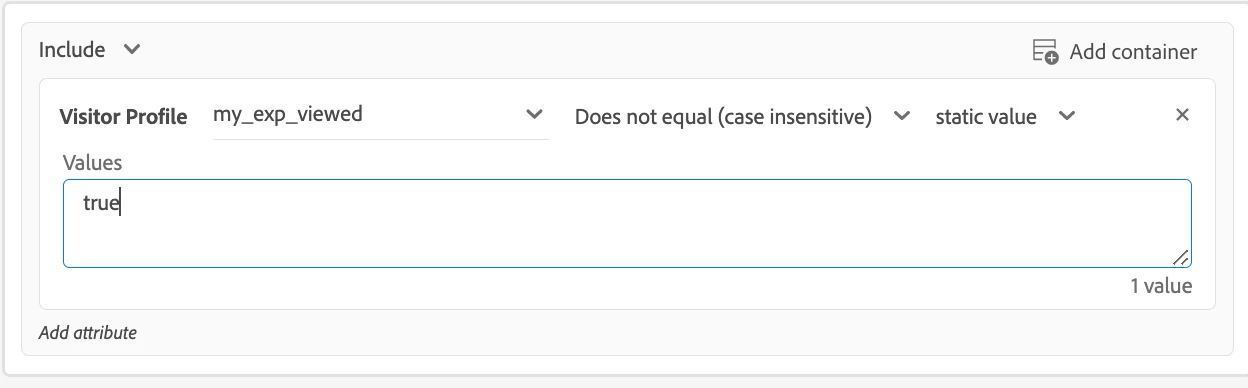
Hope this helps,
Rajneesh